How can I delete a policy type? The option is greyed out!

  • Aug 17, 2023 11:28 AM UTC
  • Sep 17, 2024 10:02 AM UTC
  • 6 replies
  • 194 views
  • Translate All

Paula Fernandes
Bobber

In order to delete a policy type, you would first need to delete all policies that are within that policy type.


To delete the policies, you would need to unassign all employees from start date.

6 replies

  • Nov 30, 2023 9:52 PM UTC

What do you do if the policy effective date is Jan 1 2024 and I want to delete it but it is not showing up in the assigned employees profile to unassign because of the date?

Translate

Lindsay Sinenberg
Bobber

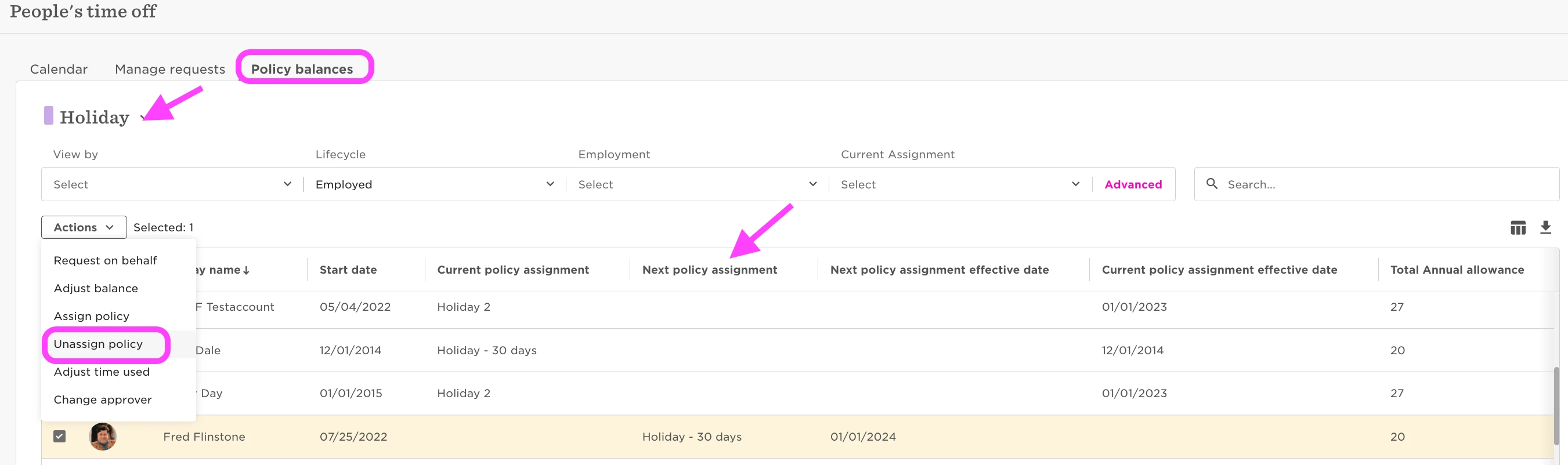
Hi @Courtney Kuhl! You can view all policy assignments by navigating to Time> People's Time off> Policy Balances> select the specific policy at the top> add in the 'Next policy assignment' column (if the user is only assigned beginning next year) along with any other items of your choosing with the Column Picker > select the employee from the list> Actions> Unassign policy


Translate

  • Dec 4, 2023 2:35 PM UTC

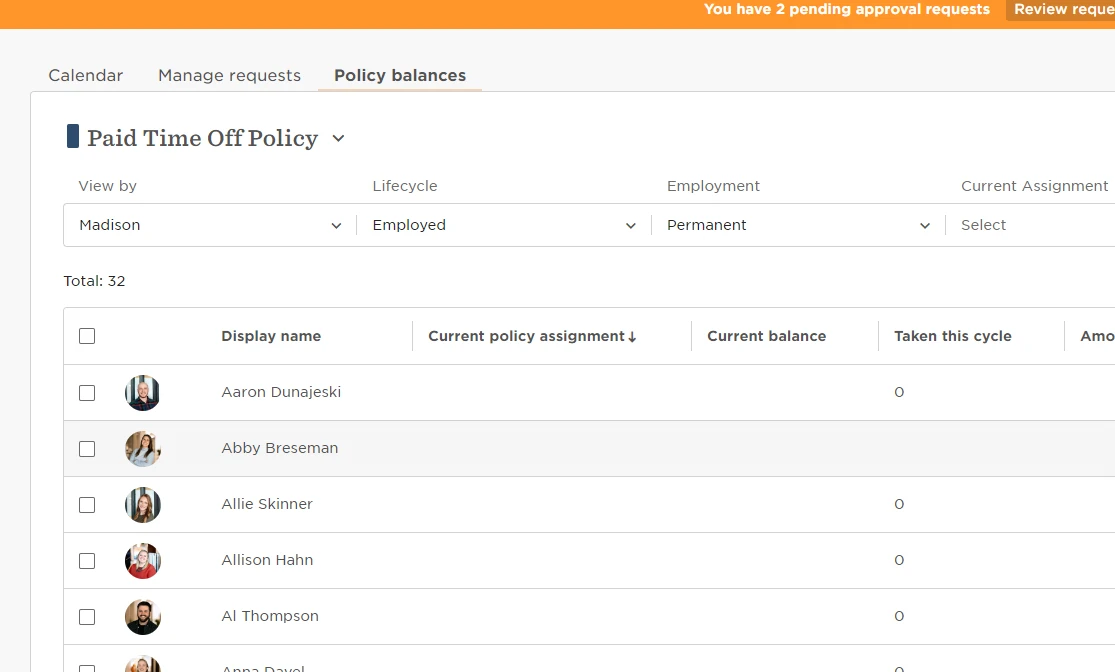
Hello! Thanks for the response, I do not seem to have that action option for the policies: 


Translate

Lindsay Sinenberg
Bobber

@Courtney Kuhl  Make sure to follow the steps I provided - you’ll need to select at least one employee from the list to be able to access the Actions button and unassign 
We also have information in our Help Center about managing people’s time off!

Translate

Hi @Courtney Kuhl! You can view all policy assignments by navigating to Time> People's Time off> Policy Balances> select the specific policy at the top> add in the 'Next policy assignment' column (if the user is only assigned beginning next year) along with any other items of your choosing with the Column Picker > select the employee from the list> Actions> Unassign policy


@Lindsay Sinenberg if you unassign the policy, what happens to future requests under that policy that were approved? do they go away?

Translate

Lindsay Sinenberg
Bobber

@Ryan Lehrkinder The approved requests that were submitted in the future, will remain. They will be visible on the employees time off page and the Manage Requests page.

Translate