


If a user can’t access the available Time Off import options, make sure their permission group has the required Time Off permissions.
Go to System Settings > Permission groups, select the relevant permission group, and click Edit permissions.
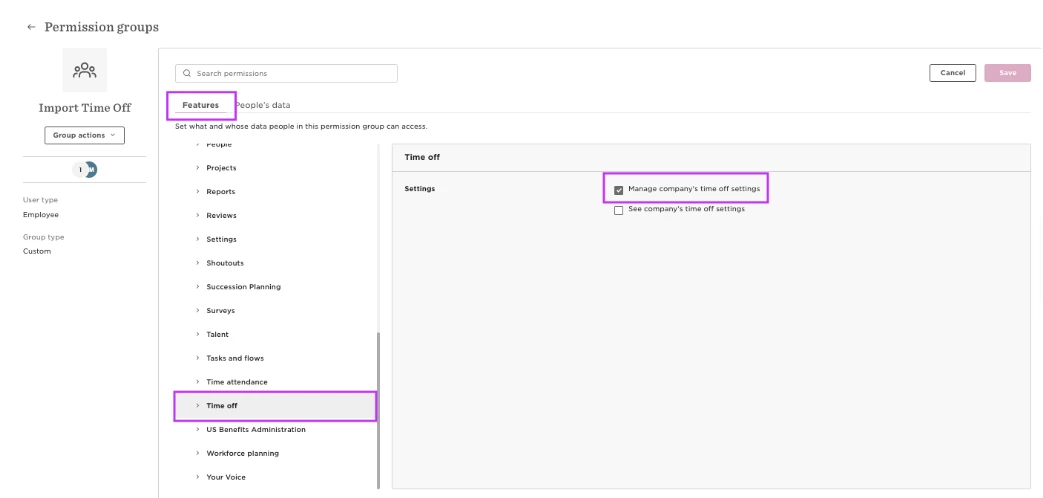
Under Features > Time off, enable:
- Manage company’s time off settings
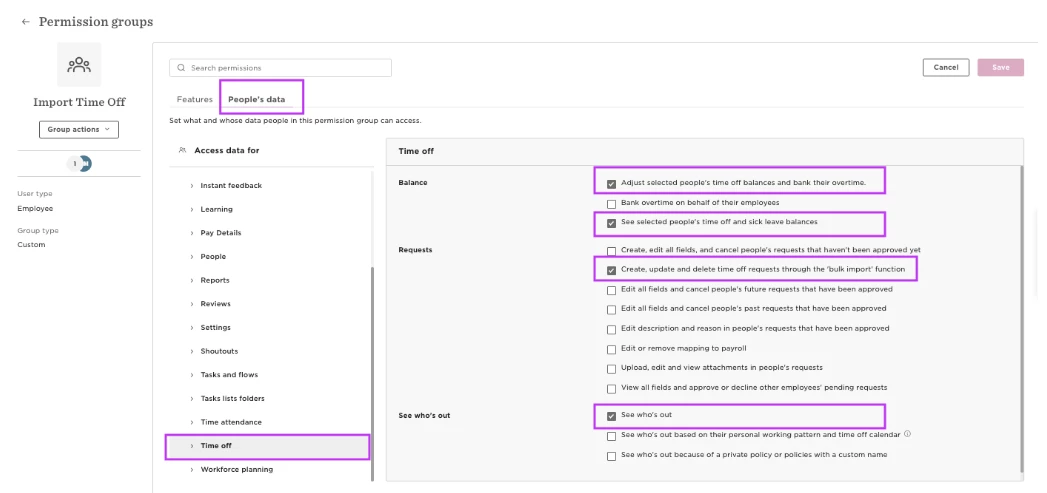
Then, under People’s data > Time off, enable:
- Adjust selected people’s time off balances and bank their overtime.
- See selected people’s time off and sick leave balances
- Create, update and delete time off requests through the ‘bulk import’ function
Save your changes. The user can now access the available Time Off imports for the people they have permission to access.