

If a user can not see employees in the Time off calendar, and they show up as "Undefined" in other parts of Bob, check whether the user has permissions to view the Display Name field of the relevant employees.
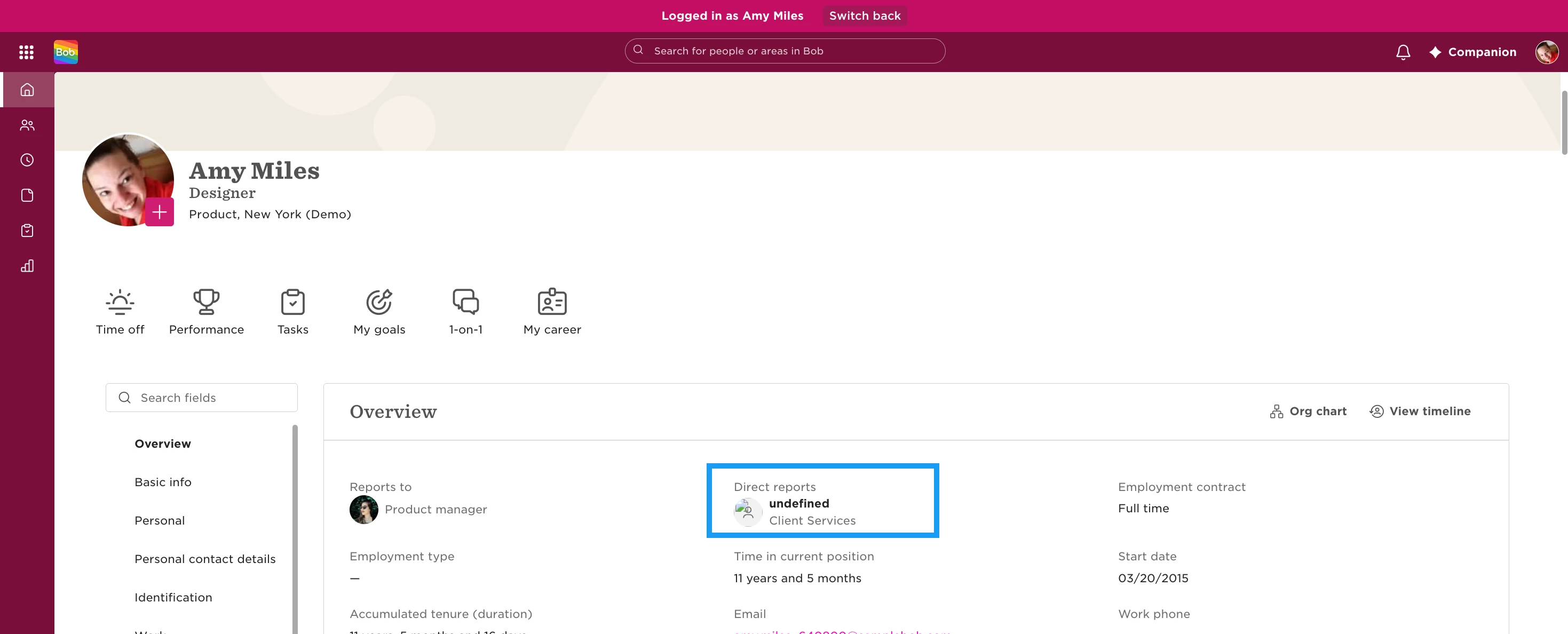
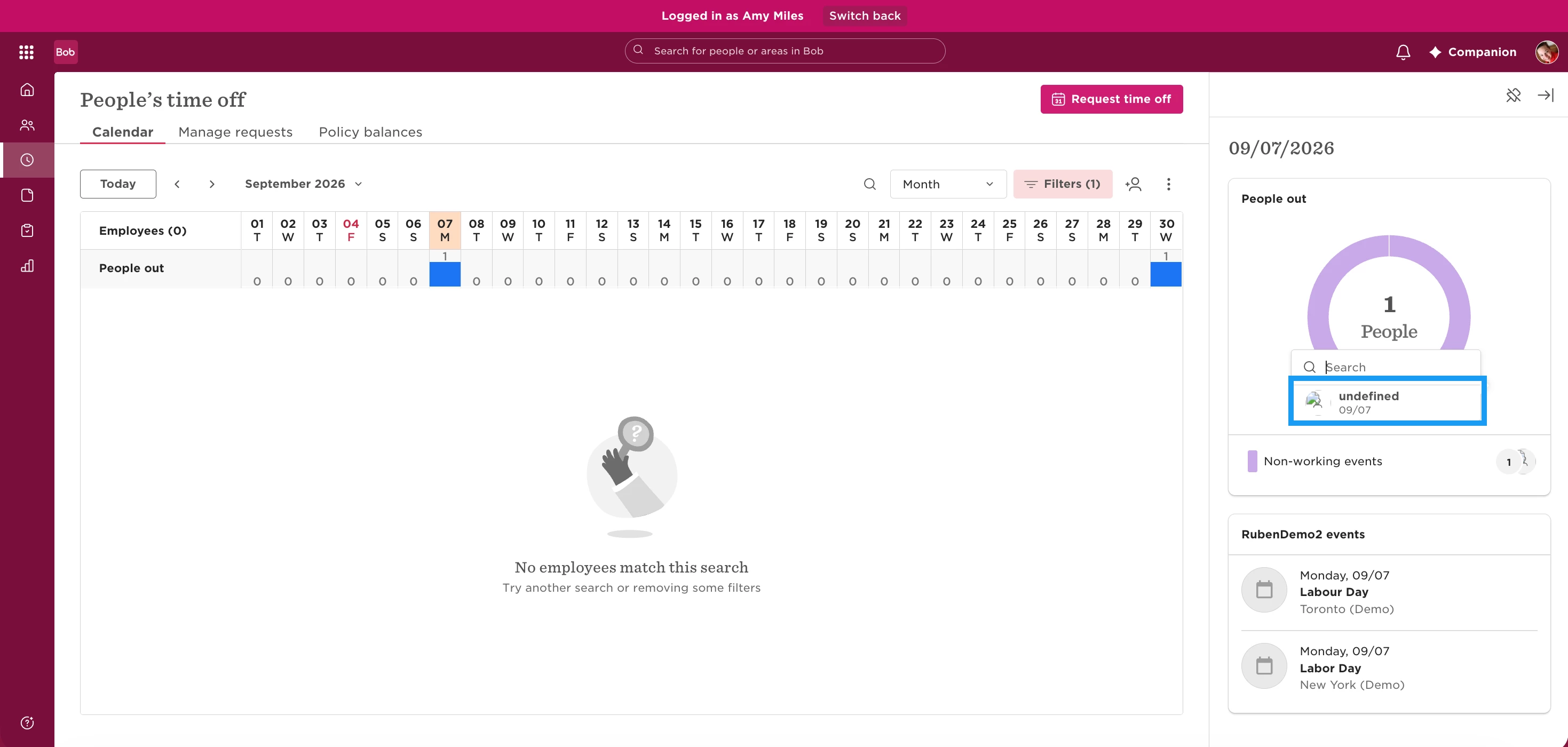
When a user can access the Time data of employees, but does not have View permission for employees’ Display Name field they will not show in the People's Time Off calendar page, even if access rights cover them.
To resolve this, enable View permissions for the Display Name field. You can do so in the All People - Others' Data permission group.
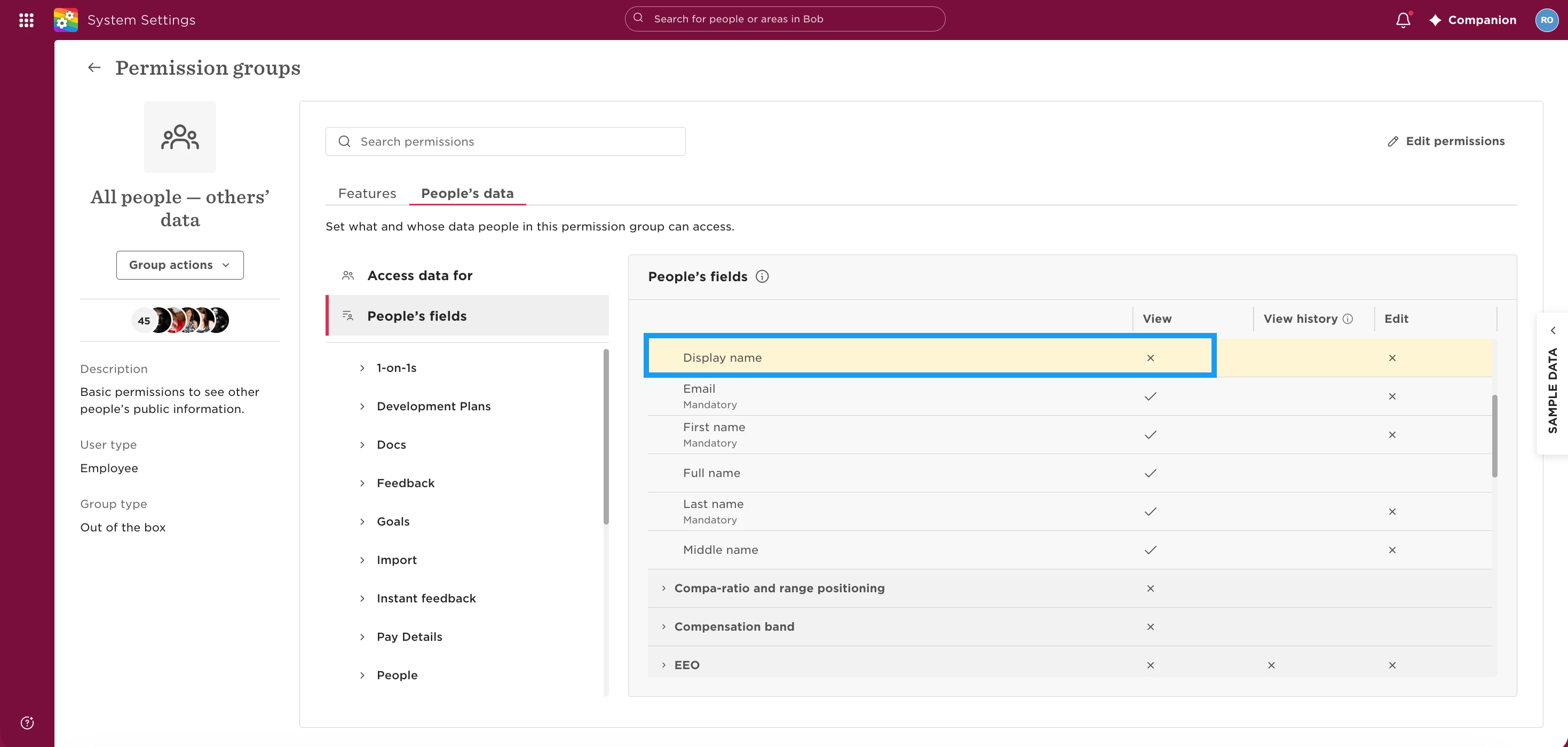
Once the user has permission to view the Display Name field, employees should display correctly in the Time off calendar, and they should no longer appear as Undefined elsewhere in Bob.