
I updated the expiration for the carryover in the time off policy settings, the expiration hasn't changed for the employees.
This behaviour is caused because the carryover days are impacted by the settings which were in place when the actual carryover event occurred. In order to bring the expiry inline with the current time off policy settings you can reimport the days.
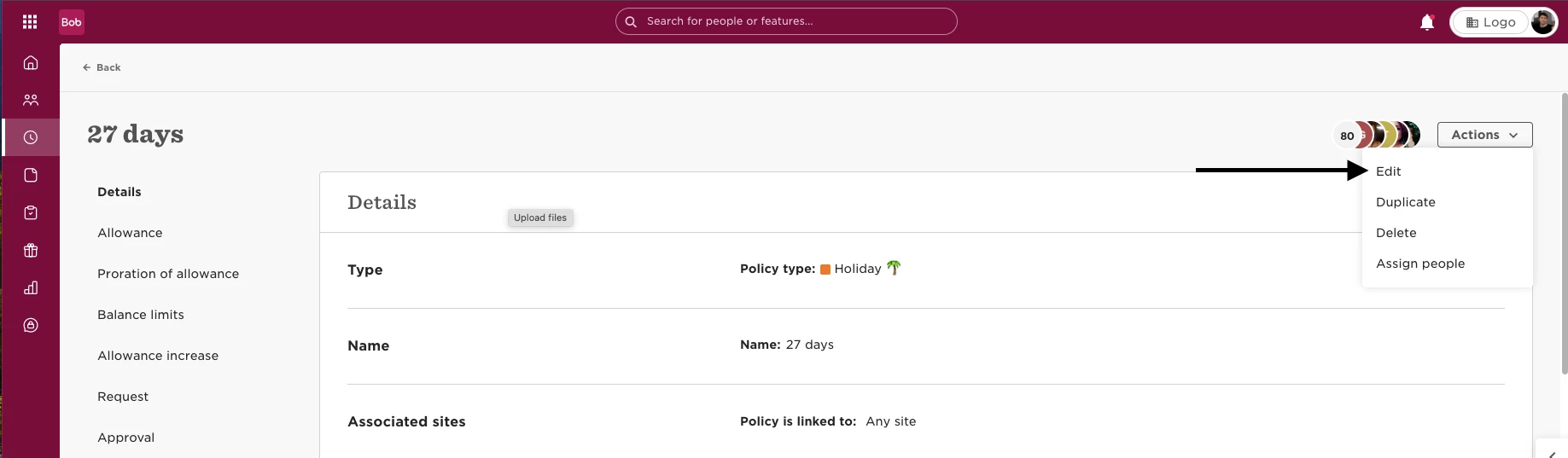
In order to edit and update the carryover expiry for the current cycle please follow the steps below:
- Time
- Time Off Settings
- Policies and select the needed policy from the list
- Actions and Edit
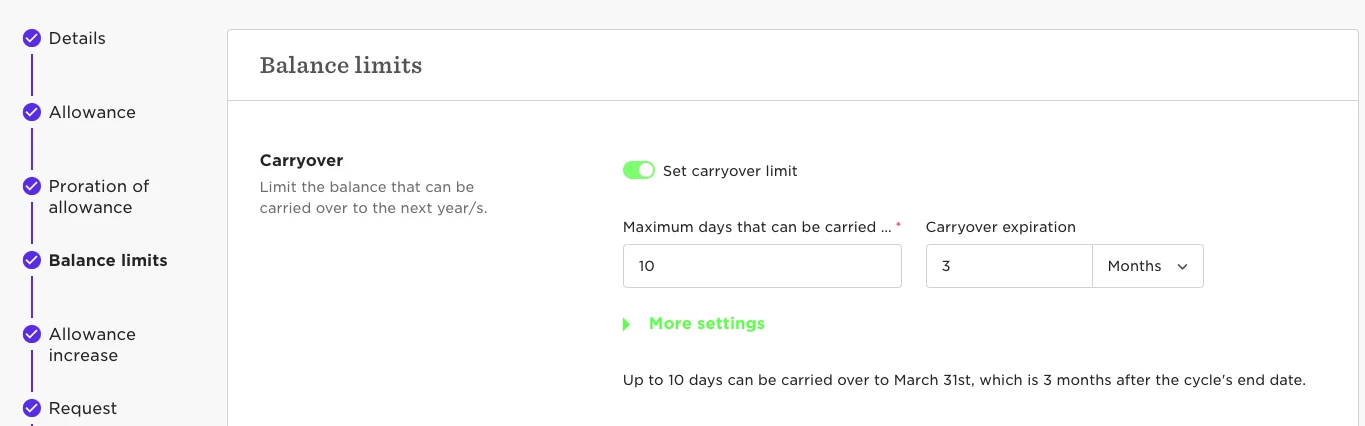
Head to Balance limits and set the new desired expiry period and Save:
Now we will extract last years Carryover;
- Go to Analytics
- Reports and New Report
- Use Template, within the Time section you’ll see Balance Summary Export. Generate this report.

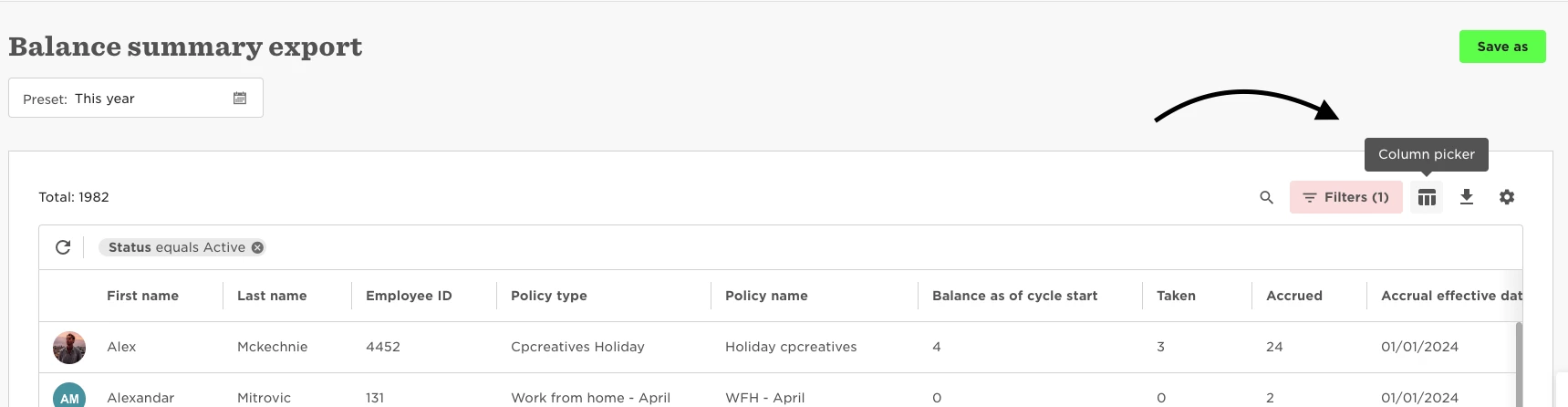
Set the time frame to match the current cycle and select the needed policy type in the filter. Then add emails to the report:

You will need the balance as of cycle start column (this column tell you what was carried over from past cycle to current cycle):

It’s also advised to use the column picker to pull the employee email into this report as it will then make for an easier transfer into the Import Template.
Export this date to Excel:

Go to Settings → Data Management → Import and use the Import starting balances:

Drop the file and complete the steps in the wizard to match the fields and you're all set:
