

Can’t Submit a Time Off Request in the Bob Mobile App (Error: “Go to Desktop to Request Partial Time Off on These Days”)
If employees report that they can’t submit a time off request from the Bob mobile app and see the error “Go to desktop to request partial time off on these days”, this is usually tied to how the relevant time off policy is configured.
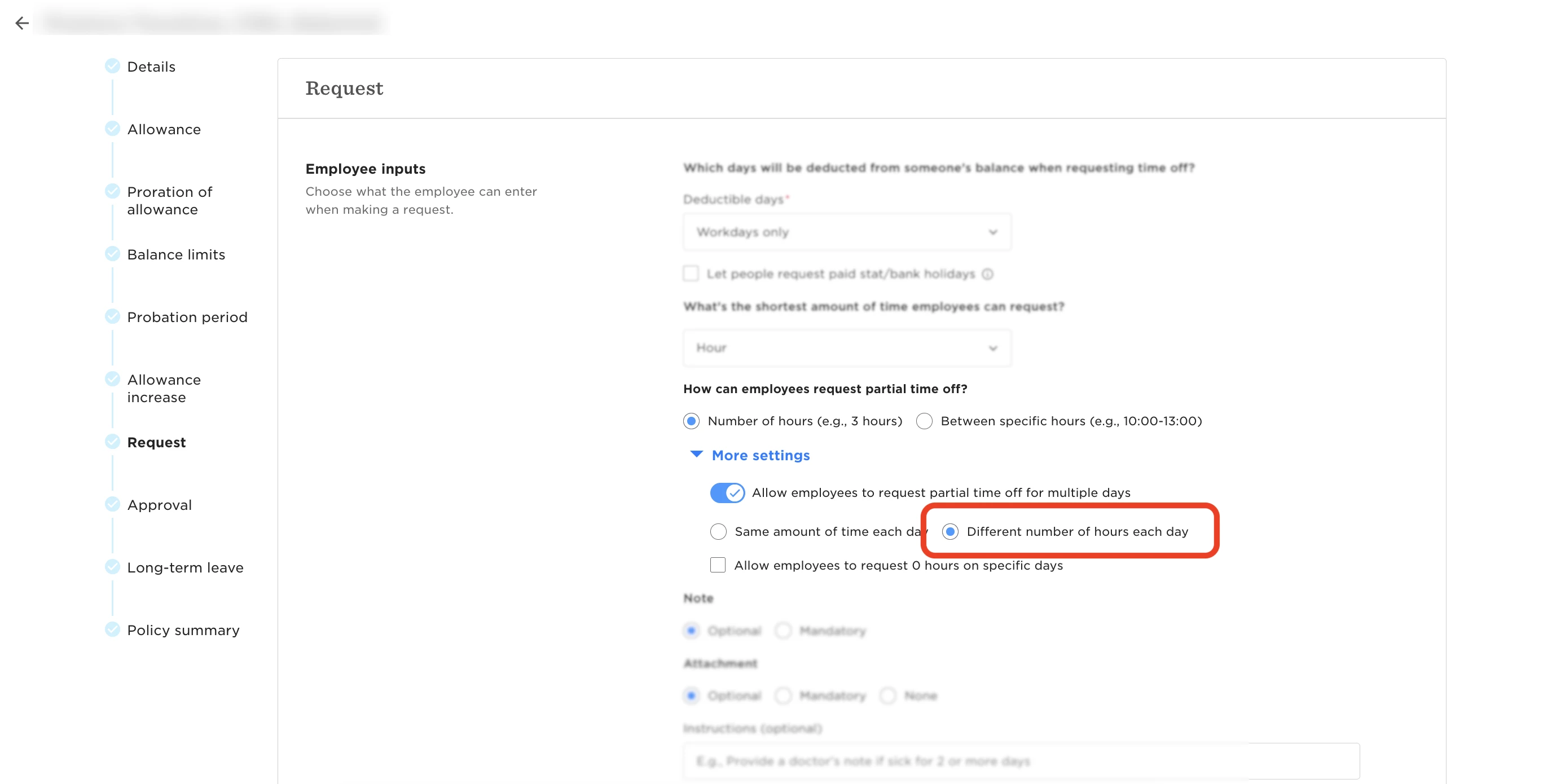
This error appears when the time off policy allows employees to request partial time off for multiple days and is specifically set to Different number of hours each day. This configuration isn’t currently supported in the Bob mobile app, even though it works on desktop.
Because of this known limitation, employees must submit those requests from desktop, and the mobile app blocks the action with the message above.
Workarounds You Can Apply as an Admin
To allow employees to submit time off requests for this policy from the mobile app, you can adjust the policy configuration:
- Update the policy to use Same amount of time each day instead of Different number of hours each day, or
- Turn off Allow employees to request partial time off for multiple days altogether
Once you save either change, time off requests under this policy will be supported in the Bob mobile app.
💡 Tip: Before making changes, keep in mind that these settings affect how all employees submit time off requests across both desktop and mobile. It’s a good idea to review the policy behavior and confirm it still aligns with your company’s time off process before updating it.