

If approved time off isn’t showing up in employee calendars, the issue may be with the policy’s visibility settings or notification preferences.
Even if notifications and calendar sync are turned on, calendar invites won’t be sent if the policy is set to Private.
Here’s how to troubleshoot:
1. Check if notifications are enabled
-
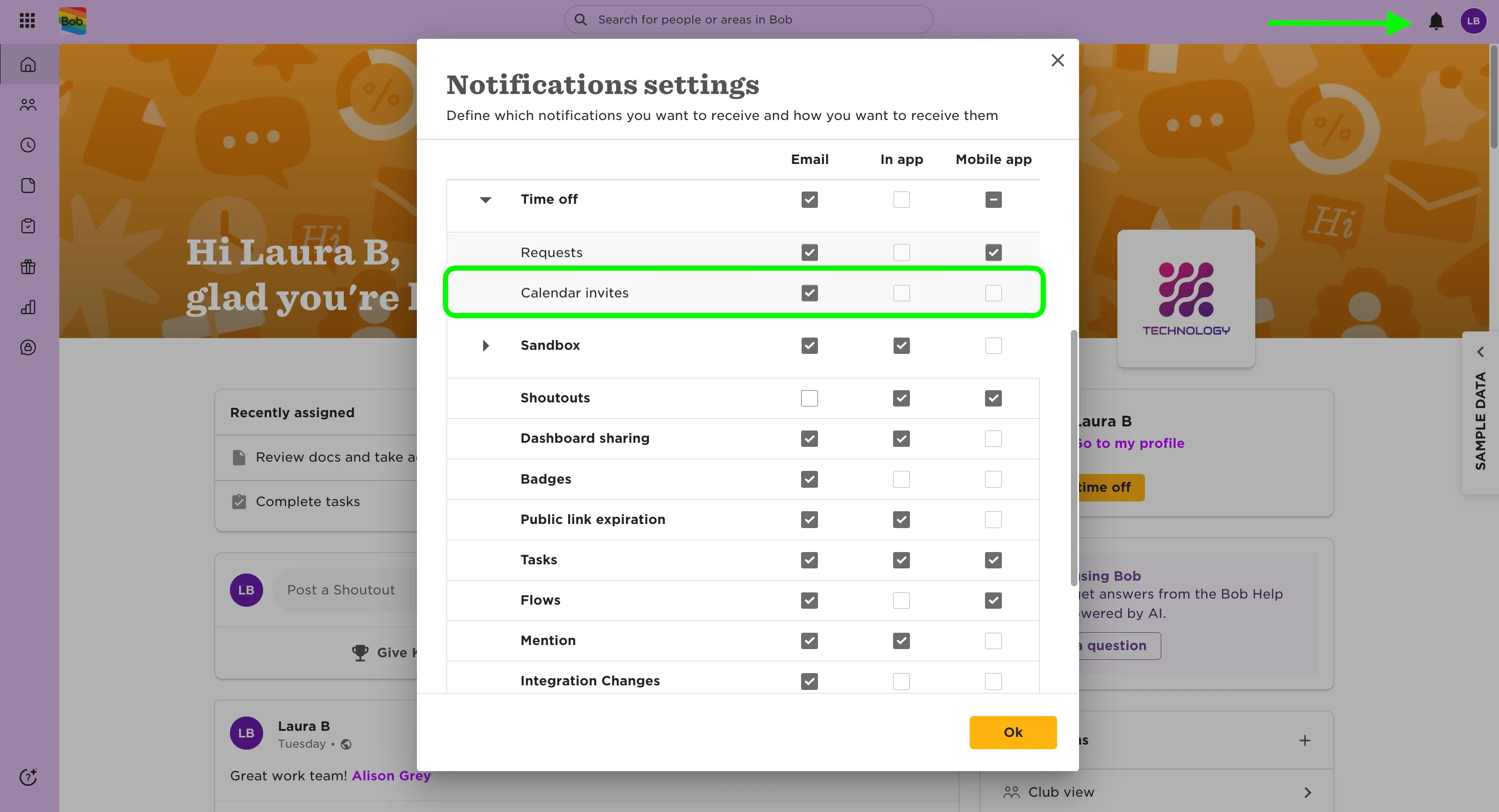
Click the 🔔 icon in the top-right corner of your Bob screen
-
Click the ⚙️ icon to open Notification Settings
-
Make sure Time > Calendar Invites is toggled on
2. Check if calendar invites are enabled
-
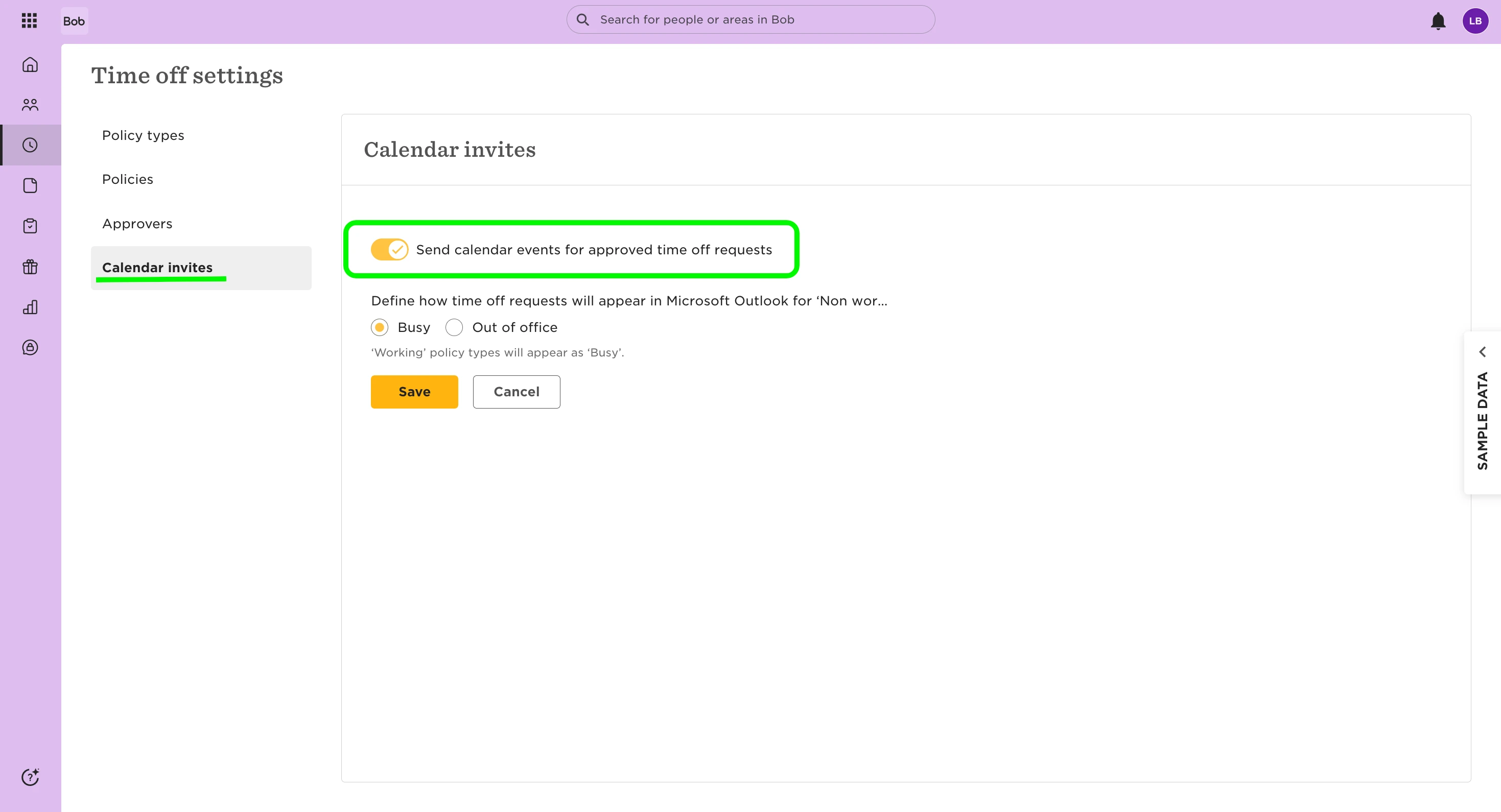
Go to Time > Time Off Settings > Calendar invites
-
Make sure Send calendar invites for approved time off requests is toggled on
3. Check the policy visibility setting
-
Go to Time > Time Off Settings > Policies
-
Click the relevant policy (e.g. Unpaid Leave)
-
Click Actions > Edit
-
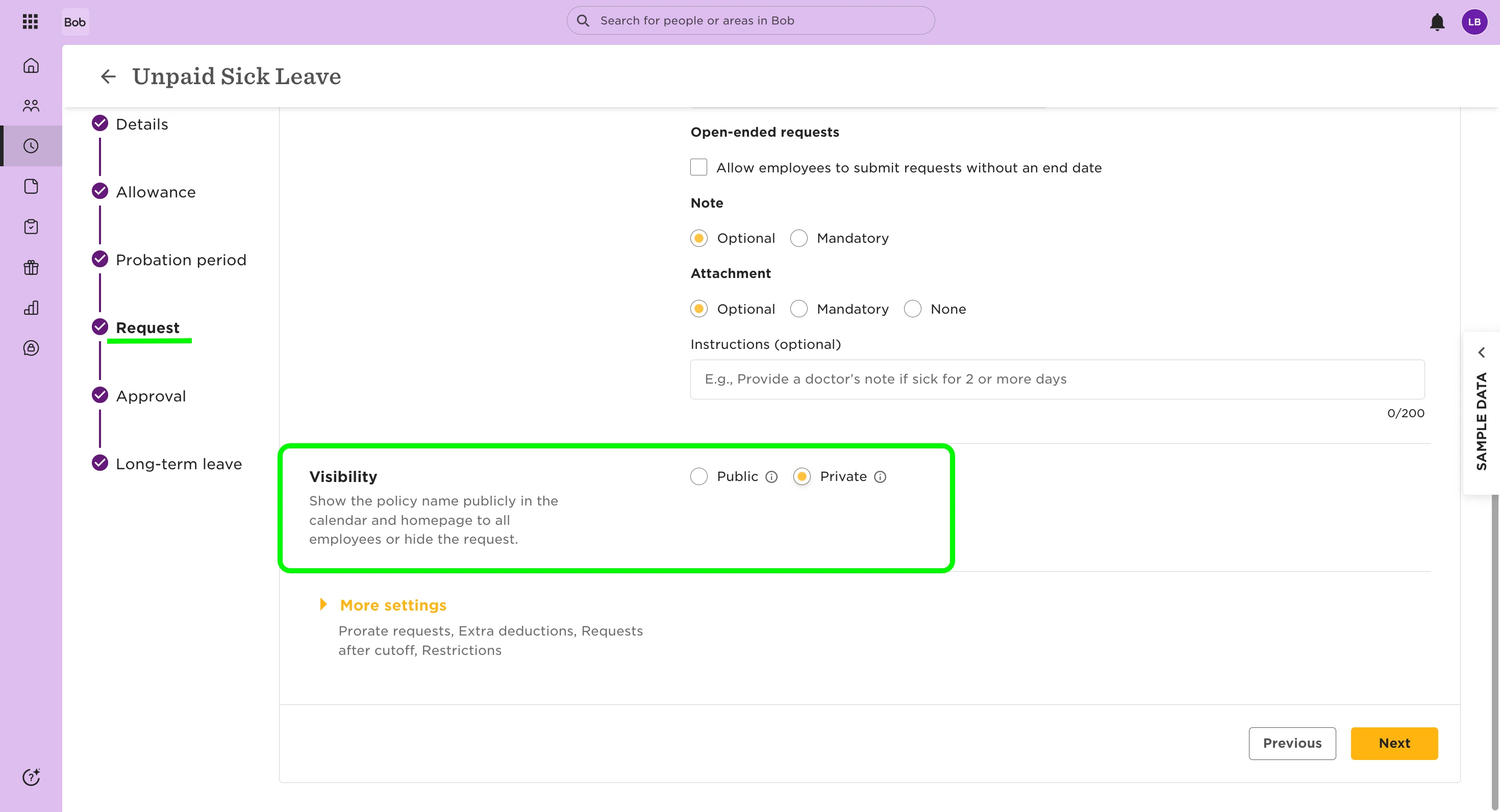
Scroll to the Requests section
-
Under Visibility, check if the policy is set to Private or Public
Calendar invites will not be sent for policies with Private visibility.
If you’d rather keep policies private but still want time off to show in employees’ calendars, consider using calendar sync instead of invites.
Important note:
If you recently changed a time-off policy from private to public, it’s worth checking when the affected requests were originally submitted.
Requests keep the policy setting that was in place at the time they were approved. This means:
-If a request was approved while the policy was private, it will remain private
-Private requests won’t sync to external calendars—even if the policy is now public
-There’s no way to retroactively change an existing request from private to public
To confirm this, you can use the time off policy audit report to check if the policy was updated after the request was created.
If needed, the only workaround is to:
- Cancel the original request
- Rebook it under the now-public policy
This ensures the new request is treated as public and syncs correctly with the calendar. Learn more:
Sync the time off calendar with your external calendar
Configure time off calendar invite settings