Block employees from requesting time off

  • August 1, 2023
  • 4 replies
  • 216 views

Bob has a new feature (Spring 2024) where you can prevent employees from making time off requests themselves, with a specific policy.

If this option is enabled, employees will not be able to make a request using the policy, i.e., only managers or any other employee with permission to request on the employee’s behalf will be able to make requests.

This can be useful in situations such as if your organization allows only managers to report on team members’ sick days.

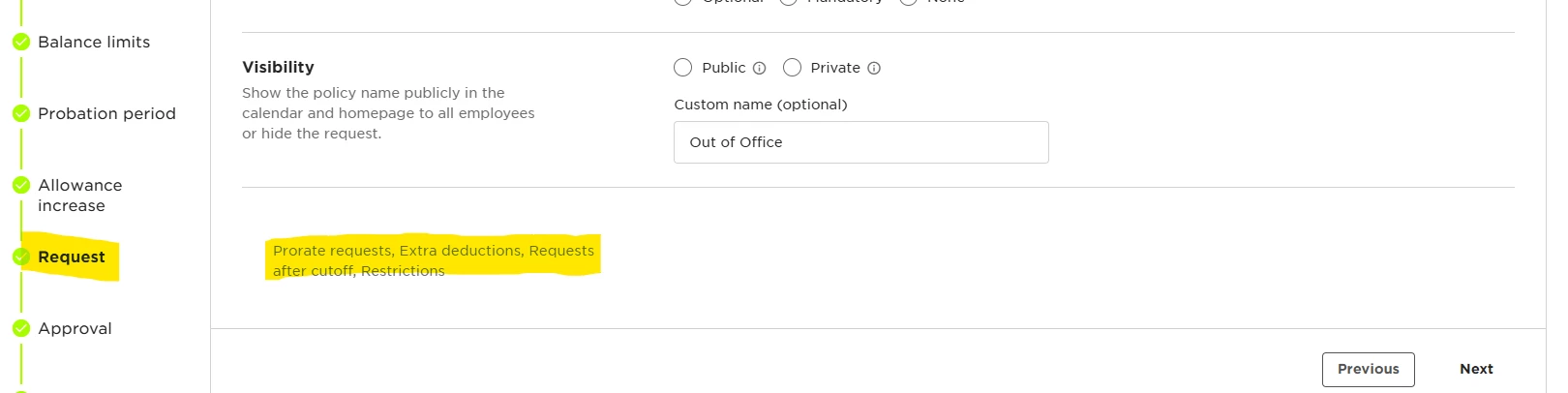
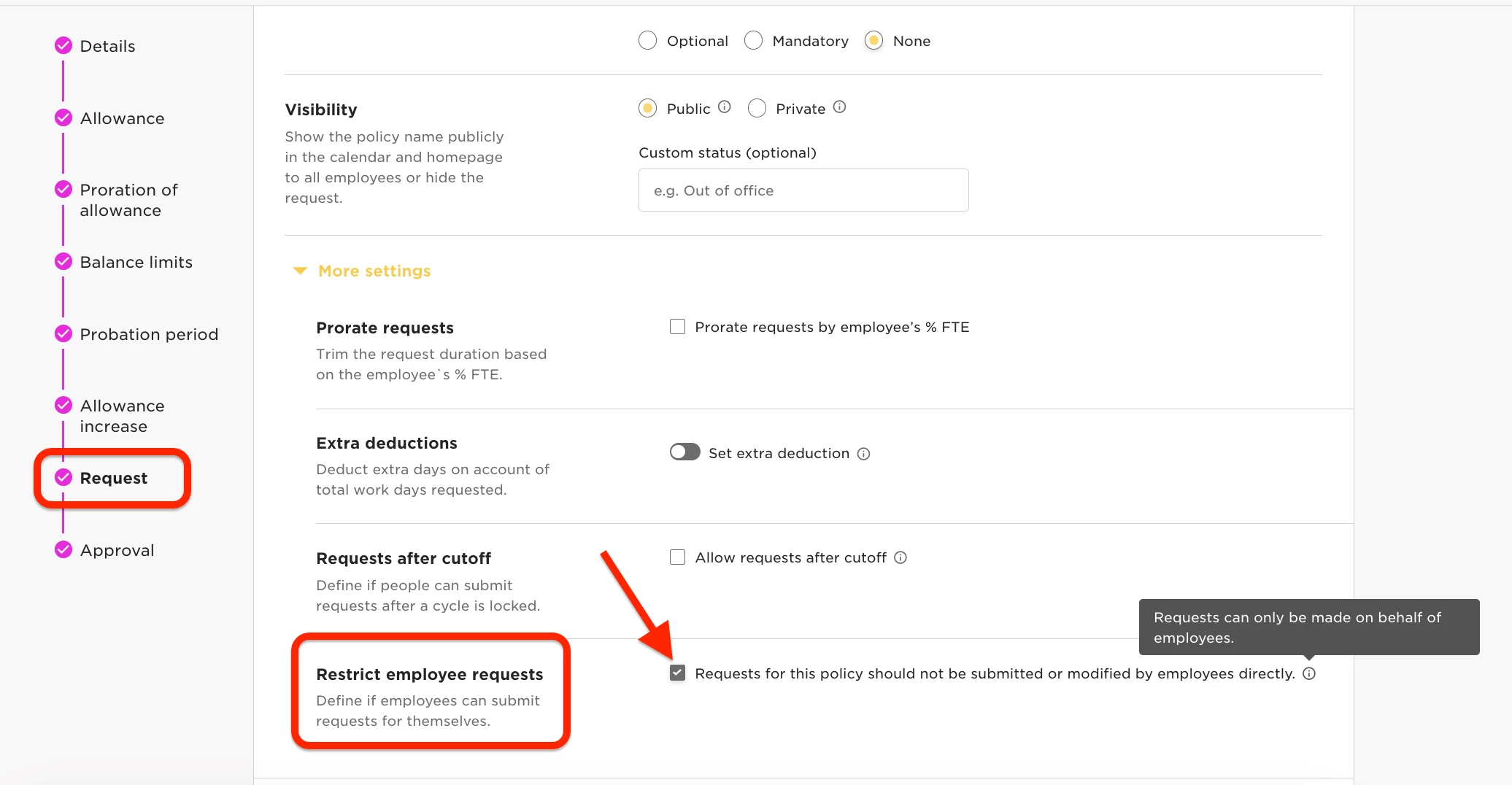
To enable this, you’ll want to toggle ON the Requests for this policy should not be submitted or modified by employees directly feature, as shown below, in the Request step of the time off policy settings.


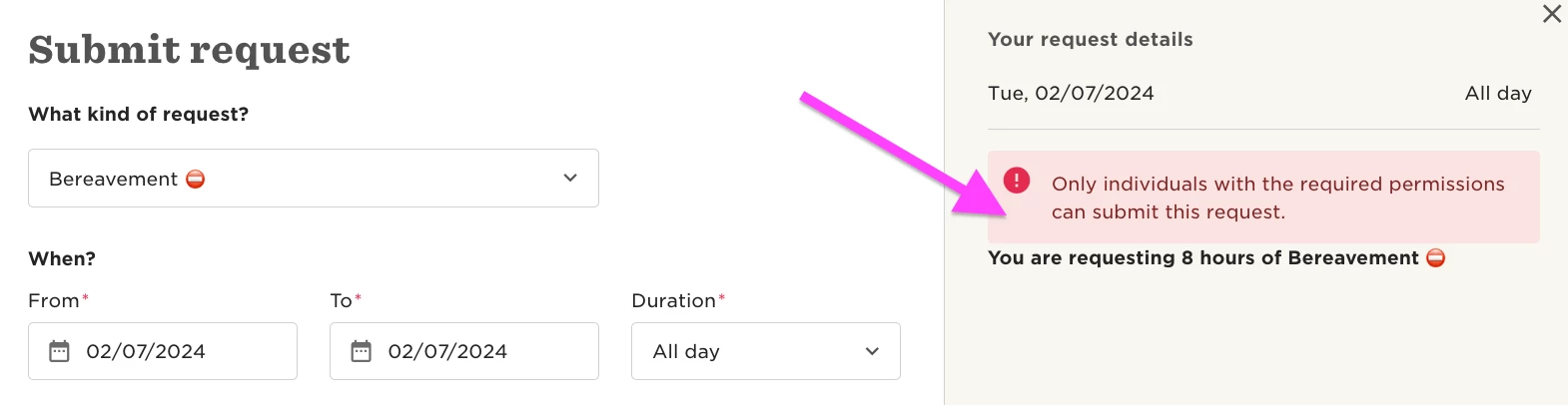
If someone tries to submit a request using the specific policy, the system won't let them submit it and they’ll be prompted with a warning.
 

4 replies

Can you do this on an individual basis rather than at a policy level - for example to prevent them booking time off when they are in their notice period and their final pay has been calculated with their holiday balance? Taking into account payroll could be calculated processed 1-2 weeks before the employment ends.


Lindsay Sinenberg
Bobber

Hi ​@Clare Hasler! This feature would be applied to all employees assigned to this specific policy. We don’t have an option to restrict one specific employee only.

But two options you could use for your use case:
1.) Unassign the employee X number of weeks before their termination date. That way the applicable policy will be removed from their account and they can’t submit any requests with it.

2.) One the employee reaches the 1-2 week period before their termination date, assign the user to another policy that has this setting turned on. This way the restriction would apply to them only. This would be some manual setup first by creating a separate policy under the same policy type that can be used for employees who are scheduled to terminate.


  • August 20, 2025

Hi Team,


May I know why ours does not show the above option?  It is greyed out.


Maital Terdiman
Bobber

Hi ​@Maisa 

I can see that you have reached out to our technical support team who are waiting on further details from you, let us know what the final update on this is 😊