


If approved time off invitations from Bob arrive by email but don’t automatically appear in Google Calendar, check how Google Calendar handles invitations from external senders.
In Google Calendar:
- Go to Settings > Event settings.
- Find Add invitations to my calendar.
- Check which option is selected:
- From everyone
- Only if the sender is known
- When I respond to the invitation in email
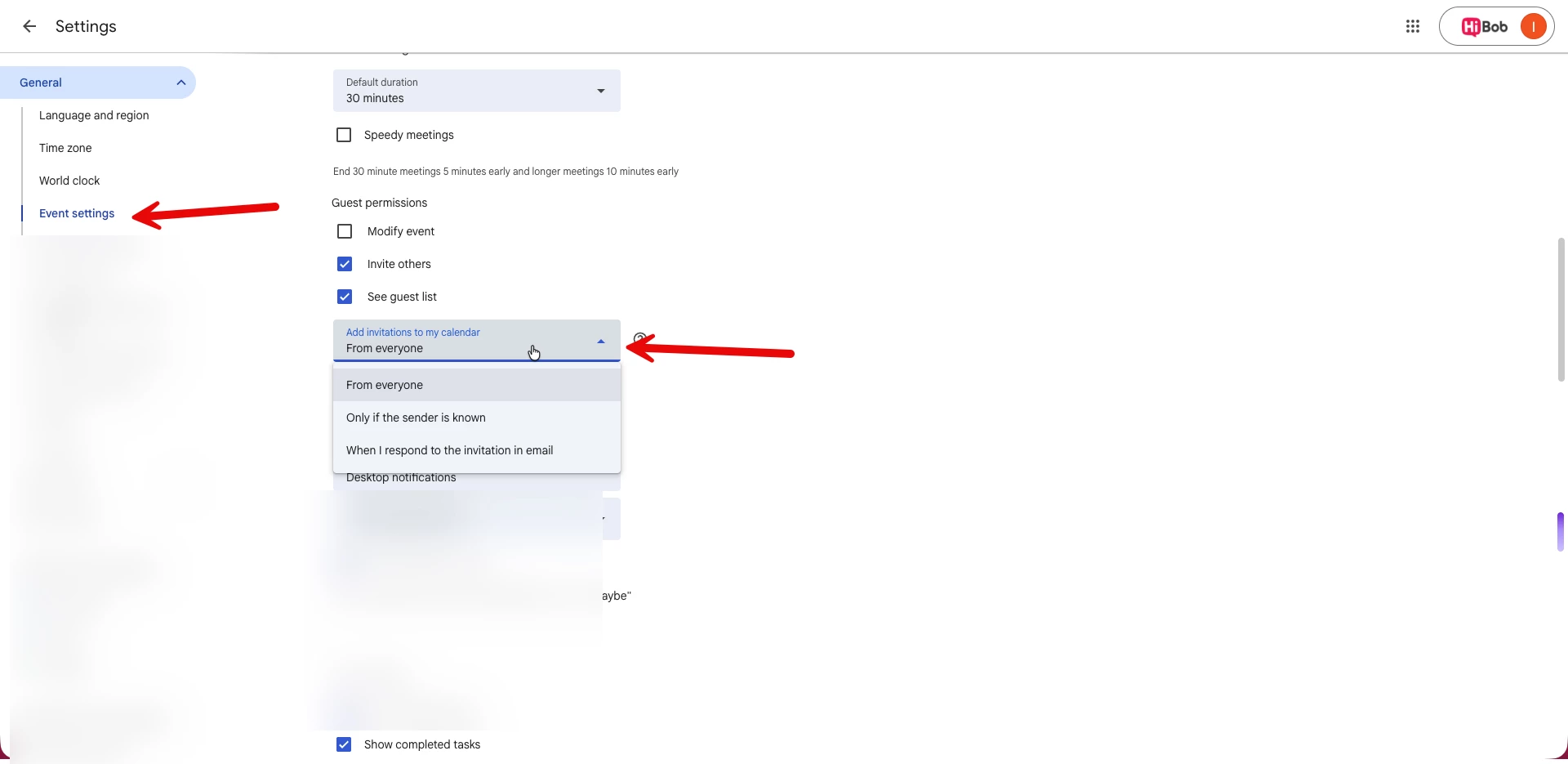
Bob calendar invitations are sent from no-reply@hibob.com. If Only if the sender is known or When I respond to the invitation in email is selected, the invitation may arrive by email without the event automatically appearing in Google Calendar.
To allow these invitations to appear automatically, update the setting to From everyone.
If you’ve already updated the setting and need to add previously approved time off bookings to your calendar, you have two options:
Import the .ics file from the invitation directly into Google Calendar. See Import events to Google Calendar for Google's instructions.
Cancel the existing time off request in Bob and submit it again to trigger a new invitation.