


If you can't delete a working pattern that appears to be unassigned, it's likely because it's still linked to an inactive employee or a pre-hire profile.
This can be confusing because the working pattern library doesn't always show every profile assigned to a working pattern. Former employees and employees who haven't yet become active may still be linked behind the scenes, preventing the working pattern from being deleted.
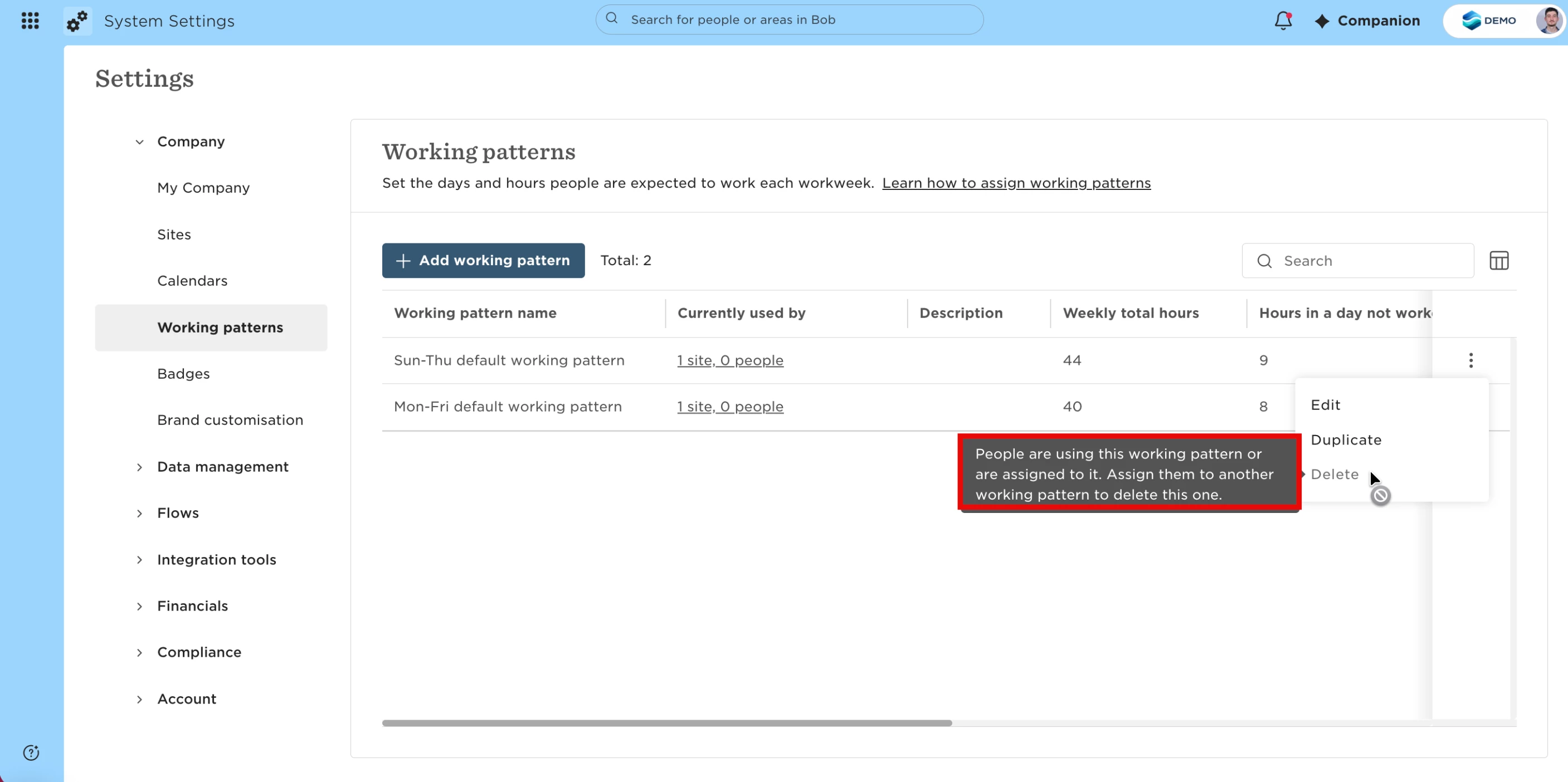
To remove the working pattern:
Go to System Settings > Company > Working patterns.
Open the working pattern you want to delete and review the list of assigned employees.
Check for any inactive or pre-hire employee profiles that may still be assigned.
For each former employee:
Open the employee profile.
Go to the Employment section.
Click the edit (pencil) icon.
Change the working pattern to a different one or the site default.
Save your changes.
Once every employee record—including former employees and pre-hires—has been reassigned, return to the Working patterns page and delete the working pattern.
If you need to update a large number of former employees, you can use the Update people's data import to bulk update the Employment table and reassign working patterns across multiple employee profiles.