

This guide helps you troubleshoot issues with end-of-cycle attendance notifications not being sent.
There are two specific settings that need to be enabled:
-
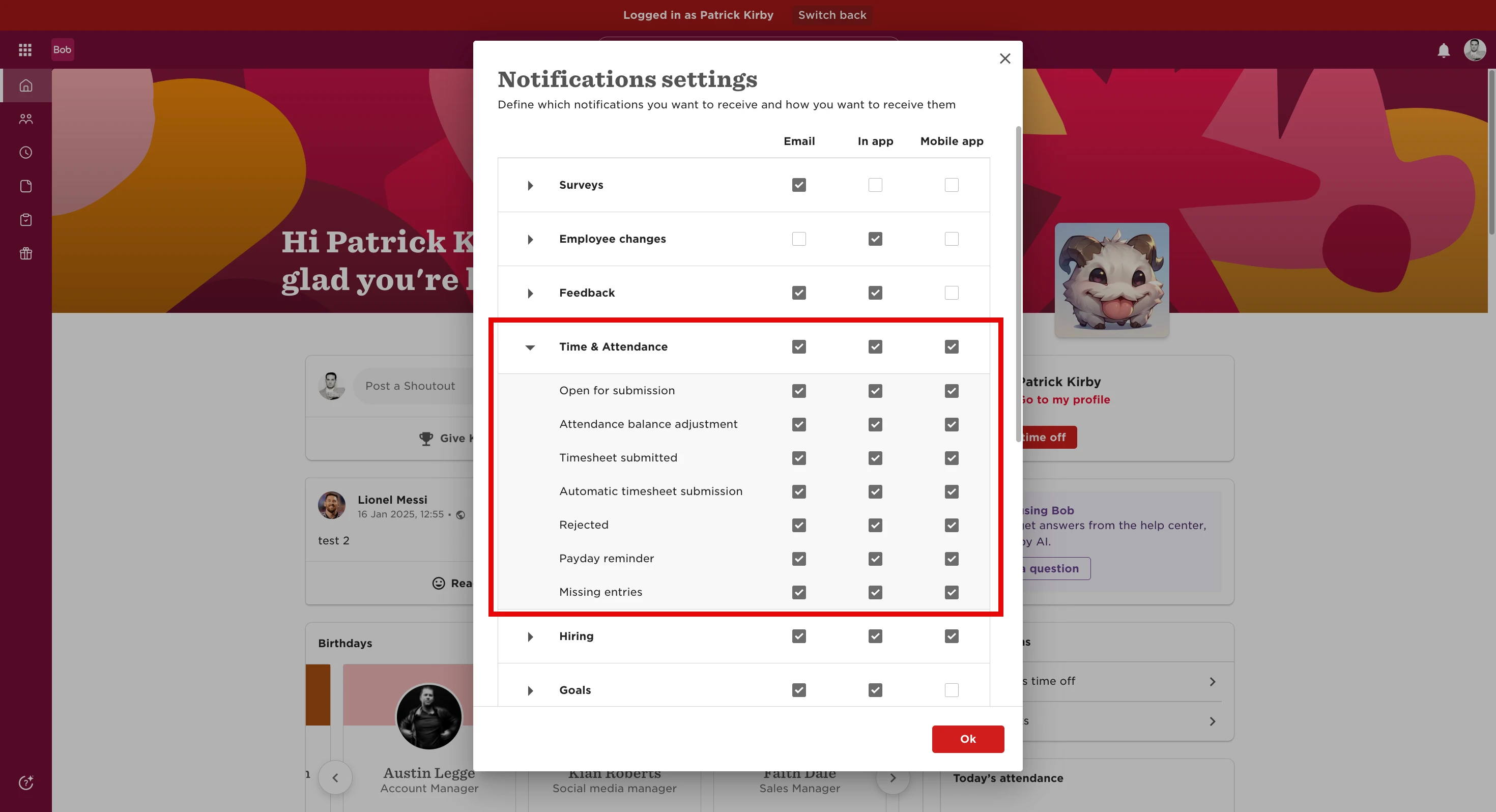
In the top-right corner, go to Notification Settings and make sure Time and Attendance notifications are enabled.
-
In Attendance Settings, check that notification reminders are turned on and that a day and time are selected for when they should be triggered.
If the notification still doesn’t go through after confirming both settings:
-
Change the time to five minutes from your current time and click Save.
This will usually re-trigger the notification so your employees receive it successfully.