
When employees try to submit a timesheet that includes pending time off requests, and the attendance settings allow submission in this case but no approver is set, they’ll see an error like:
“This timesheet cannot be submitted: you have time off requests pending approval.”
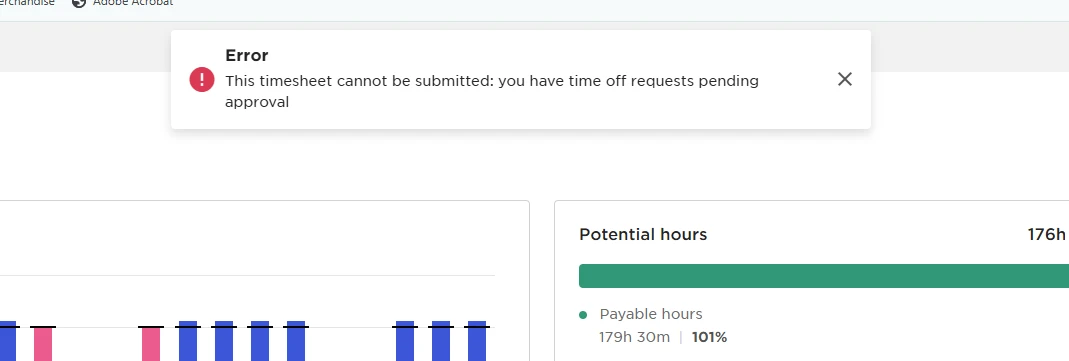
This is a known limitation. We want to make sure that managers are made aware of any time off that hasn’t been approved yet before the timesheet is finalized.
To avoid the error, update your settings so that timesheets require approval by a specific person:
-
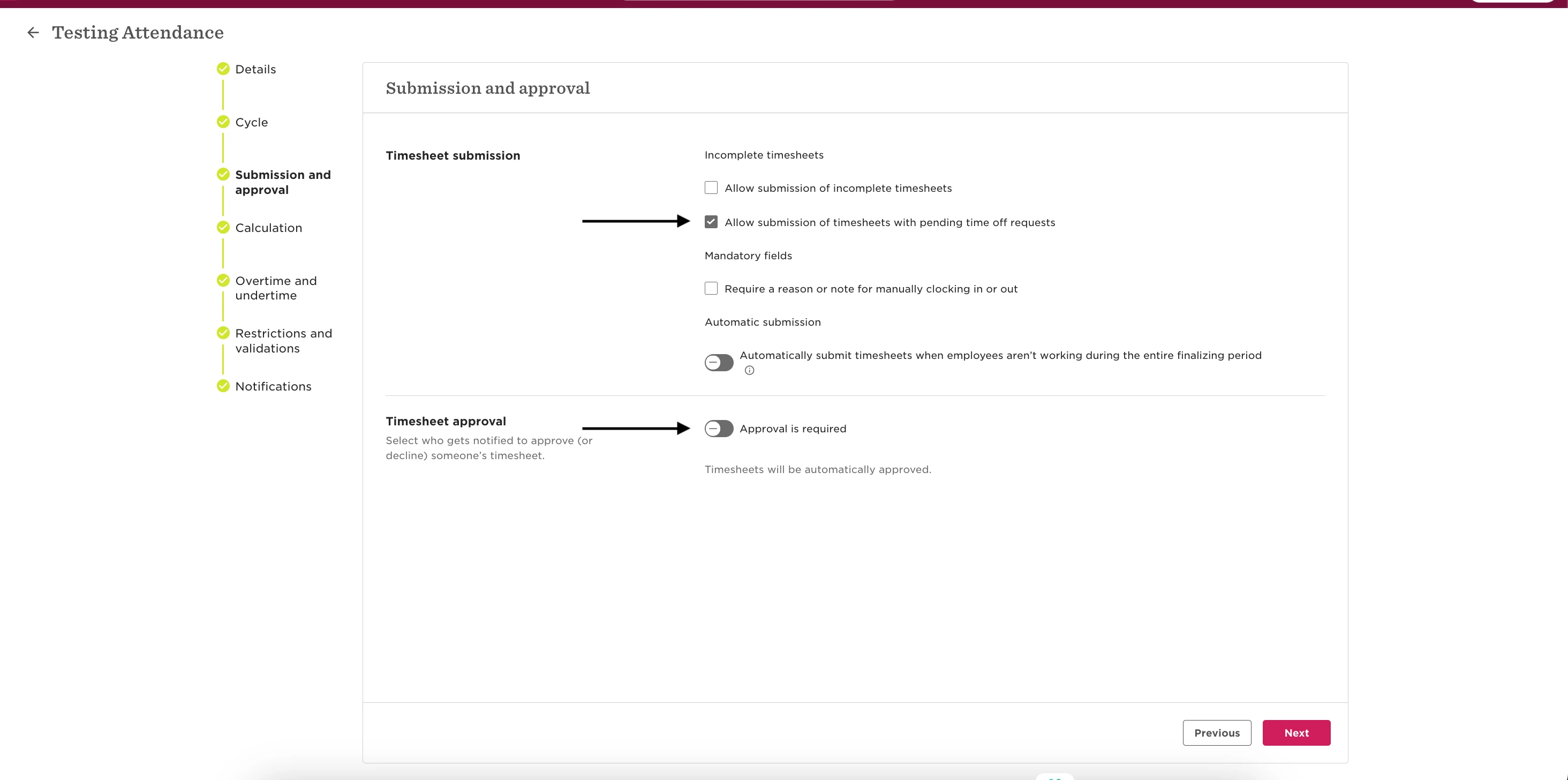
Go to Attendance > Submission and approval
-
Make sure “Allow submission of timesheets with pending time off requests” is checked
-
Then enable “Approval is required” and assign a direct manager or specific employee as the approver
-
Save the changes
Once this setup is in place, the employee will be able to submit the timesheet as expected.