

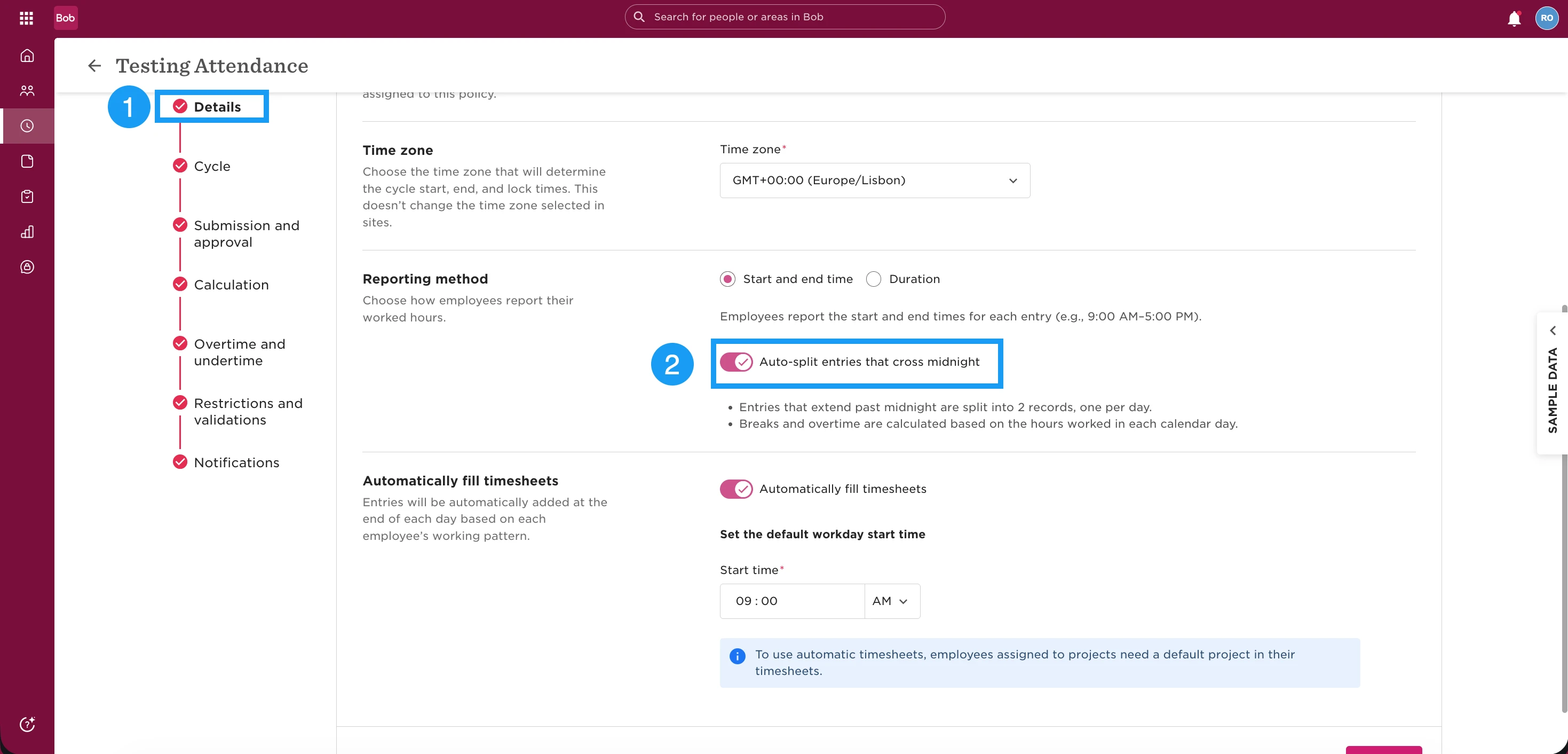
If your employees work overnight shifts past 12:00 AM, you can enable a setting in Attendance that automatically handles entries crossing midnight, so clock-in and clock-out continue to work smoothly.
When an employee clocks in before midnight and clocks out after midnight, Bob automatically splits the entry into two consecutive entries:
One ending at 23:59
One starting at 00:00
This ensures hours are recorded correctly across two calendar days.
To enable this:
Go to Time -> Open Attendance settings -> Edit the relevant attendance policy -> Enable the setting for cross-midnight attendance entries.
Save your changes.
Once activated, employees can clock in and out as usual, even if their shift passes midnight, and the system will handle the date split automatically in the background.