
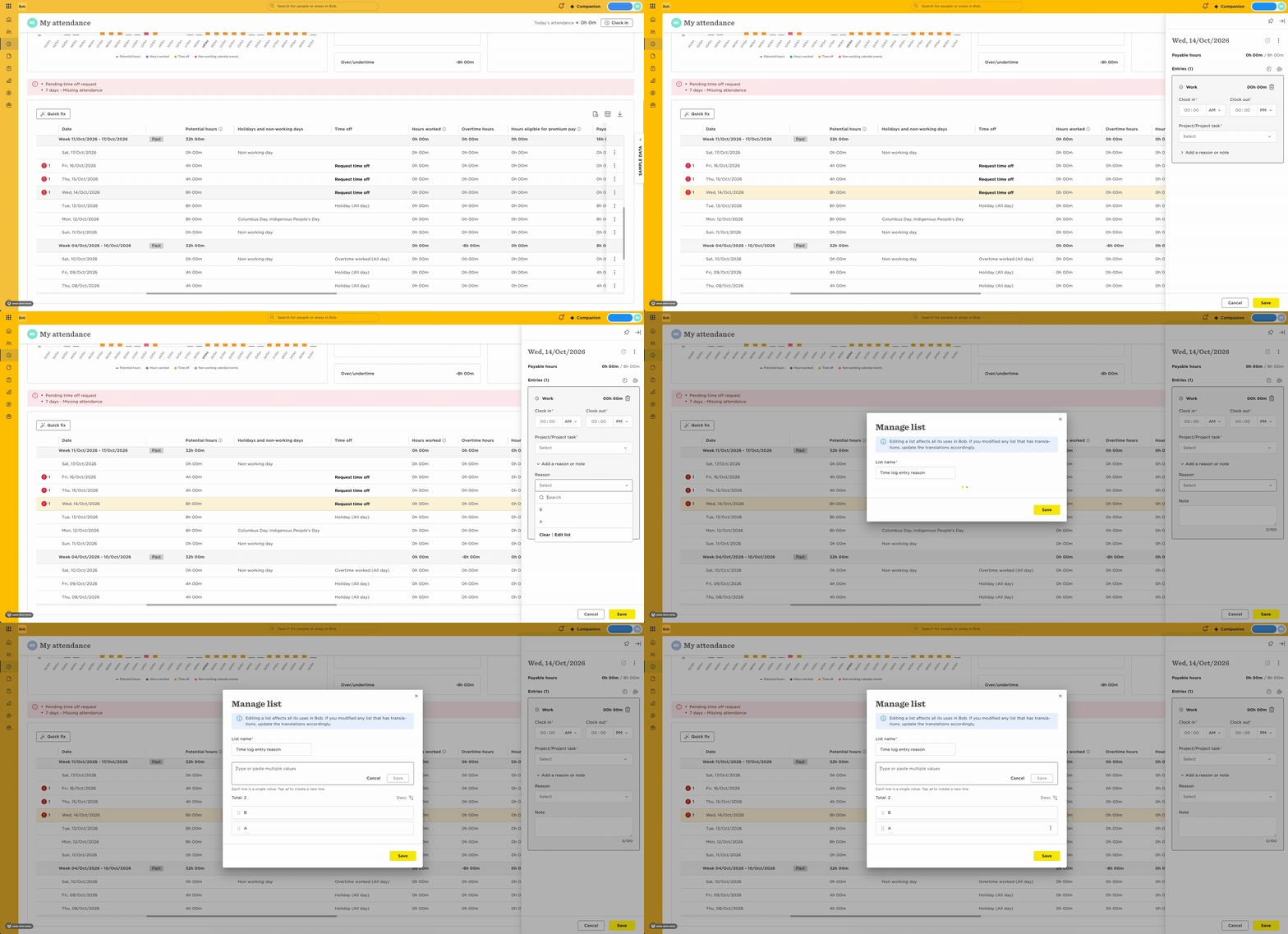
When filling their timesheets, employees can select a Reason value from a list.
Here's how Admins can edit this list:
- Simulate you're adding an attendance record
- Click on 'Add reason or note'
- Expand the 'Reason' dropdown
- Click on 'Edit list'

When filling their timesheets, employees can select a Reason value from a list.
Here's how Admins can edit this list:
Already have an account? Login
Not a customer yet? Enquire today. Create an account
Enter your E-mail address. We'll send you an e-mail with instructions to reset your password.