

Need to give one employee more time to use their carried-over time off? You can update the expiration date individually without affecting anyone else.
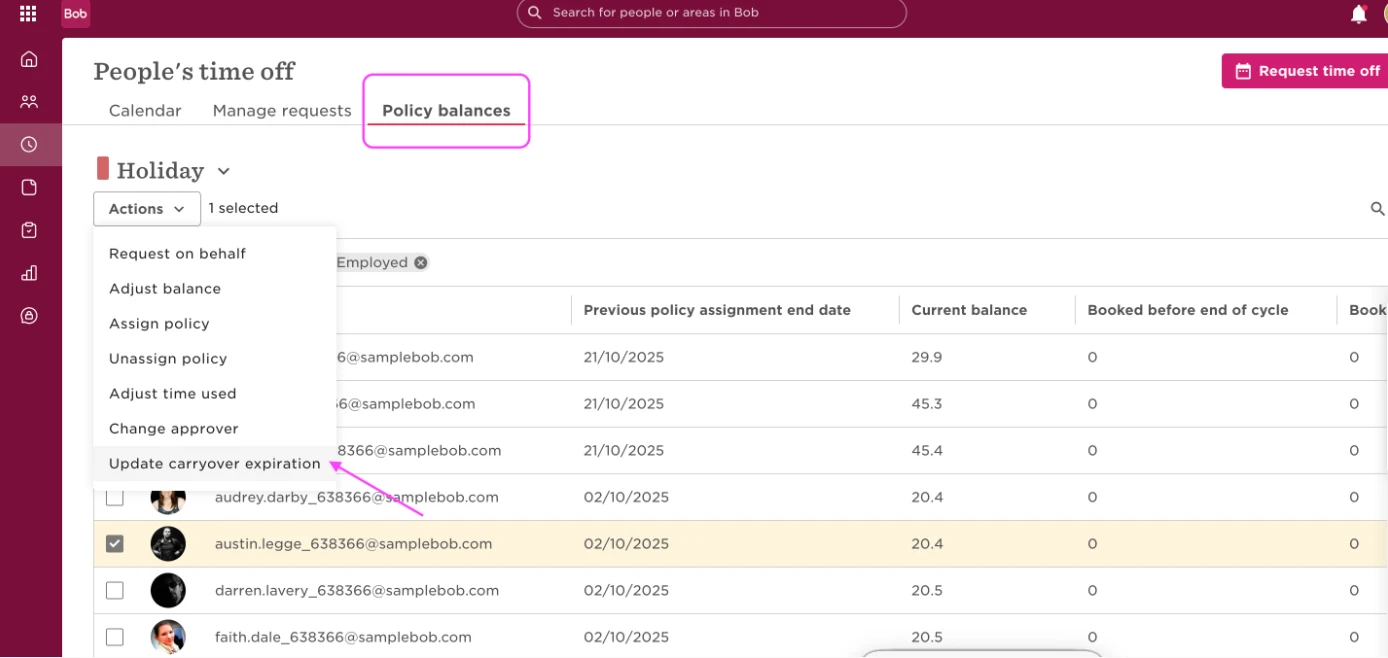
1. Go to Time > People’s time off > Policy balances
2. Select the relevant policy type
3. Find and select the specific employee
4. Click Actions
5. Choose Update carryover expiration
6. Set the new expiration date
7. Click Save
This update only applies to the selected employee’s carryover from the previous cycle. It won’t impact their current allocation or other employees.
Once saved, the new expiration date will appear in the employee’s Balance activity tab under Starting balance, and they’ll be able to use their carried-over days until that date.