

In general cases, you can manually extend any Attendance cycle from a policy, to change its status from 'locked' to 'finalizing', so it's possible to amend, submit and/or approve timesheets.
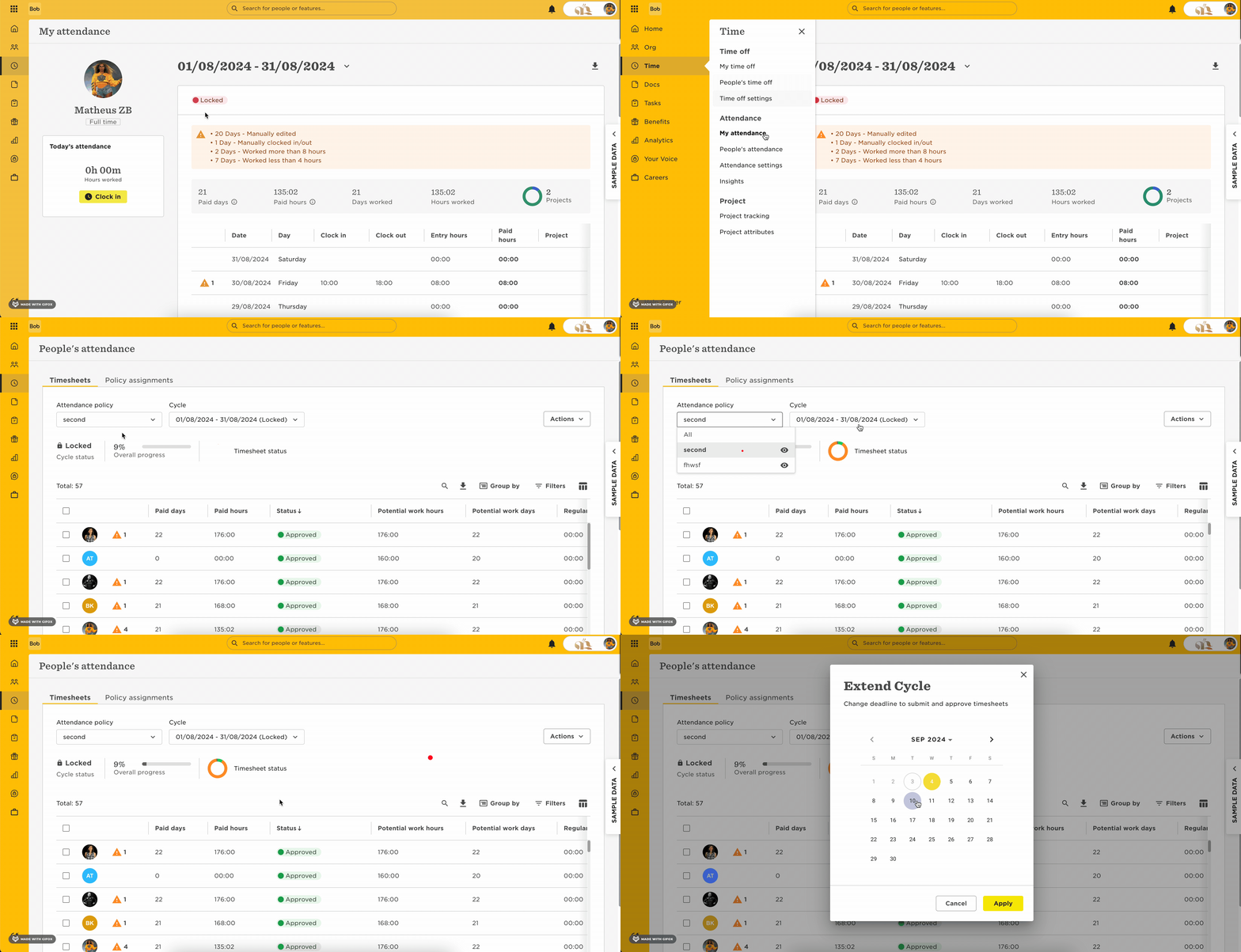
To extend a cycle:
-
Go to Time > People’s Attendance.
-
Choose the policy and a relevant cycle.
-
Click the Actions button.
-
Select Extend cycle.
-
Select a new cutoff date.
If you see the message below and the button is grayed out, that means overtime carryover is enabled in the Attendance policy:
“When overtime carryover is enabled, only the most recently locked cycle can be extended. If a cycle is currently finalizing, no cycle can be extended.”
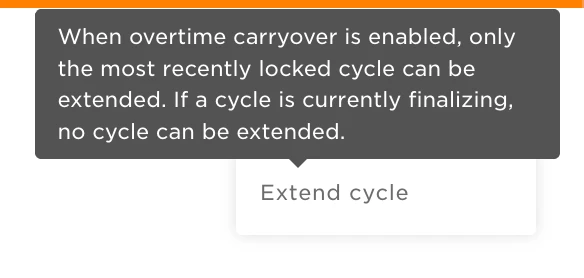
When this setting is active, you can only extend (reopen) the most recently locked cycle. Any earlier cycles will be blocked.
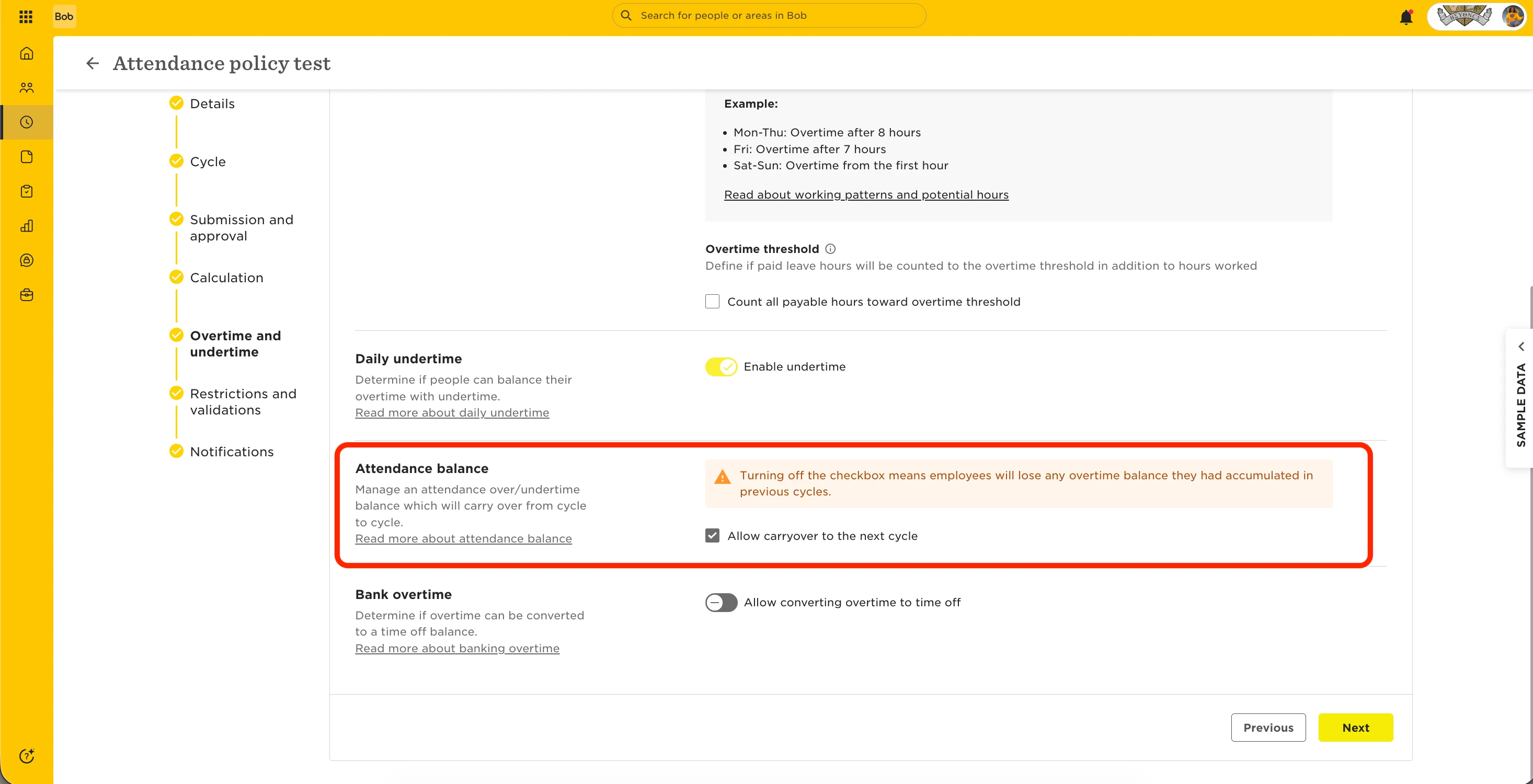
In this case, if you need to extend an older cycle, you can temporarily disable overtime carryover. Keep in mind that doing this will erase any stored overtime balances, so we recommend these steps:
-
Back up people’s overtime data by exporting the relevant Attendance reports from Bob.
-
Disable the Overtime carryover setting in the Attendance policy (this removes existing carryover data).
-
Extend the cycle and make your needed changes.
-
Re-enable the Overtime carryover setting.
-
Import people’s overtime balances back into their current timesheet using Import over/undertime balance adjustments.