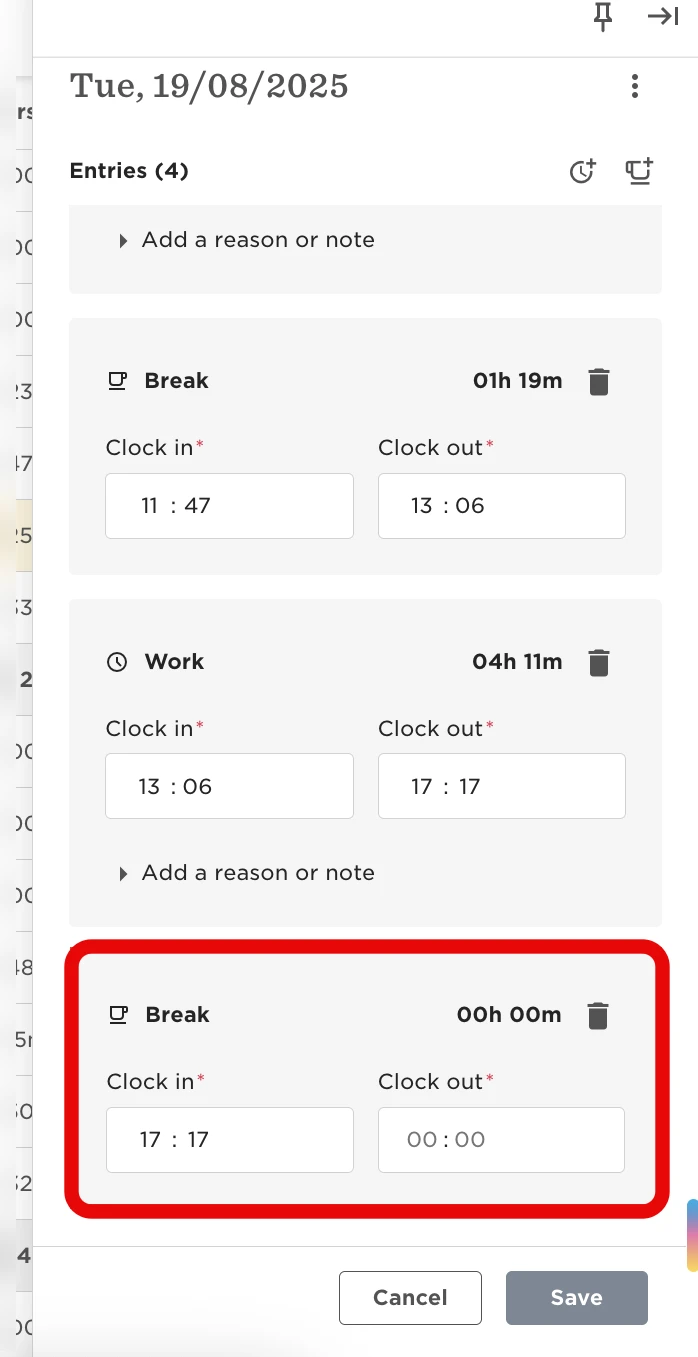
This error usually means that one or more of your Attendance entries are missing required information.

If, for example, you use the Attendance widget to clock in for work or to log a break, and forget to enter an end time, that field will remain empty. You might not see an alert for that day, but you won't be able to submit the timesheet.
To fix it:
-
Click into each day of your timesheet and check that all work and break entries include all the mandatory information (start time and end time; project details and/or reason, when applicable).
-
Add anything that’s missing.
-
Then, try submitting the timesheet again.