

5 Must-have HR dashboard examples you can steal today

  • Jun 3, 2025 1:00 PM UTC
  • Jul 18, 2025 10:38 AM UTC
  • 11 replies
  • 1145 views
  • Translate All
5 Must-have HR dashboard examples you can steal today
Harshil Boparai
Bobber

We’re starting June with a deep dive into ‘Building Your Tech Stack: Metrics, Dashboards & AI.’ Get ready to explore the tools and insights that power smart decision-making and scalable growth. 🚀​​​

Let’s start by looking at examples of different HR dashboards to see how each one supports your team and keeps your organization moving forward.

Firstly, what is an HR dashboard?

An HR dashboard is a tool used by human resources teams to visualize, track, analyze, and report on relevant data and KPIs. Today’s HR dashboards are created using specialized HR analytics software designed to leverage advanced technology for this specific purpose. HR dashboards allow HR professionals to explore important data, discover insights, and optimize their workflow.

Examples of top HR dashboards

HR dashboards can be customized for whatever purpose they are needed. Below, we review some common HR dashboard ideas.

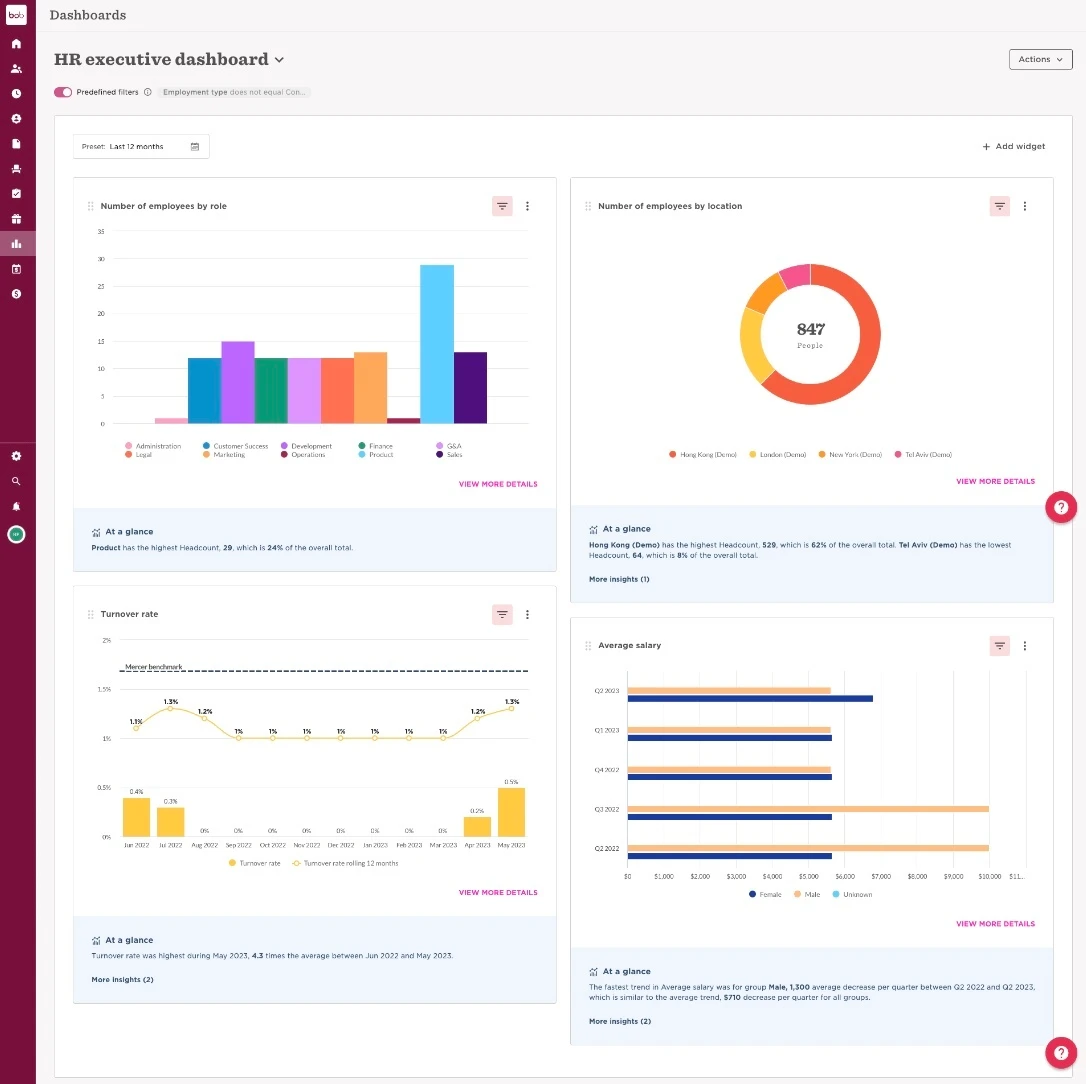
1. HR executive dashboard

HR teams can use HR executive dashboards as a general overview of data related to all core HR processes and tasks. They offer a bird’s-eye view of a company’s overall health and progress.

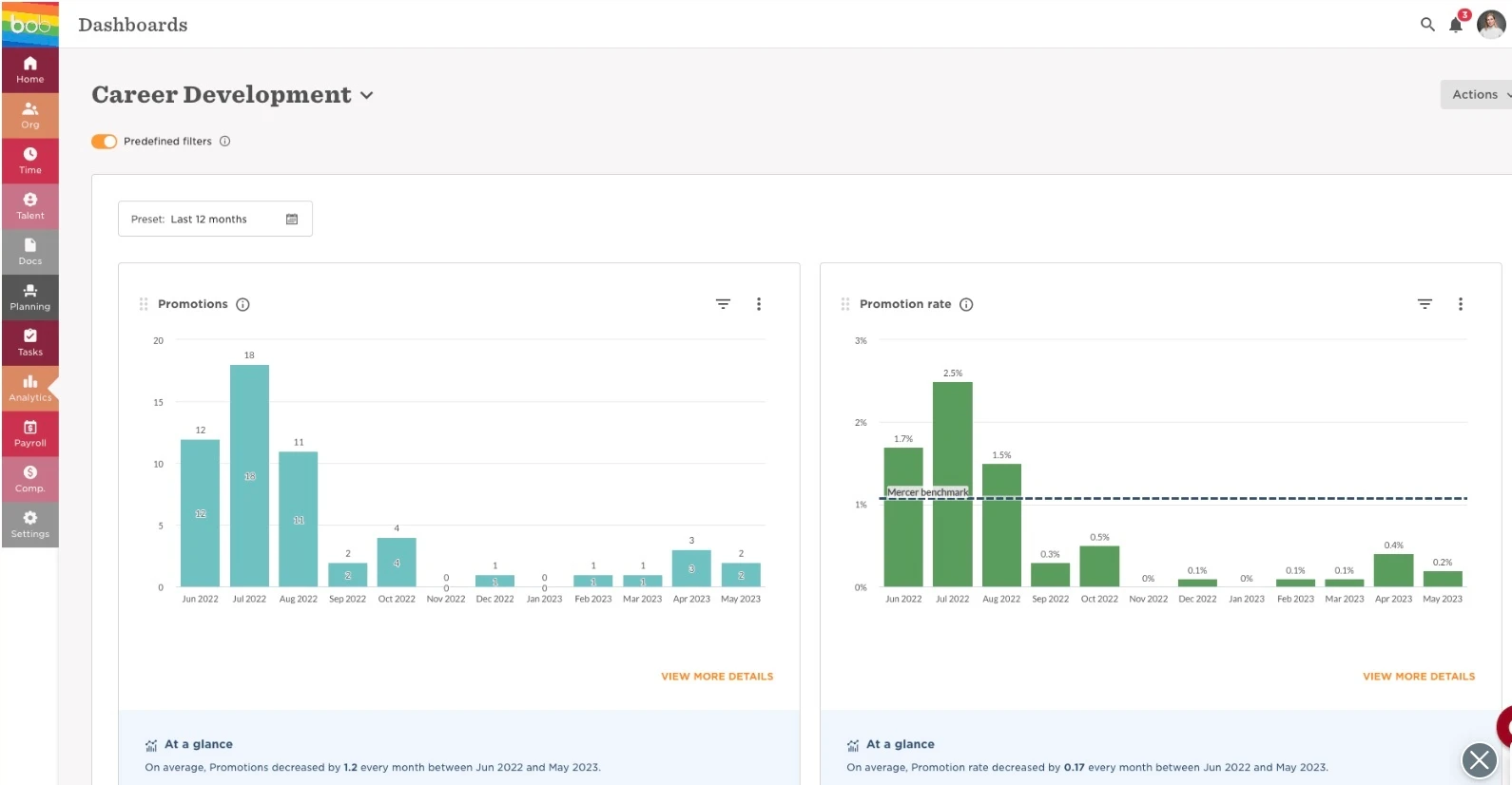
2. Employee development dashboard

An employee development dashboard is used for people analytics and helps HR professionals track training, growth, and development data. 
 

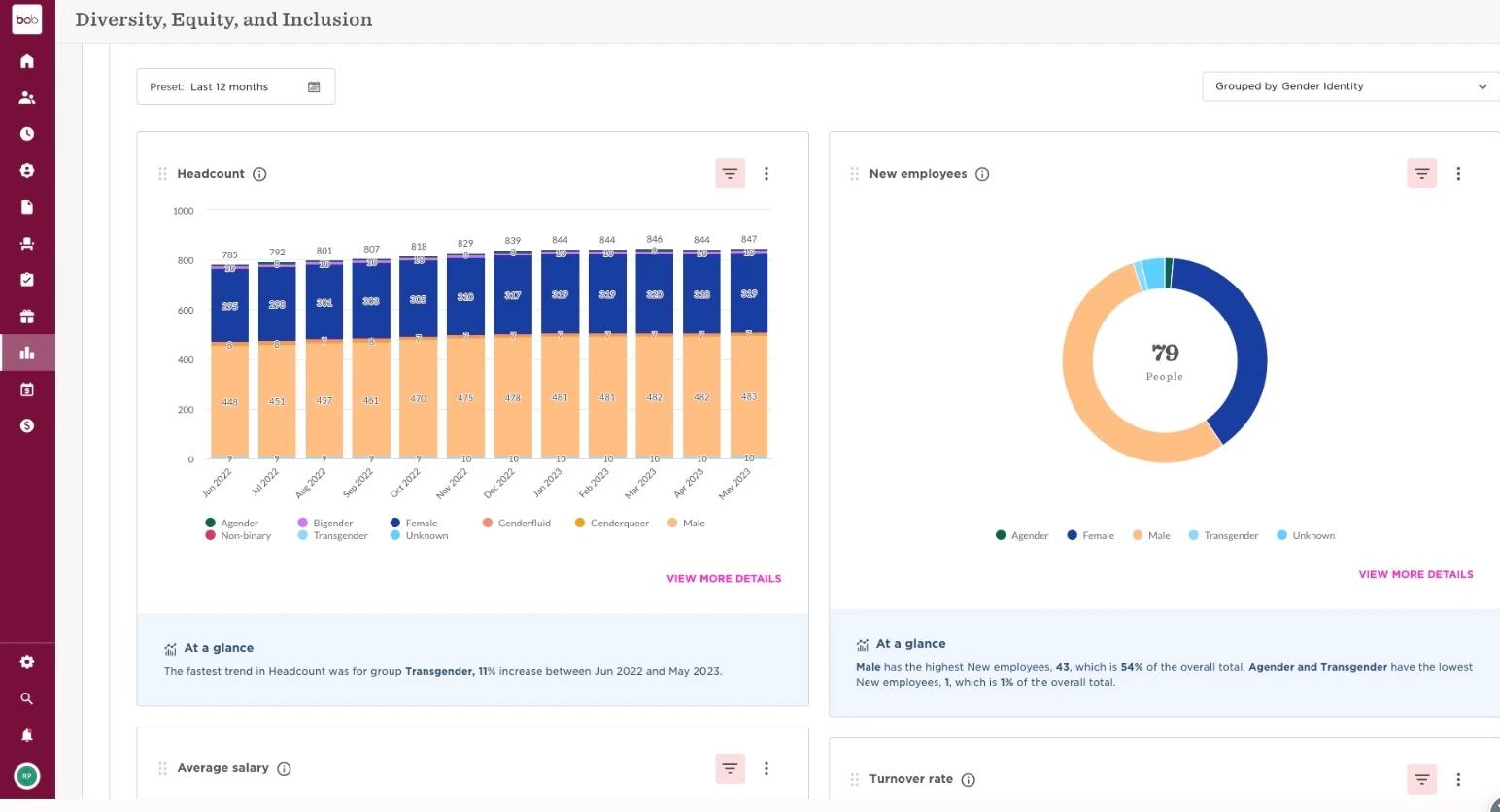
3. Diversity dashboard

As more and more organizations commit to promoting diversity and inclusion, diversity dashboards have become increasingly crucial, representing important data about the state of a company’s workforce diversity.
4. Recruiting dashboard

A recruiting dashboard is an essential tool for use in the hiring phase of the employee lifecycle, presenting important data to help HR determine whether they are getting sufficient ROI on their recruitment efforts. 

=
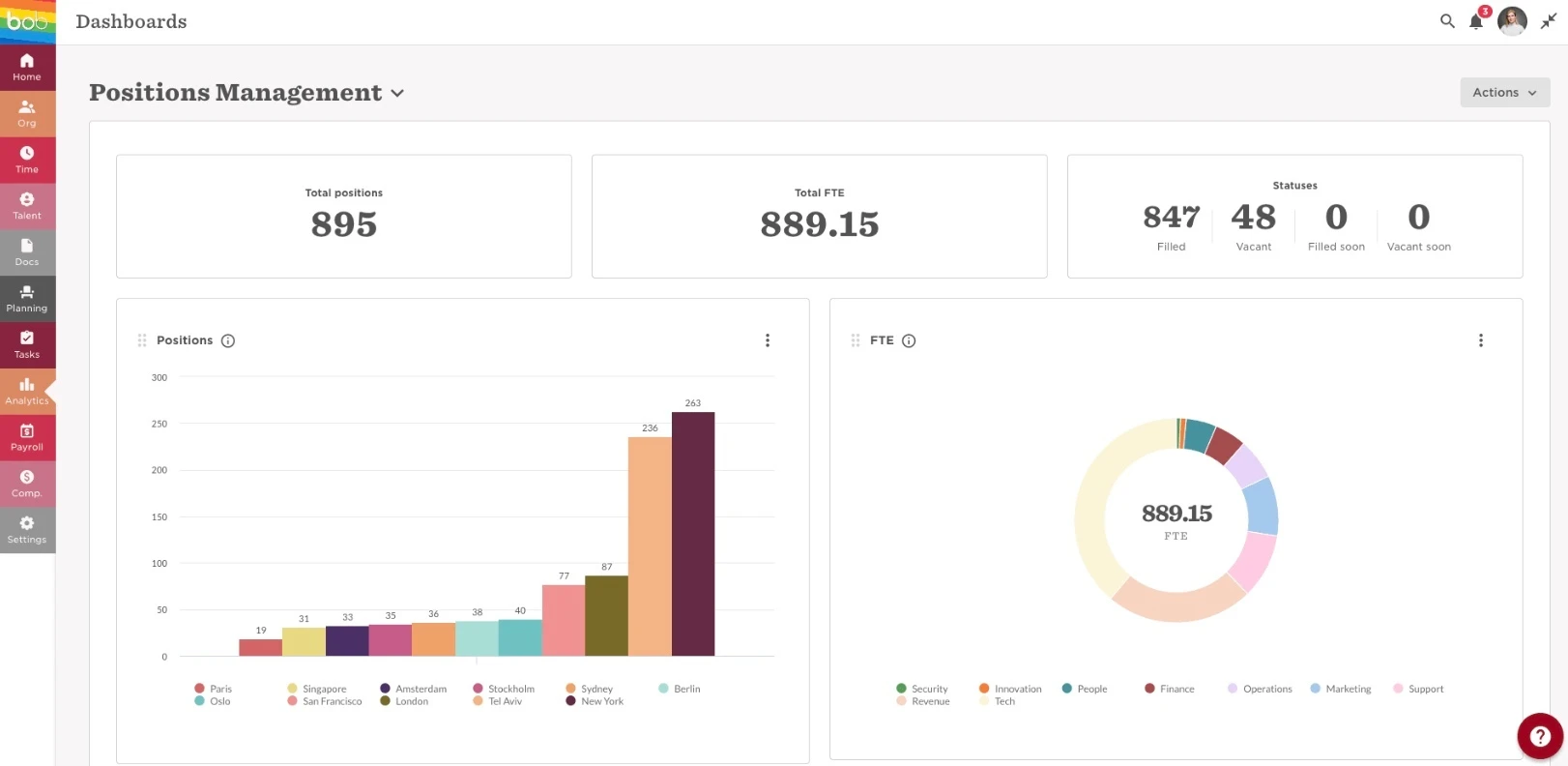
 

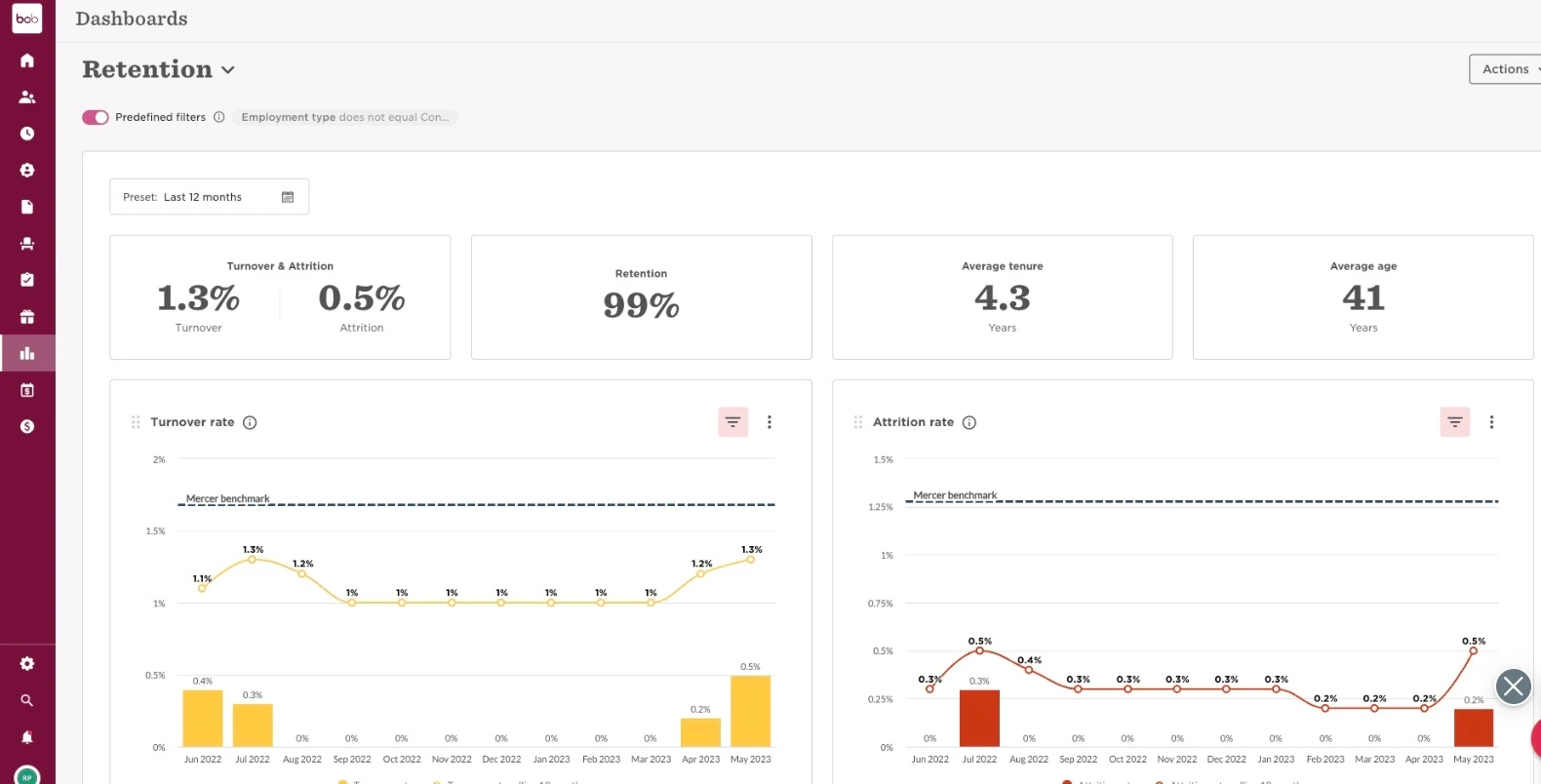
5. Turnover dashboard

HR can use turnover dashboards to dive deep into questions related to attrition and retention. Turnover dashboards also provide essential data about how successful companies are at retention.
 

Which other existing dashboards within HiBob would you like to see next? Share in the comments! 

11 replies

Dashboards tailored for HR Business Partners

Translate

Rohit Kakar

It would be great to someone have a new Dashboard linked to the Talent /Survey module e.g.

  • Pulse survey sentiment trends over the course of different surveys (per quarter)

  • Engagement score heatmaps

Translate

It would be great if more flexibility on the data that you want to show is given with each dashboard. Also, a better understanding of which fields data is being pulled from. For example, is the DEI data pulling from the basic profile, from EEO, etc.  

Translate

I would like to see a master dashboard where you have all the data in one place in a presentable form so it can be downloaded and presented to the trustees on a regular basis. 

Translate

  • Jun 13, 2025 10:30 AM UTC

It would be good to be able to customise the widget a little more from the data being pulled in or what is portrayed i.e. I created an employee by role widget and grouped HC by Business Unit.  But because not every role is present in each BU, it displayed a series of zero’s (0000) for the roles with no HC.  Ideally the widget would just show what we have in that scenario.  

It’s just a little thing but would be quite impactful.

Translate

Liv Söderqvist

I have left feedback about this before but it would be great to have the overview of the data even in the custom dashboards. In a pre-built dashboard by Bob, you cannot duplicate a widget and in that way present the data in different ways, you can only do that in a custom dashboard. But then you are missing out on the overview of the data which everyone wants to have. Catch 22.

Translate

As already mentioned, it would be incredibly valuable to have a dedicated dashboard within the Talent module that reflects insights from both company and ELF surveys.
Having access to engagement score heatmaps across departments, locations, and other segments would provide meaningful visibility into how the employee experience is evolving over time.
Would love to know if this type of feature is on HiBob’s roadmap!

Translate

Harshil Boparai
Bobber

Love all the input! Seems like this turned into a bit of a dashboard wishlist, which is awesome. 🙌

💡 Quick note, I was actually hoping to hear which existing dashboards in HiBob you'd like to see more of or learn about?

Please do share your ideas for new dashboards or features directly with your CSM, so they can capture the full picture and keep you updated on any progress. :) 

Appreciate all the great thoughts!

Translate

Liv Söderqvist

​@Harshil Boparai Where did you get the first two widgets from? Number of employees by role and location :)

Translate

Harshil Boparai
Bobber

Hi ​@Liv Söderqvist They’re both a custom made dashboard :) Analytics/dashboards are a part of Core and are not an additional add-on. Please let me know if you have any other questions. 

Or, if you all would like a part 2 of this post! 💡

Translate

  • Apr 21, 2026 11:08 PM UTC

​@Harshil Boparai  In the Dashboard view has there been any thought/discussion to also allow for the linking of supportive reports? For example it would be great to be able to select the new joiners widget and be able to drill in and view all incoming hires and specific details from the dashboard.

Translate