In this case, when you have a flow that triggers an eSign form, that user must have the permission to trigger that form on themselves. This is why the system isn't triggering the eSigns because the employee doesn't have that permission.
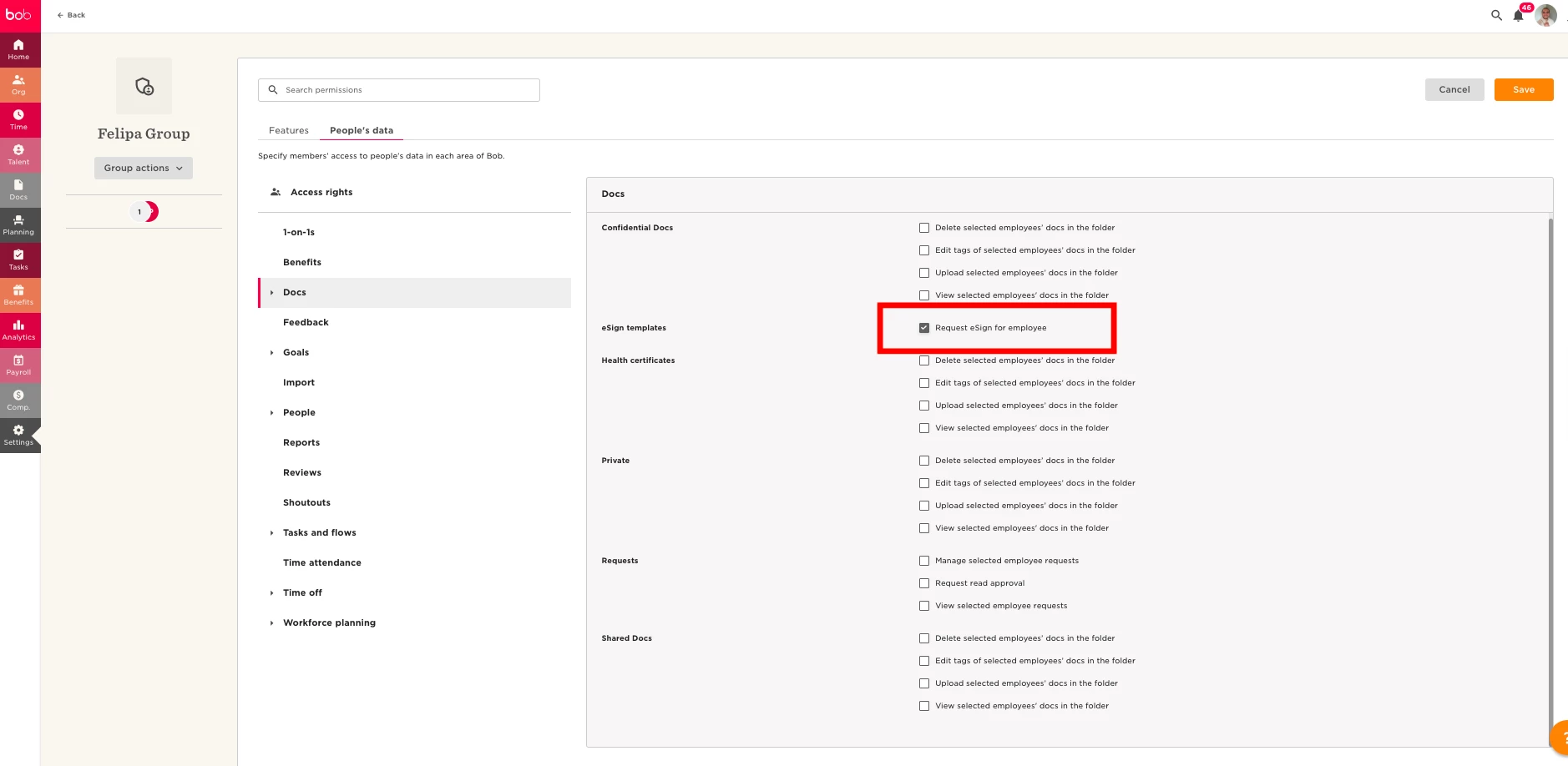
To allow this, you will have to create a custom permission group for your employees and give the users access to trigger eSign signatures by enabling some permissions.
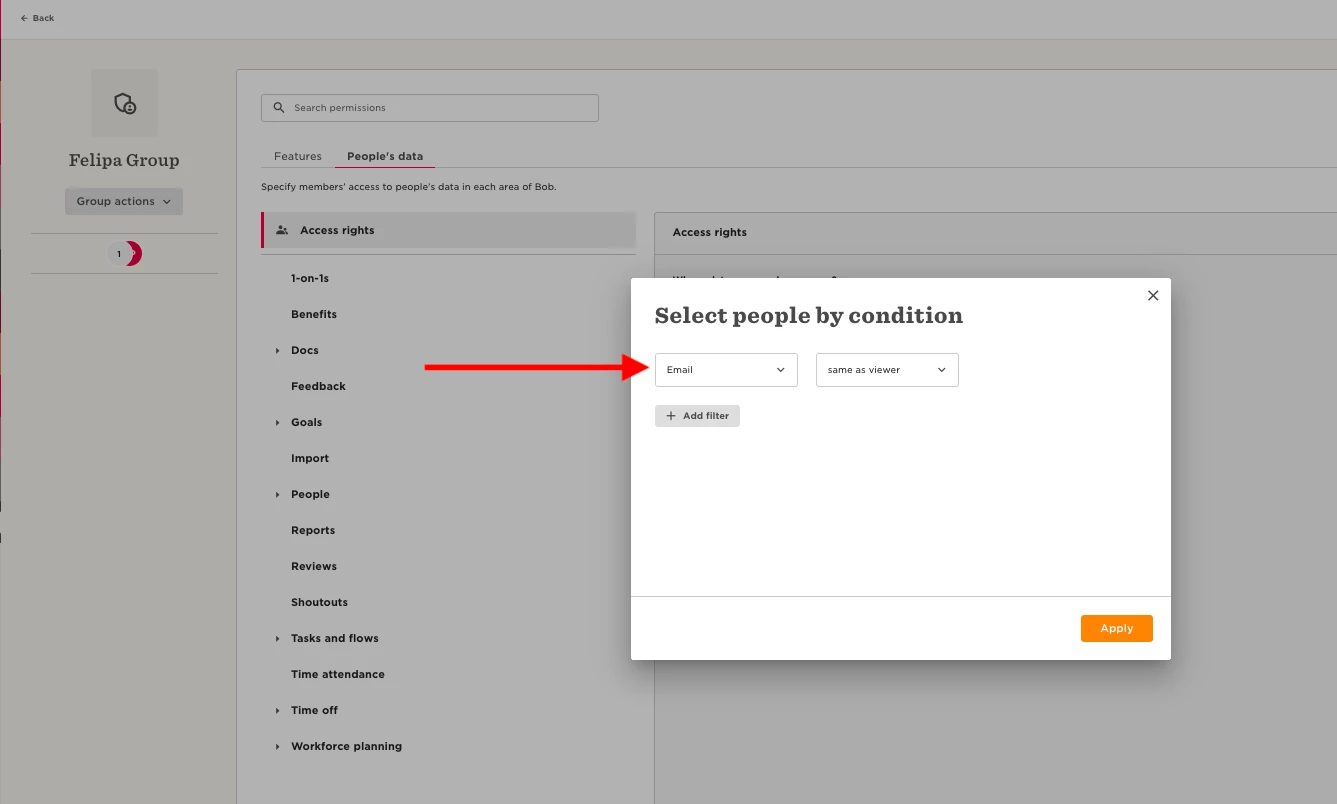
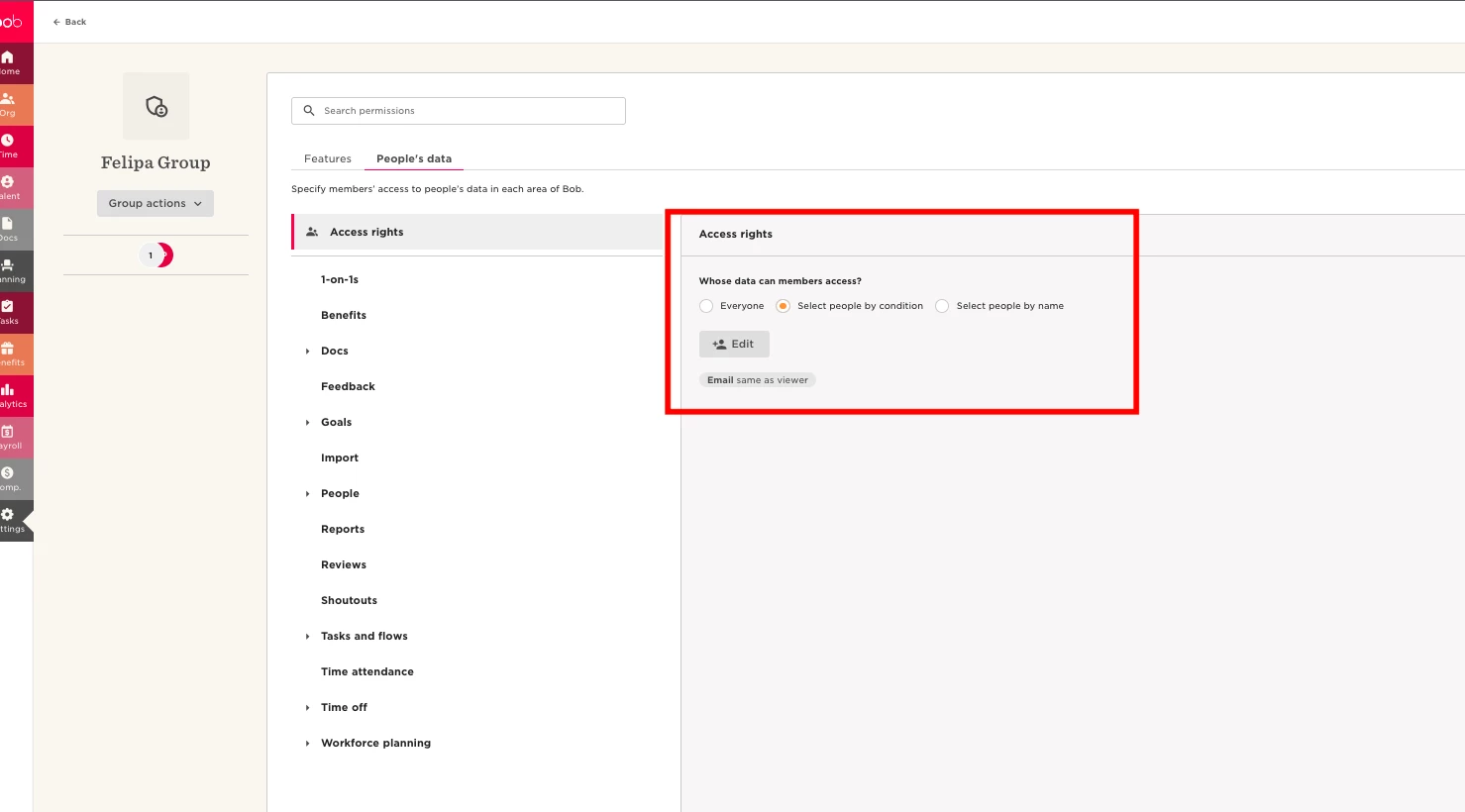
In the access rights, you want to put email same as viewer and then give them access to request eSign signatures.
This will do it but it will let them trigger any eSign on themselves.
These are the screenshots for your reference of the permissions needed (refer to the attached screenshots for permissions needed).
Please note:
This has a caveat that enables the employees to trigger any form or document for a signature to themselves.
However, after implementing these permissions, the users should be able to complete the flow and the system will trigger the eSign forms as well.