


Trigger Birthday Task Reminders Before Even-Numbered Ages

  • April 1, 2026
  • 2 replies
  • 182 views

Diogo Carmo
Bobber

Set up birthday-related tasks so they trigger shortly before milestone (even-numbered) birthdays.

If you’re using a task to prepare ahead of milestone birthdays (like 60), you might notice that setting it to trigger before the birthday doesn’t always behave as expected for even-numbered ages.

A simple workaround is to trigger the task after the previous birthday instead, so it still lands before the next milestone.


Here’s how to set it up:

Set the target age to the year before the milestone (e.g., 59 for a 60th birthday)

Configure the task to trigger after the birthday

Set the delay to 345 days
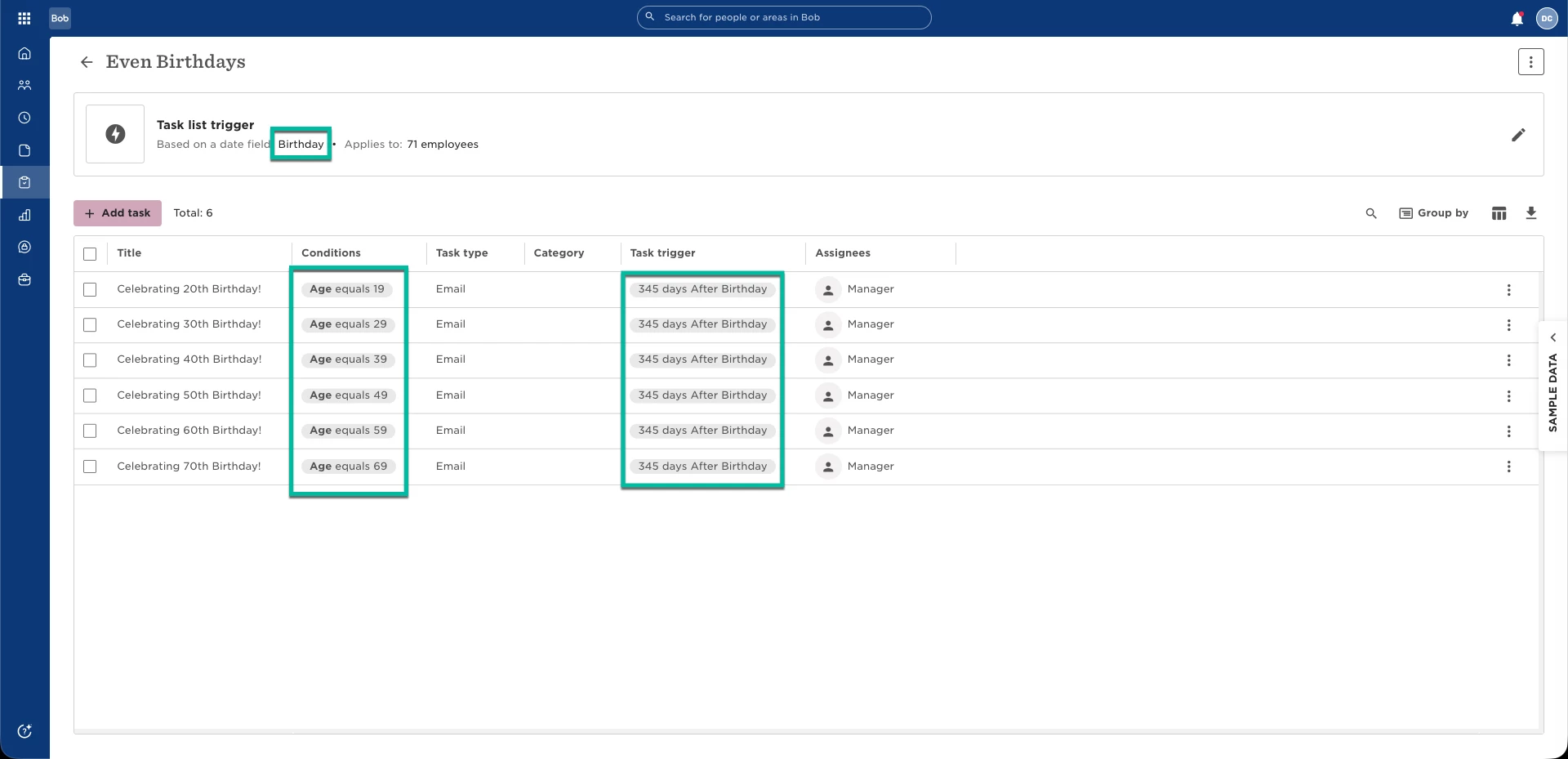


This means:

When the employee turns 59, the task will trigger 345 days later

That timing places the reminder about 20 days before their 60th birthday

The exact timing depends on the number of days you choose. For example, 345 days creates a reminder around 20 days before the next birthday, but you can adjust this to fit your needs.
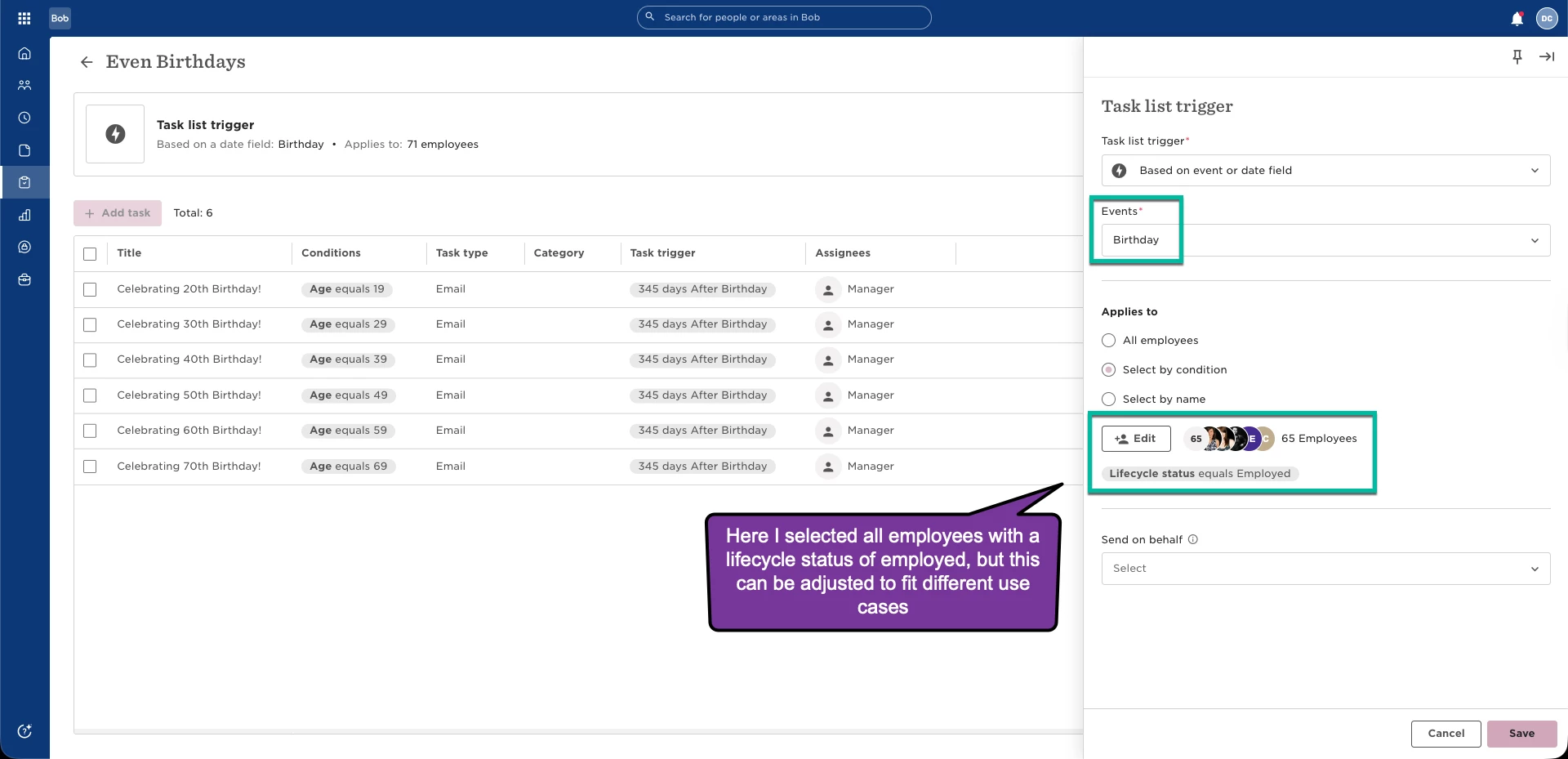


In this example, the task is assigned to the employee’s manager, but you can customise the assignee based on your needs (for example, HR, a team member, or a specific role).

On the actual birthday, you can send wishes directly from Bob using the birthday widget on the homepage. For more details, see:


View colleague's birthdays and send birthday wishes:

https://help.hibob.com/hc/en-us/articles/4409792077457-View-colleague-s-birthdays-and-send-birthday-wishes


If you’re setting up multiple milestone birthdays, you can repeat this pattern:

19 → for 20th birthday

29 → for 30th birthday

39 → for 40th birthday

49 → for 50th birthday

59 → for 60th birthday
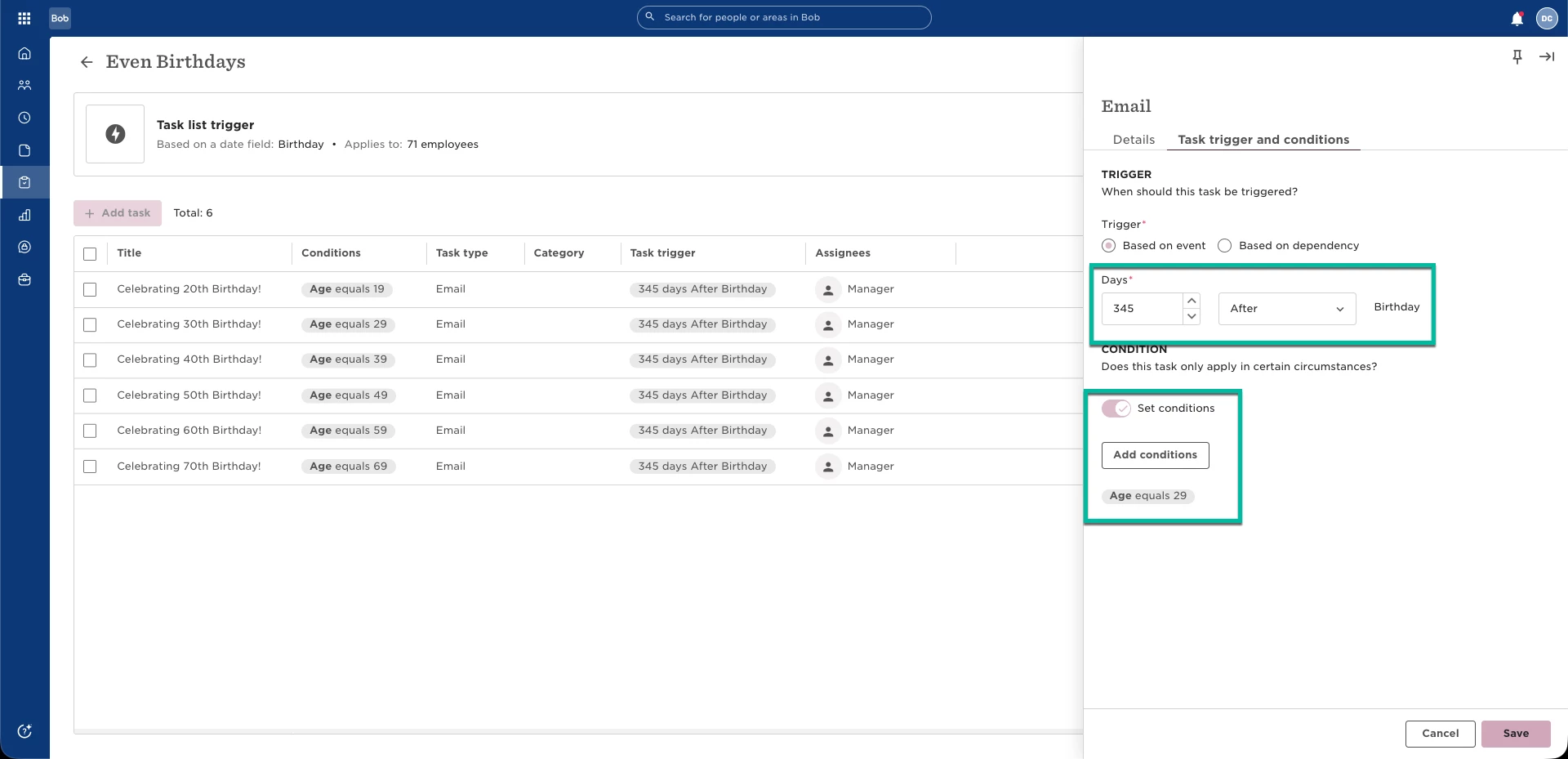


This approach avoids inconsistencies with even-numbered age calculations while still giving you enough time to prepare for the milestone.


2 replies

Hi,

Great workaround and detailed description of the solution!

I’d have one clarifying question: if one takes this approach into use, how should they trigger the task list for employees whose milestone birthday is earlier than 345 days after taking the task list into use?

It would seem to me that the task list will only trigger automatically for those employees who reach the age used as a condition after the task list has been taken into use, and when one tries to trigger the task list manually, none of the available triggers results in the desired outcome;

  • ‘Now’ will trigger the first task 345 days from today
  • ‘Future date’ will trigger the first task 345 days from the selected date in the future
  • ‘Anchor event: Birthday’ will trigger the first task 345 days after the next birthday (which already is the milestone birthday)

Hi,

Great workaround and detailed description of the solution!

I’d have one clarifying question: if one takes this approach into use, how should they trigger the task list for employees whose milestone birthday is earlier than 345 days after taking the task list into use?

To update anyone who comes across this: the task list will automatically trigger tasks based on the configured conditions.

After the task list is created, employees who meet the age criteria (and any other defined conditions) will have their tasks generated automatically 345 days after their previous birthday, as intended.

The only limitation affects employees for whom more than 345 days have already passed since their previous birthday when the task list is activated, i.e. those employees whose milestone (even-numbered) birthday occurs within 20 days of implementation.

Also, do not expect the system to generate and assign the task with the status “Scheduled” immediately after the previous birthday. Instead, task scheduling occurs close to the 345-day mark following the previous birthday. This incorrect assumption led me to believe that the task list was not working for employees whose milestone birthday was less than 345 days away when the task list was activated.