
You can automatically trigger a task list when an approved time off request exceeds a defined number of days. This is useful for notifying HR or assigning follow-up tasks for extended absences.
- Go to Tasks > Task list settings.
- Click Add task list and enter a clear, descriptive name.
- Continue to the scheduling configuration.
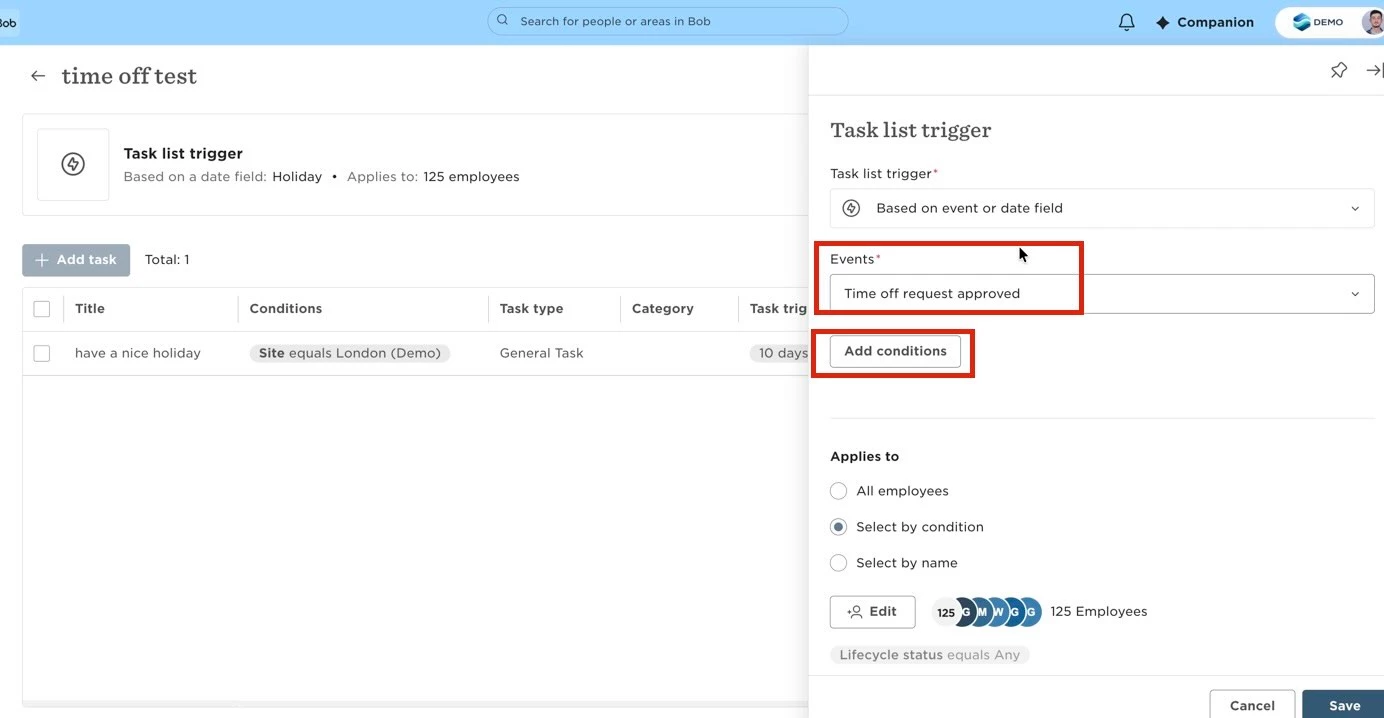
- Under Anchor event, select Time off request approved. This ensures the task list is triggered only after the leave request has been approved.
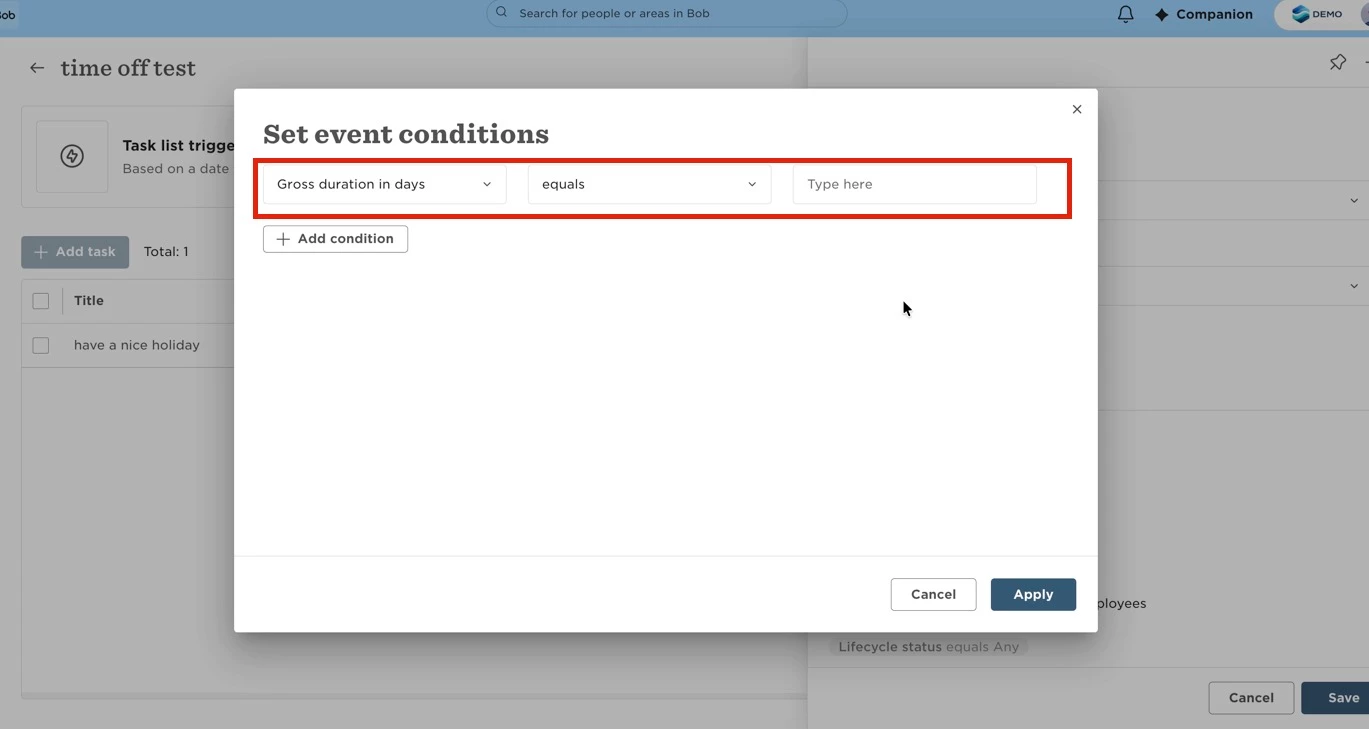
- Add the required conditions:
- Set Time off policy type to the relevant leave type, such as Sickness.
- Add Gross duration in days and configure it as Greater than your preferred threshold (for example, 7).
- Create the task or tasks you want to assign when the conditions are met.
- Select the appropriate assignee(s), such as members of the HR team.
- Save the task list.
When both conditions are met, the task list will be triggered only for approved time off requests that exceed the specified duration.
Note: Combining a Gross duration in days condition with a Time off policy type filter in the same task list may have limitations depending on your configuration. If you notice that the duration condition is applied more broadly than expected across different leave types, this is a known area of ongoing product development. If this behavior affects your workflow, consider submitting your use case as product feedback.