


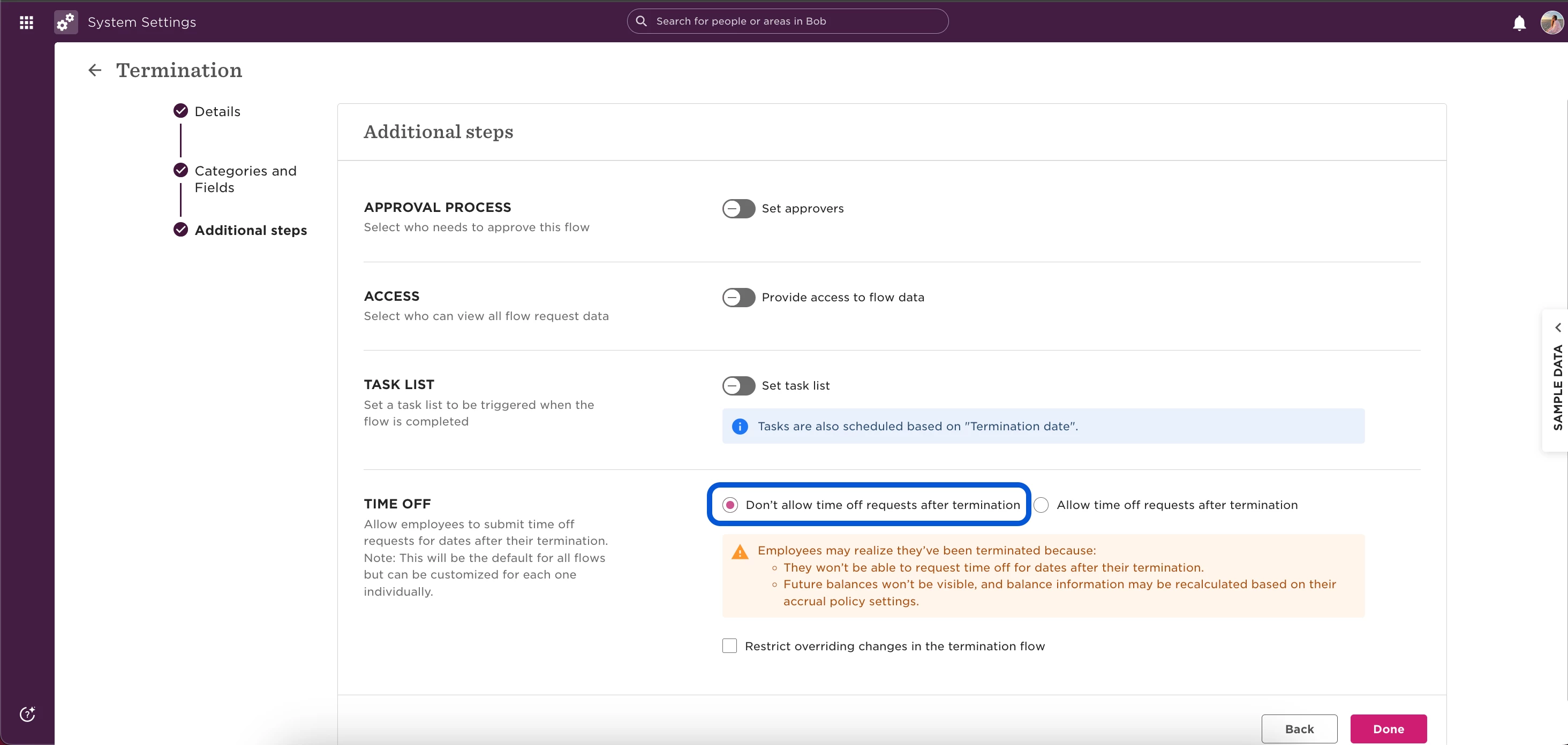
If a terminated employee’s time off isn’t being recalculated, it’s usually due to a setting in your termination flow that allows time off requests after termination.
When “Allow time off requests after termination” is enabled, Bob will not recalculate or prorate the employee’s balance automatically.
To make sure time off is recalculated correctly:
1. Go to System settings > Flows > Termination flow.
2. Make sure “Don’t allow time off requests after termination” is selected.
3. Save the flow.
- Go to the employee’s Lifecycle tab, delete their termination row, and re-terminate them using the updated flow.
- Bob will then prorate and recalculate their time off balance up to the termination date.
💡 Tip: Once termination is processed, the employee cannot access Bob directly, only Admins can manage final time off adjustments.