

If you need to terminate multiple employees with the same termination date, you can update their work status in bulk from the Directory.
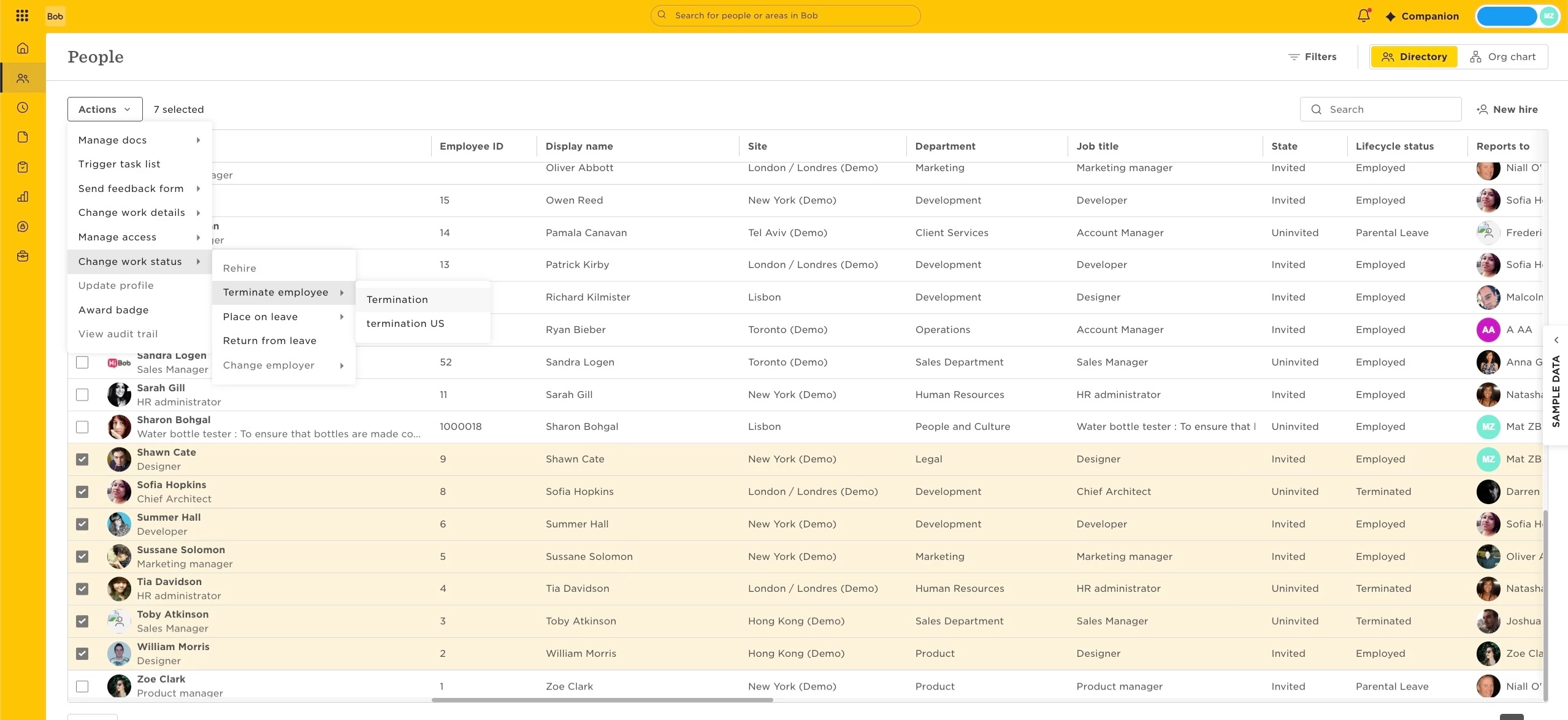
- From the main menu, go to Org > People > Directory.
- Select the relevant employees.
- Click Actions > Change work status > and select a termination flow.
- Set the termination details that will apply for all selected employees.
If employees have different termination dates, group them by termination date and complete the process separately for each group.
Please note terminating employees via Import is not supported.