Task triggering use cases based on the change of an anchor event.

  • August 17, 2023
  • 6 replies
  • 1866 views

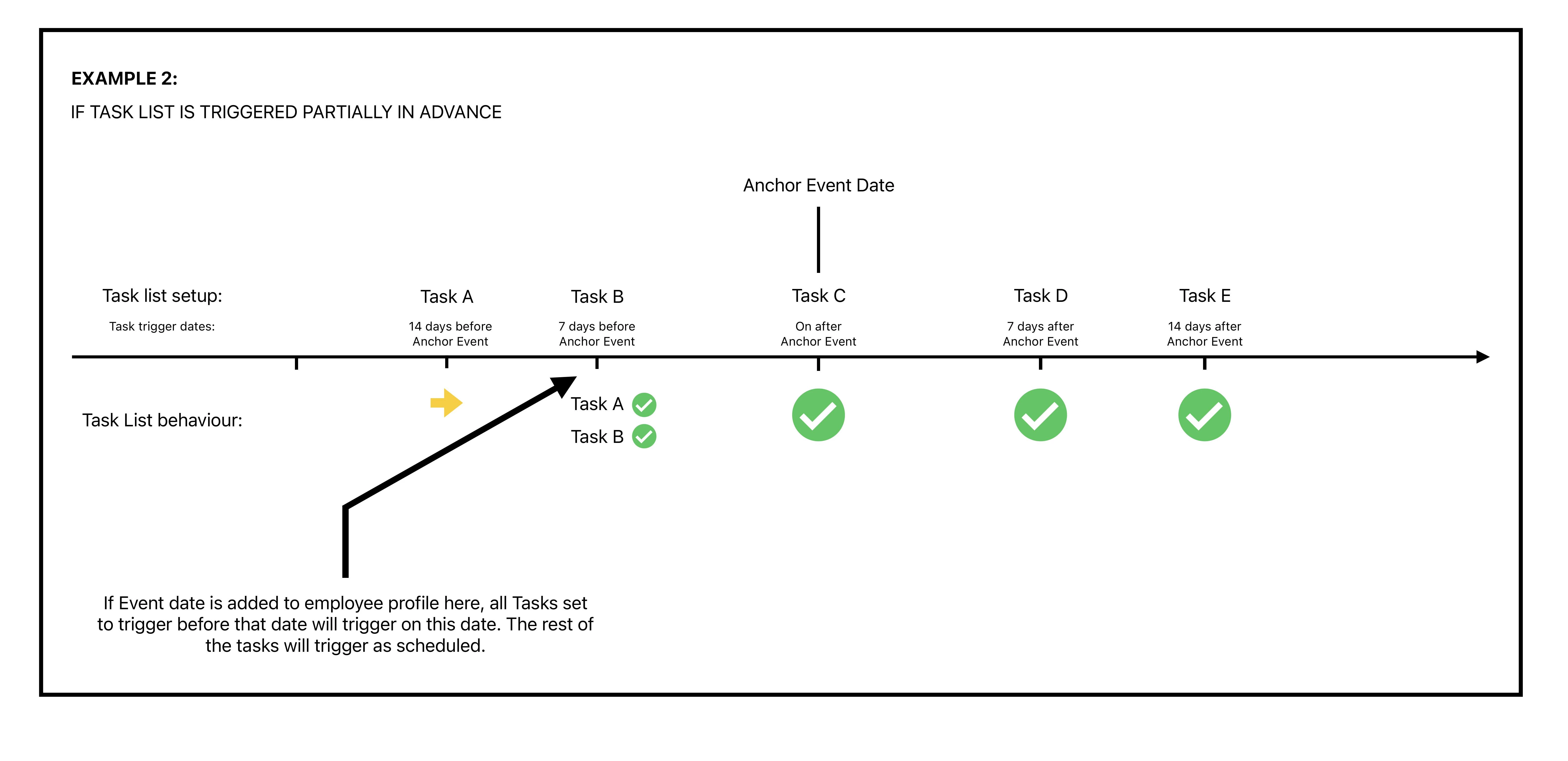
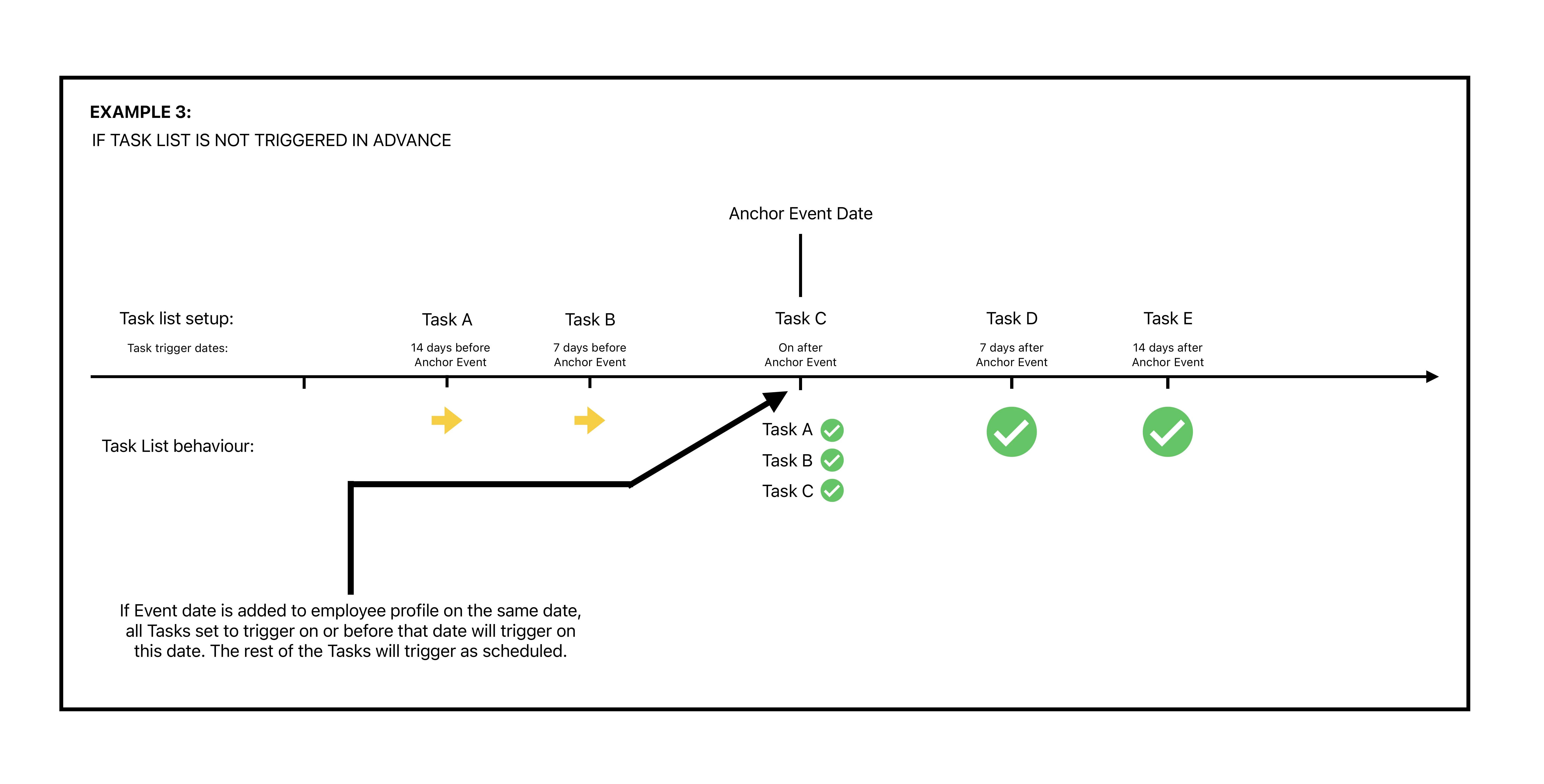
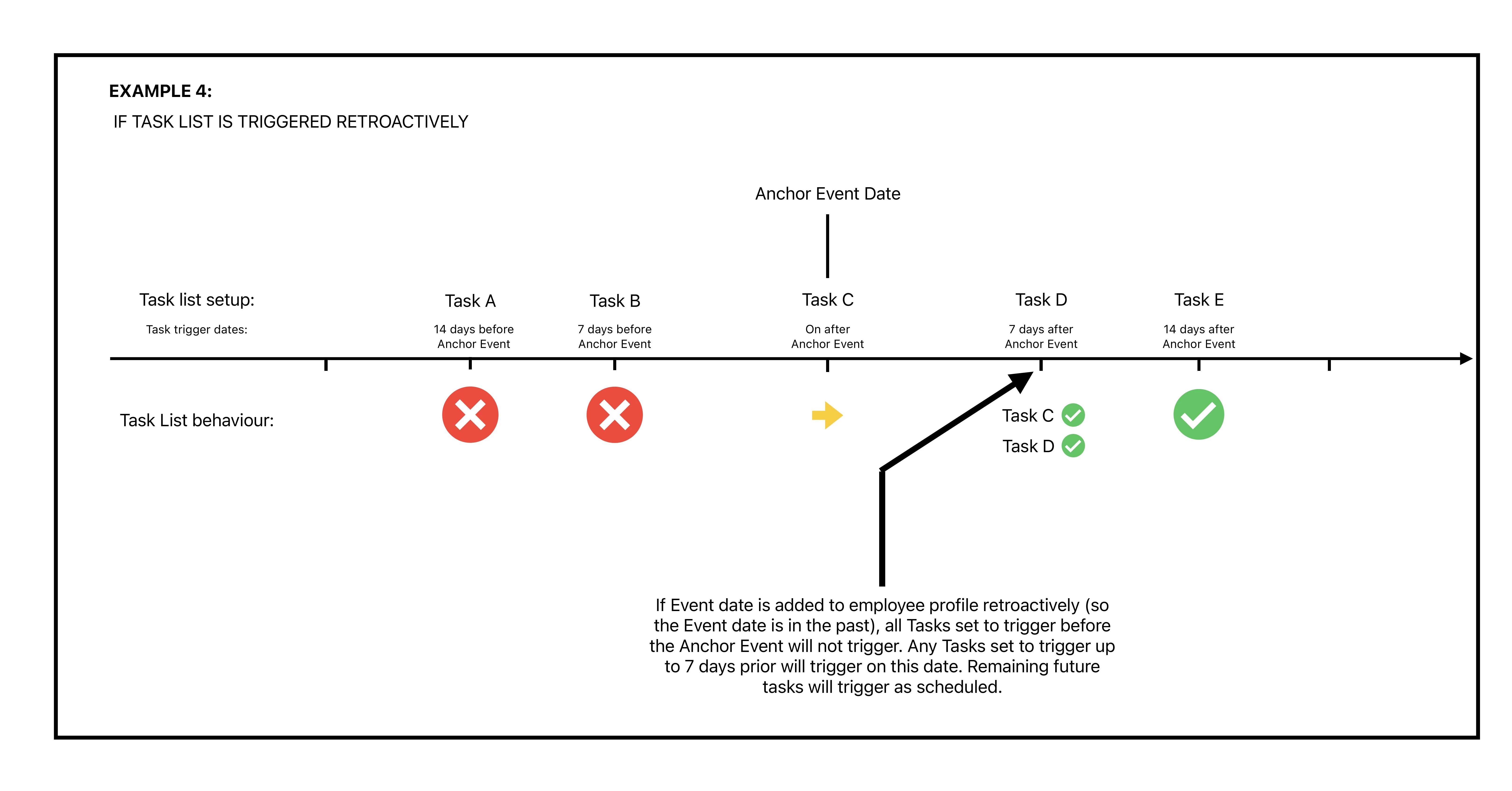
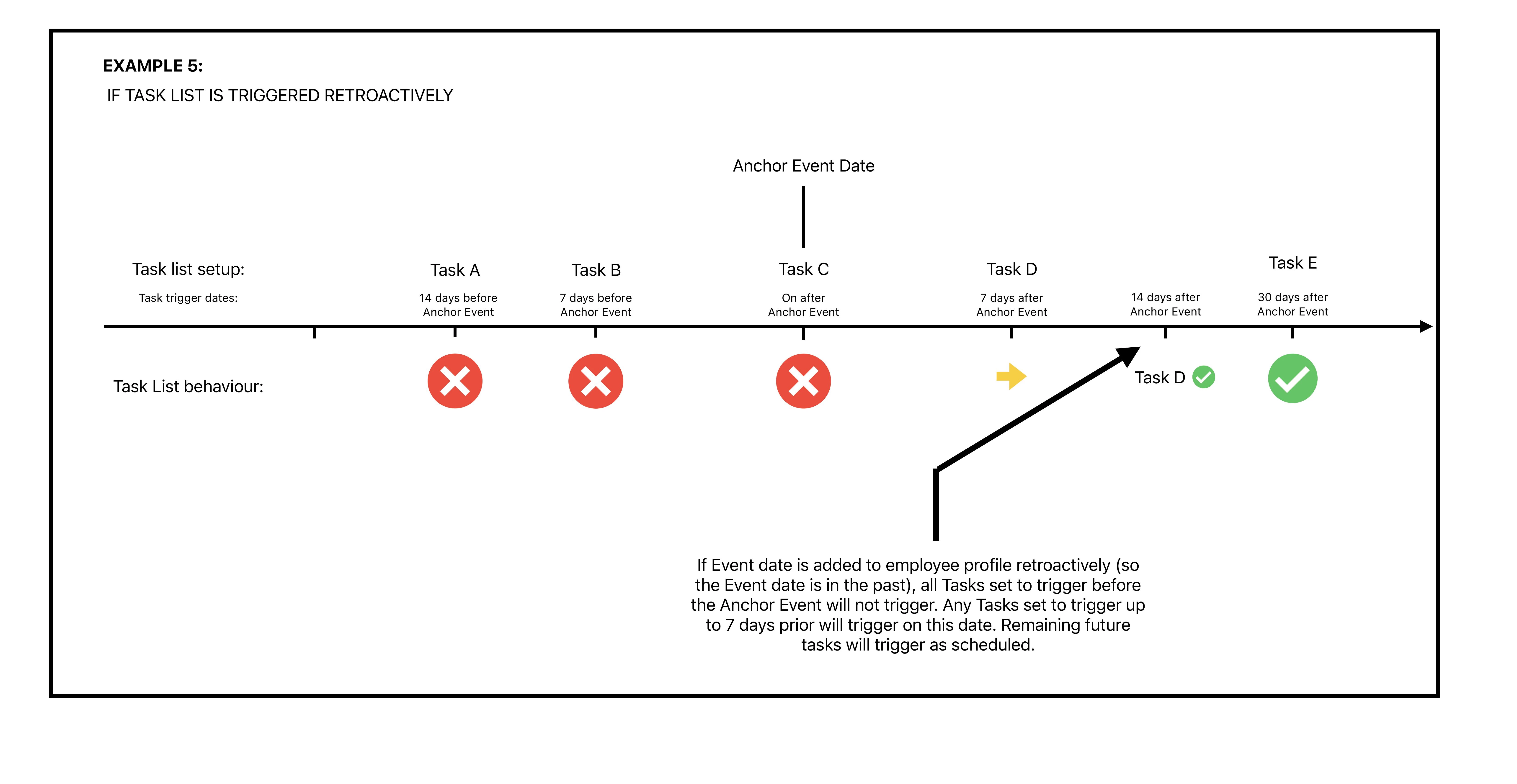
When a task list is set to trigger based on a specific anchor event, and we make a change in Bob, but the trigger time has already passed, Bob can act in different ways:


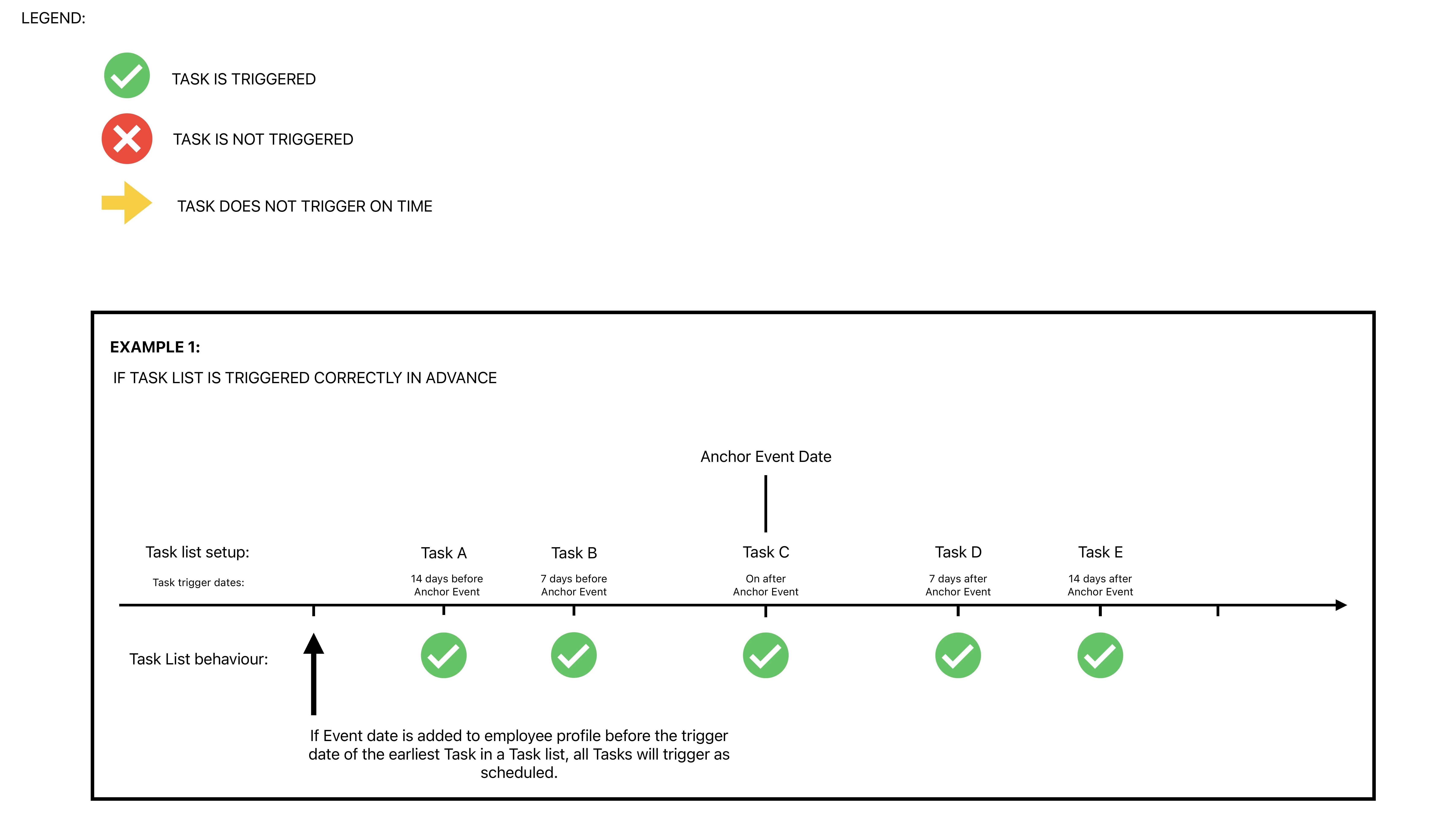
·Making a change before the anchor event - If we make a change 5 days before the anchor event and have tasks that are set to trigger 30 or 20 days before the anchor event, Bob will trigger them as soon as possible (might take up to 6 hours after making the change in the system). In sum, all the tasks are triggered, just not in the correct time frame as the change wasn't made in advance.
·Making a change after the anchor event - This is where the 7-day rule is put in place. We have 3 situations.
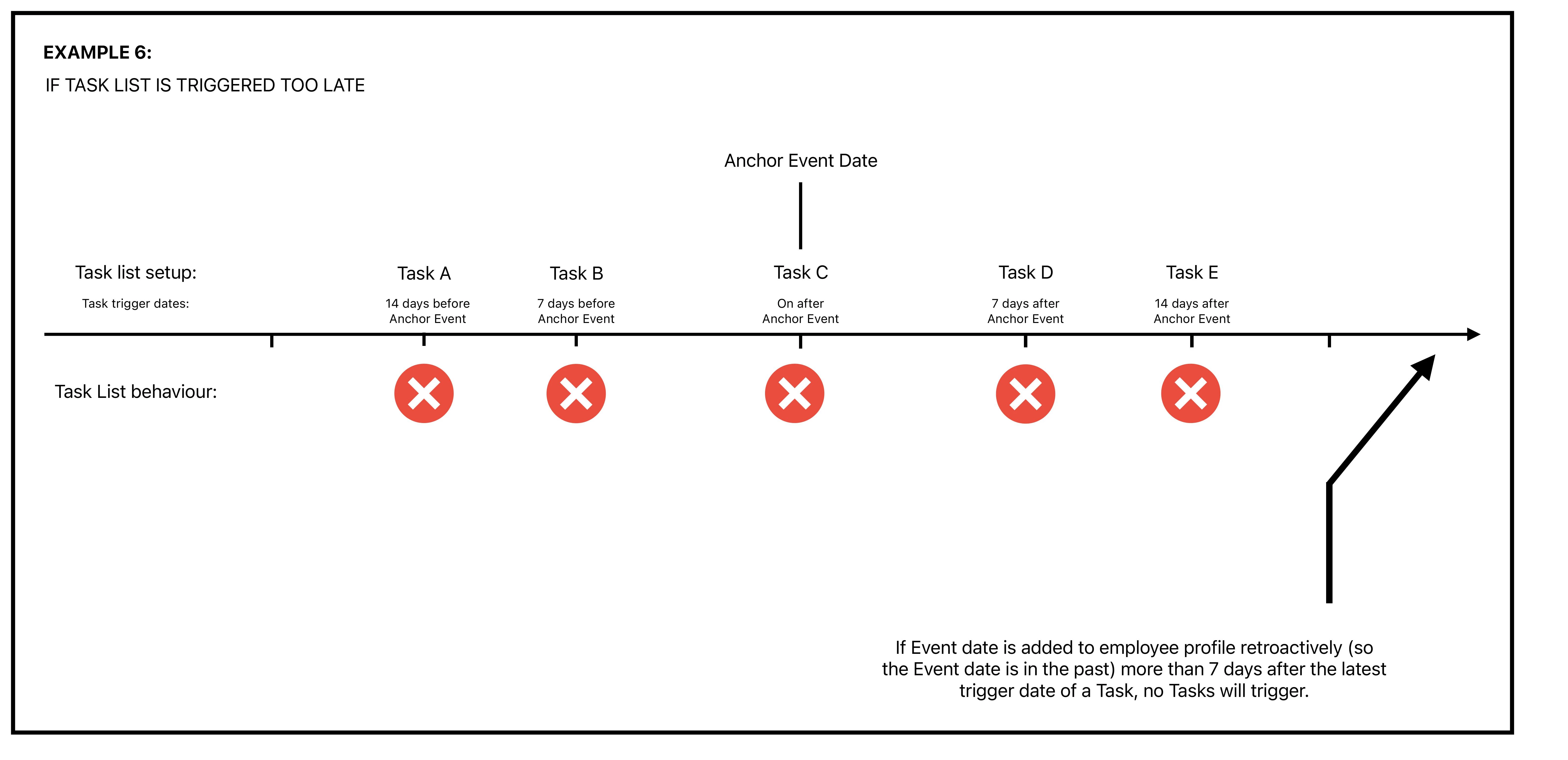
o  If the change is made up to 7 days after the anchor event, all tasks that are set to trigger after the anchor date will trigger. The tasks set to trigger before the anchor event won't.
o  If the change is made on the anchor event, all tasks set to trigger before and on the anchor event will trigger on that day.
o  If we make a change 8 days after the trigger timing of each task, these won’t trigger.(It's been too long since the trigger timing)

  • This is where we'll need to manually trigger the task list if we really want it to trigger for that employee.
  •  Note that any tasks that were already triggered will also be triggered again.
  • To account for this, you can duplicate the task list without the tasks that were already triggered.

Adding below a visual representation to the Task List behaviour: 
 

6 replies

Does this apply to Email-tasks as well?


Hi @Ronja Hultkrantz, this article applies to all tasks, including email tasks.

Let me know if you have further questions 😊


Abigail Watt

@Pedro Catarino In relation to making changes before the anchor event… 

I am looking at maternity leave specifically. For example, if someone gives us a predicted leave date of 5th February 2025, however they actually decide to leave slightly earlier, how would this affect the task list? 

If we amend the date (with the 5 day rule taken into account so we change it to 29th Jan 2025), do all tasks re-trigger regardless of whether they’ve been completed for not? 

Side note - I don’t think the leave flow lets us change the start date so I am thinking of using a custom field to manage this process. 


Jessica Lane
Bobber

Hi ​@Abigail Watt 👋🏻


Any tasks that have already triggered will not re-trigger.😊


Hi ​@Pedro Catarino 

taking up on your tip above I had an issue posted here which basically answers the question, why it was not triggered.

The follow-up question would be - can I “re-trigger” this specific event as this would be really important.

I have just created a new flow “Change of last day of work” to trigger “up-date-info tasks” for this new day. It seems the only solution for now.

Many thanks, Katrin


@Nicky van der Kwast this is a useful article.