

Basic troubleshooting:
Most questions about task list is either:
1. Why did a task list not trigger?
2. Why did the task list trigger on X instead of Y?
So here are the first steps you will need to check in EVERY task list investigation:
For example - I have a new employee called “Daniel Guy” and I want to check that the onboarding task list was triggered according to my settings:
Step 1 - Check task list report:
Go to the “Task List” report
Why?
A. To see that the task list was actually triggered
B. To see how it was triggered - based on trigger date/manual by flow/manually
C. Who triggered it?
D. When was it triggered?
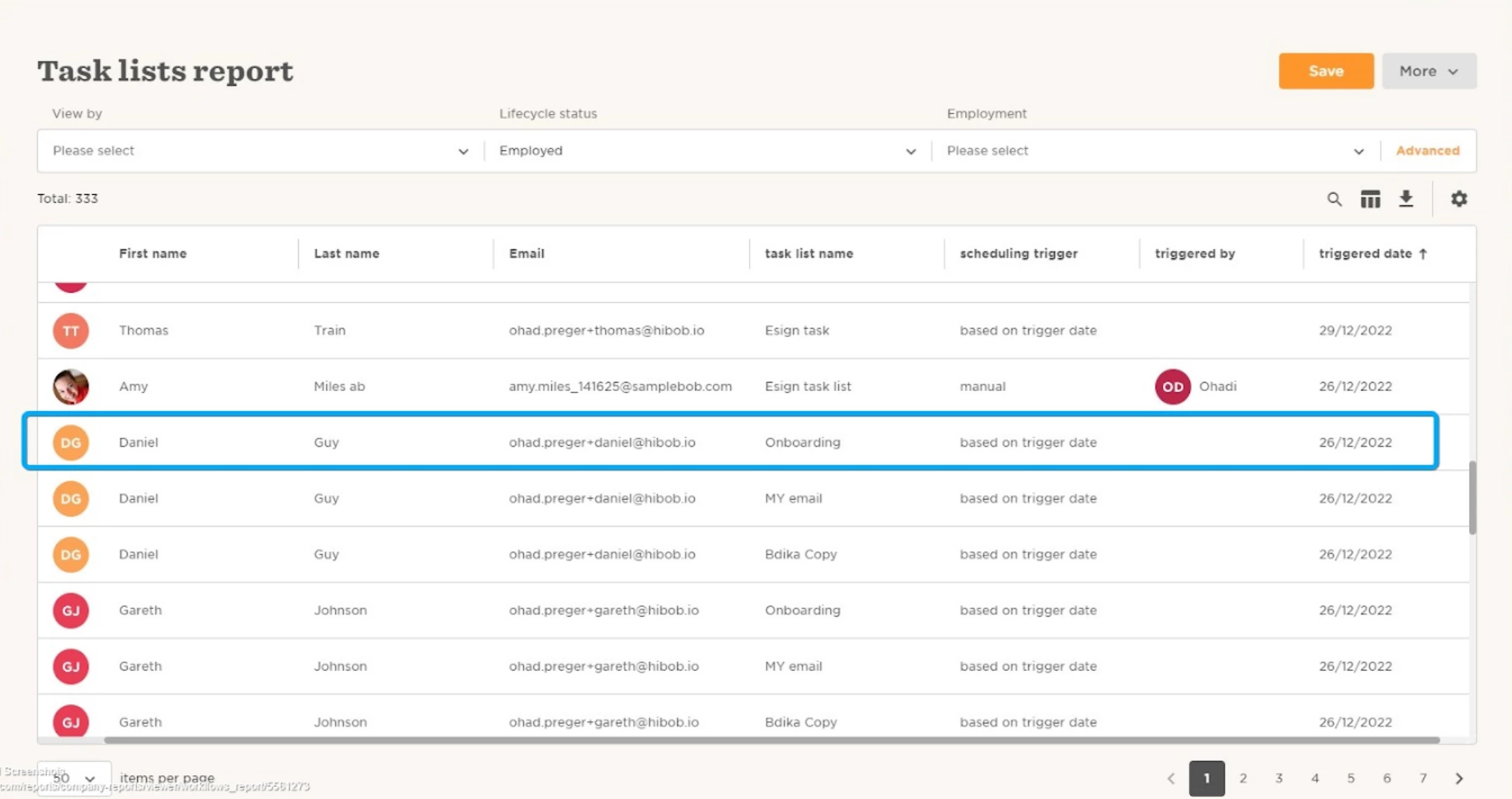
As we can see, the task list triggered based on trigger date on 26/12/22.
Now we will move to the next step.
Step 2 - Check task list settings:
Go to the task list settings and check that the settings reflect what we see on the task list report - Task list is set to trigger automatically and should have triggered for Daniel on 26/12/22:
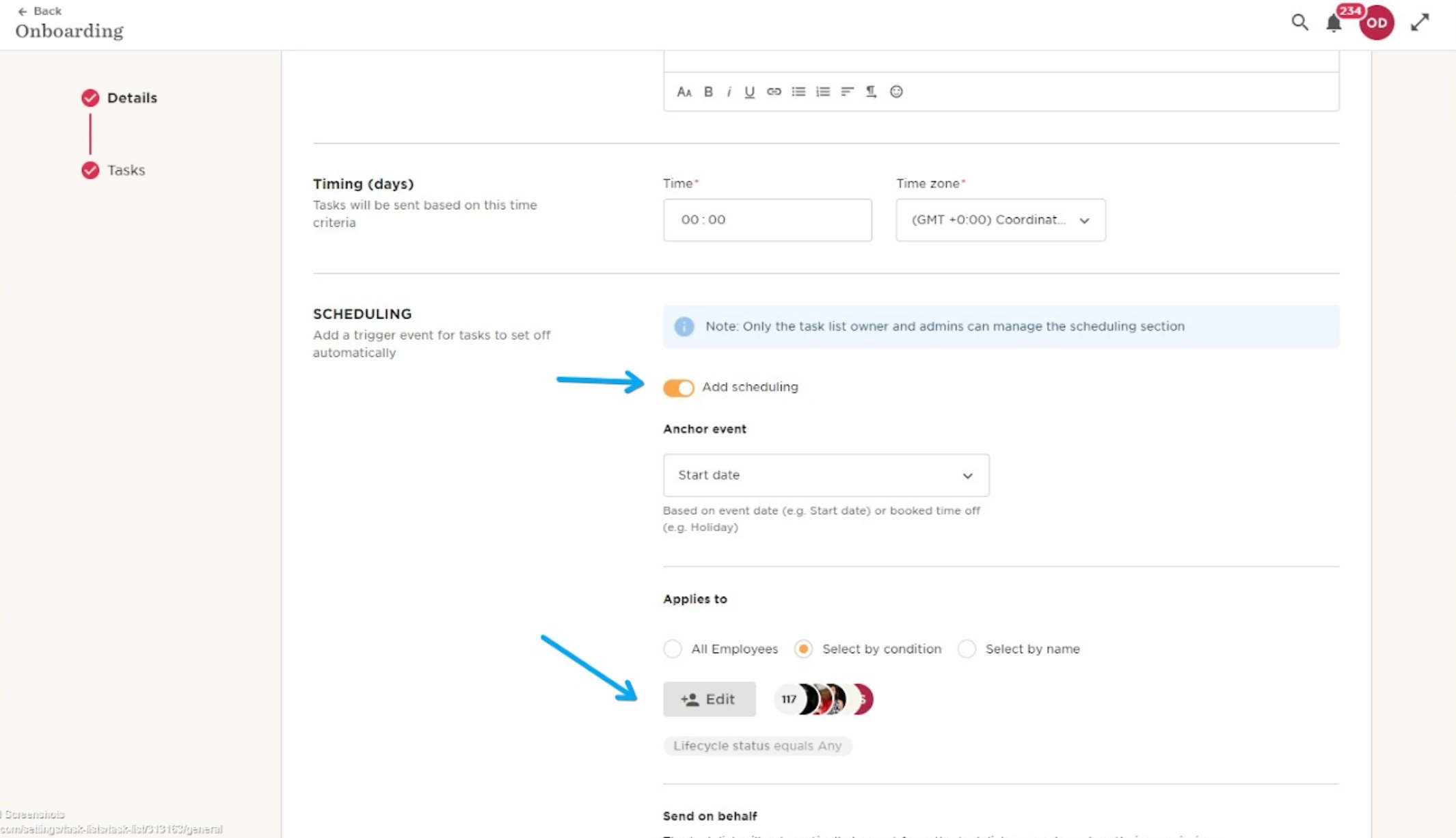
As you can see, the task list is set to trigger automatically and Daniel is part of the employees under the “applies” to section.
Now we will check when is the earliest task:
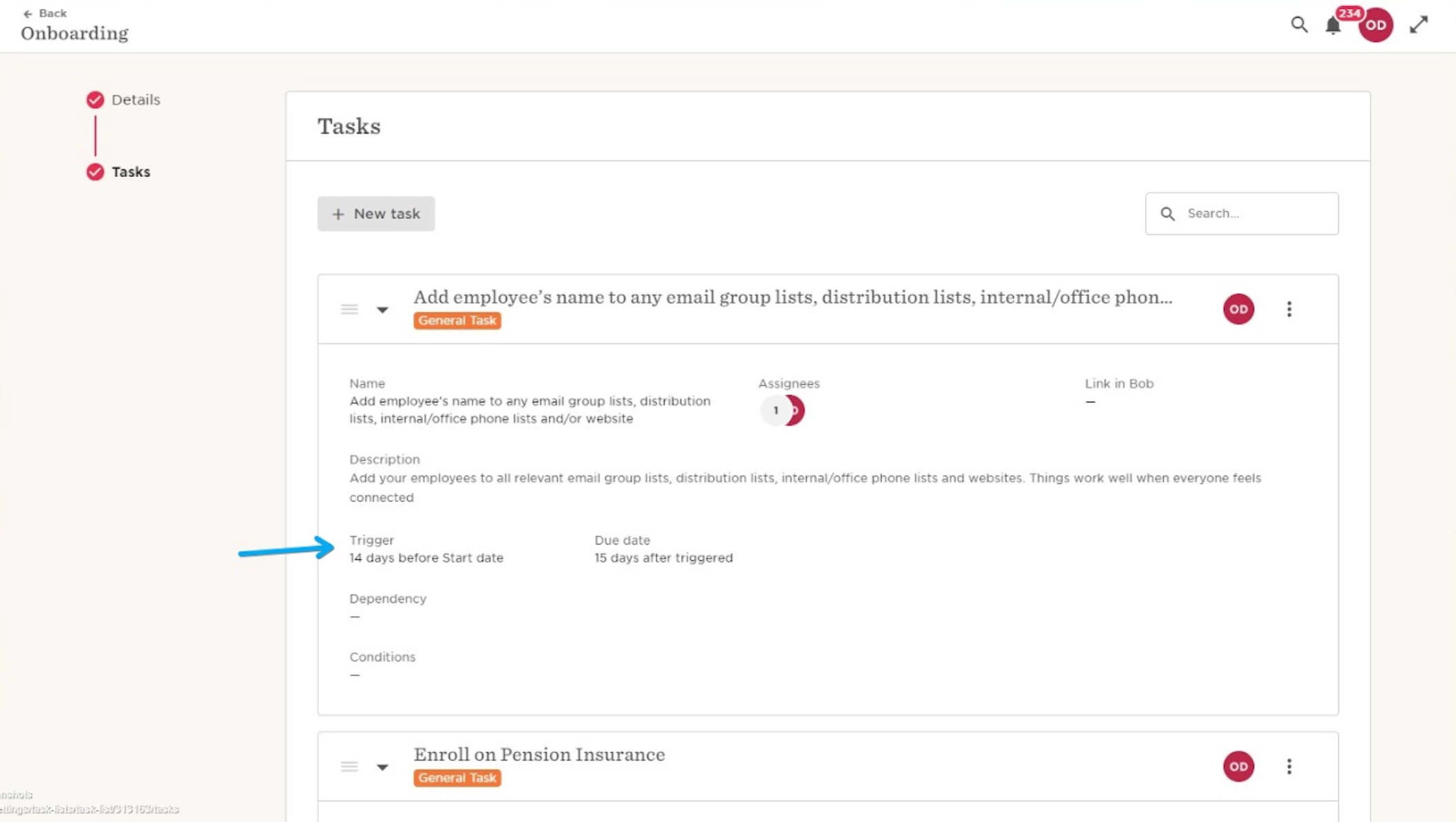
We found that the earliest task is set for 14 days before “Start date”.
Now we will move to the next step.
Step 3 - Check employee profile:
Here we will want to check the data we had in Bob when the task list triggered.
In our example we will check what was Daniel’s start date on 26/12/22 so we will go to the employee’s history to check this:
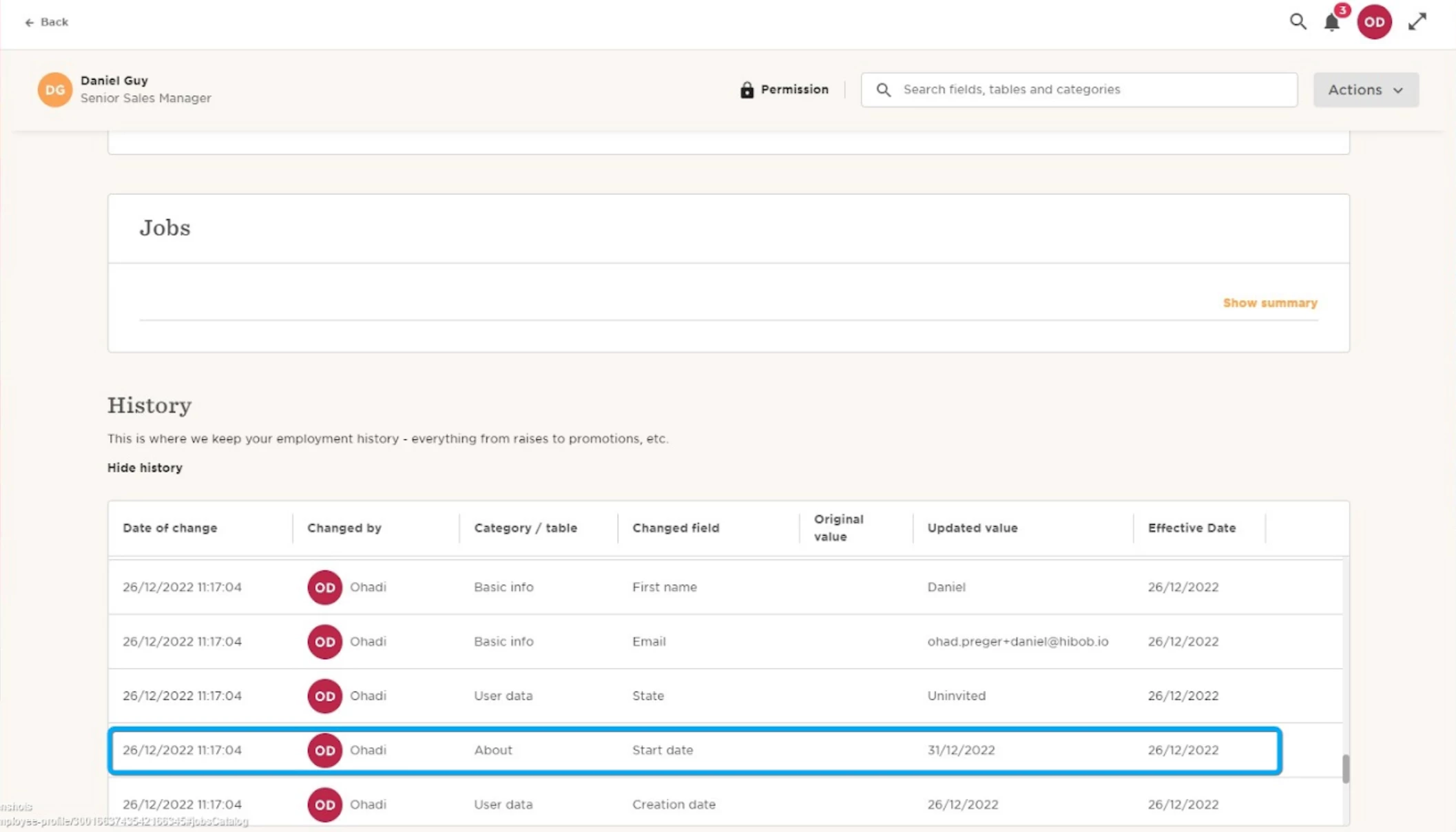
On the 26/12/22, Daniel\s start date is 31/12/22 so we expect the first task to be triggered on 26/12/22.
Why?
The first task is set to trigger 14 days before start date. On the 26/12/22 we were 5 days before start date which is less than 14 days.
Now we will go to the task to see if it triggered on the expected date.
Step 4 - Check individual tasks on “Manage tasks”:
We will go to Tasks-Manage tasks and in filter by “Onboarding” task list and task requested for Daniel Guy:
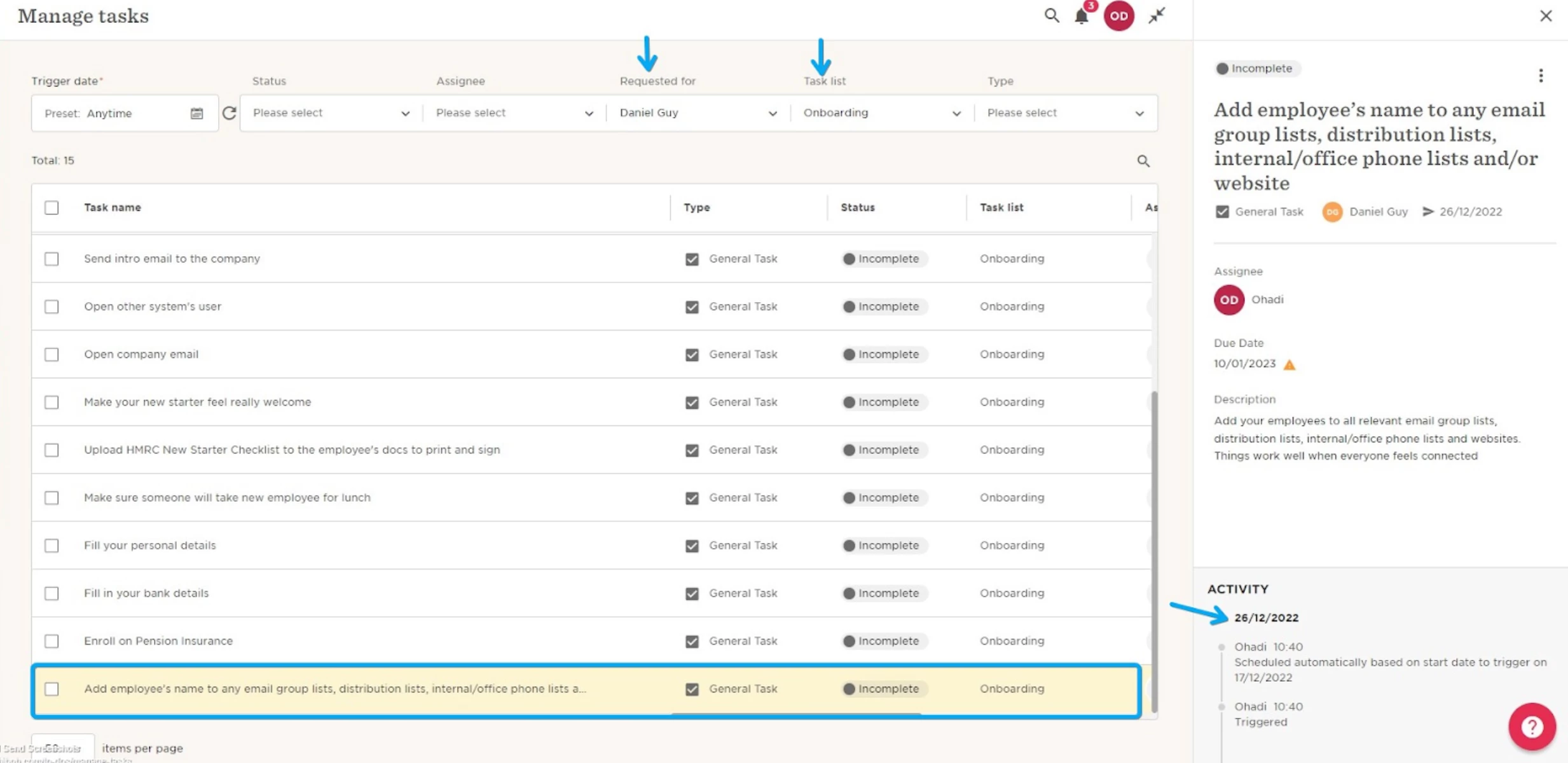
Here we can confirm that the task was triggered on 26/12/22 as expected.
Advanced troubleshooting:
If you’ve checked the 4 steps above and still don’t understand why a task list/task triggered on a specific date?
Step 5 - Who is the task list owner?:
A task list is always triggered according to the task list owner permissions(for auto scheduled task lists) or according to the permissions of the person who triggered the task list(Via flow or manually).
This means that the tasks and the data inside annotations in the tasks will be triggered according to the permissions of the task list owner.
For example:
If I triggered a task list manually that has a task with an annotation of “Base salary” but i don’t have permissions to view payroll, the annotation will be empty:
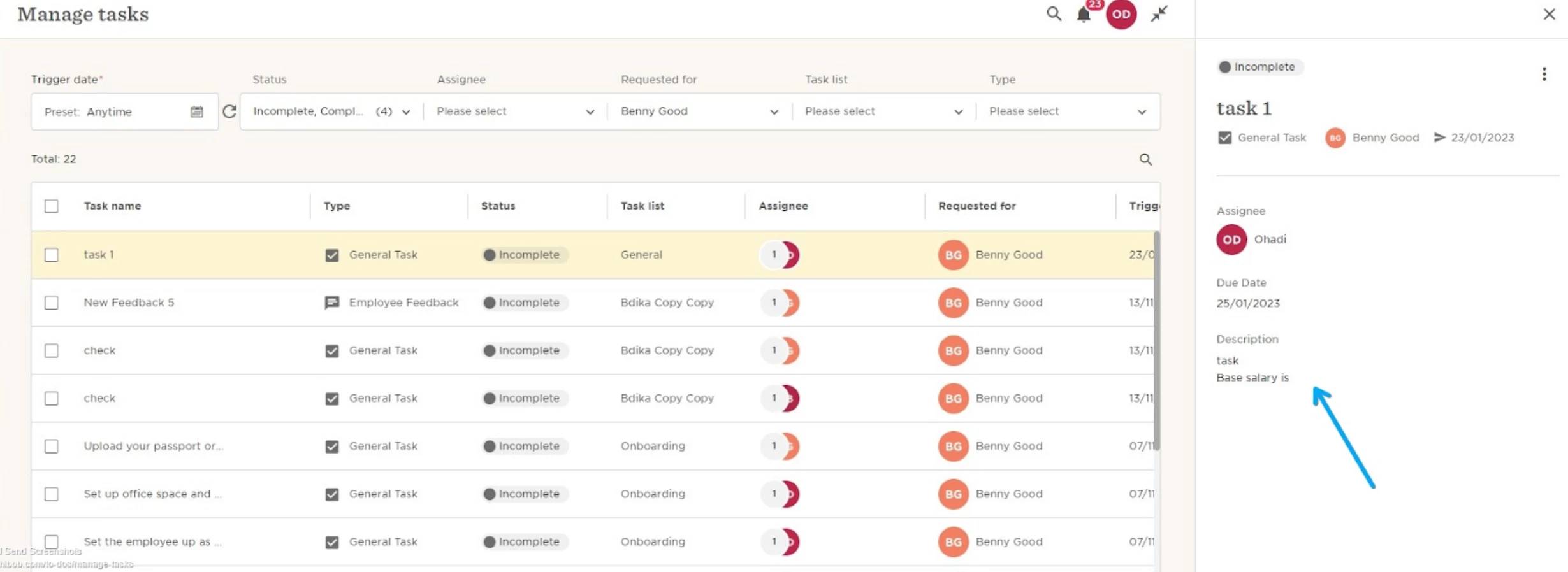
Another example:
I am the task list owner of an auto scheduled task list for onboarding.I do not have permissions to view employees in “Hired” status.
The task list will not trigger if there are tasks prior to start date.