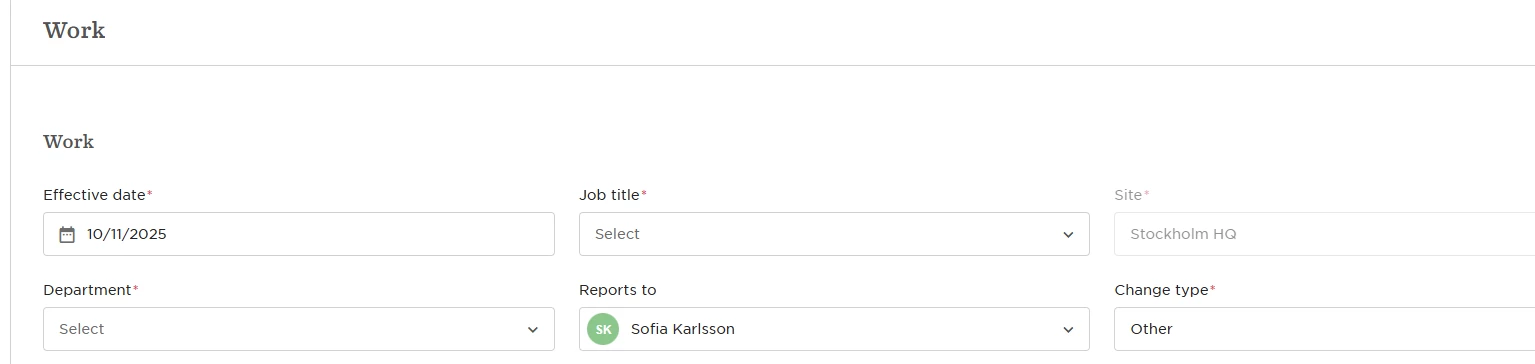

Bob comes with 6 default flows: Change email, Reports to, Start date, Department, and Job title. These default flows don’t support adding approvers or notifiers, so if you want to build in automation or task management, you’ll need to create a custom flow from scratch.
Here's how to do it:
-
Head to System settings > Flows > People data update, and click Create template.
-
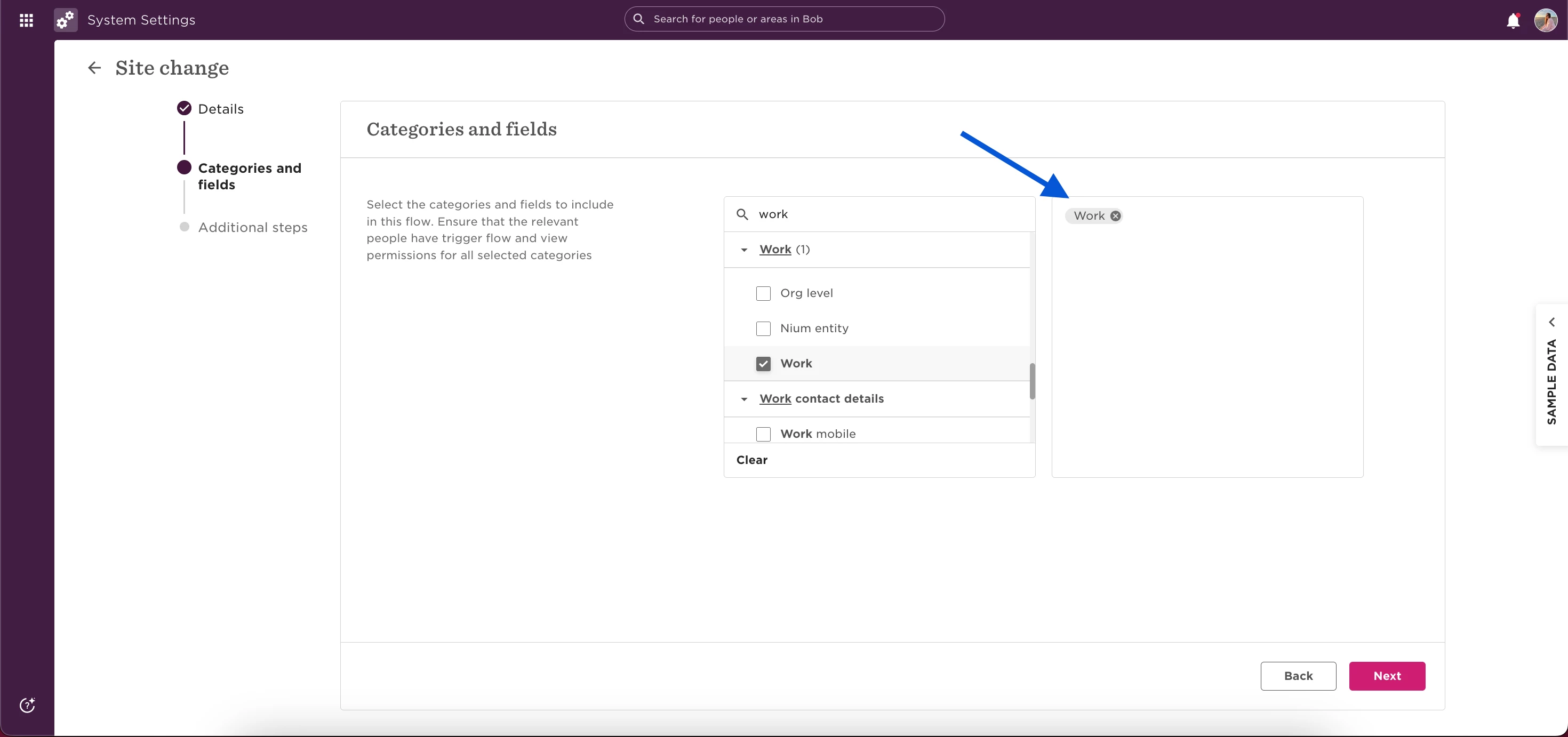
Choose the Work table: this includes fields like Site, Department, Reports to, and Job title.
-
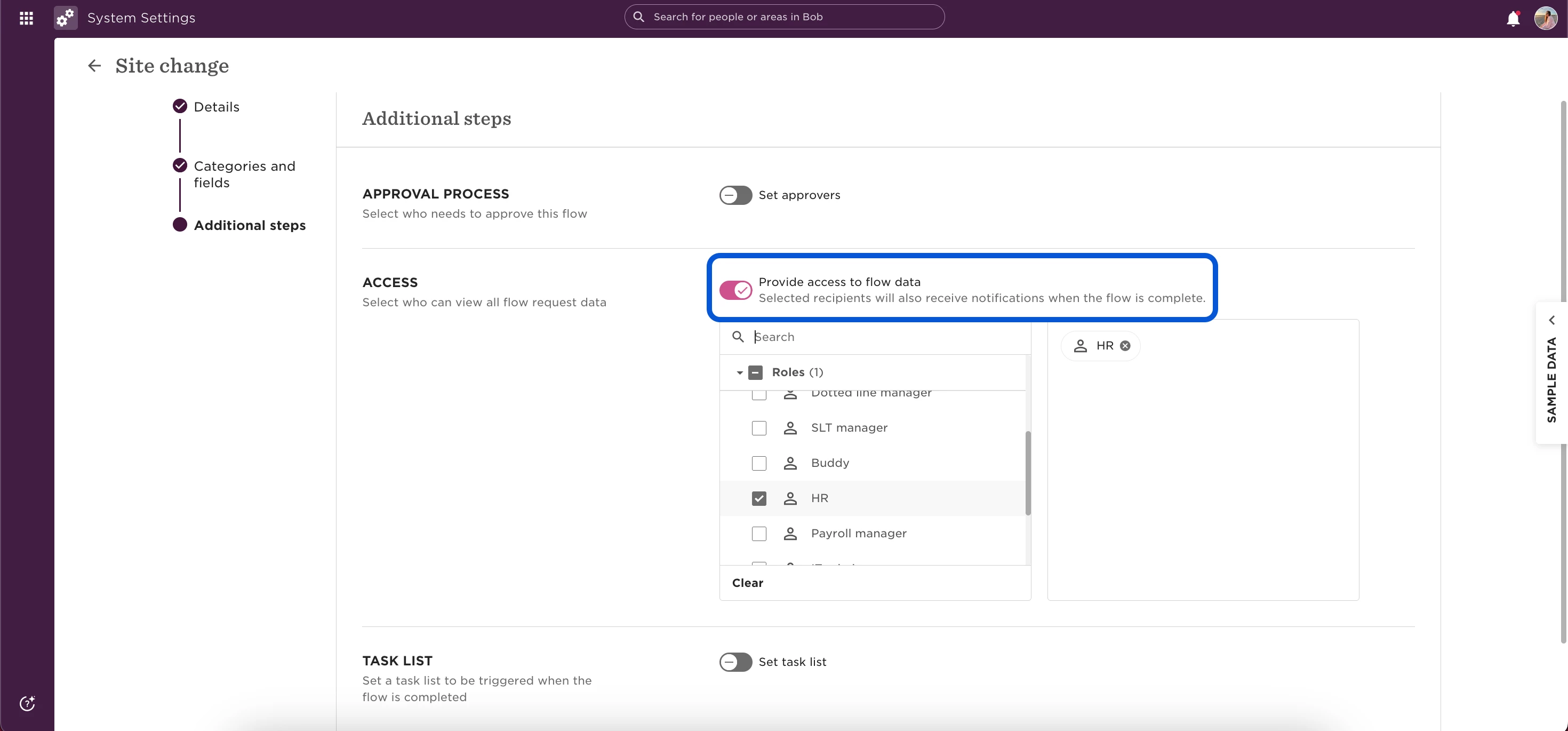
In the Approval flow or Access section, add the approvers or notifiers you want to be alerted when this field changes.
-
(Optional) Click Set task list to add any follow-up tasks that should be triggered.
This workaround gives you flexibility that default flows don’t—so you can manage updates more intentionally, with the right stakeholders looped in at every step.