
Sending Customized Email Notifications for People Update Flows

  • December 23, 2025
  • 3 replies
  • 136 views

Andreia Miranda
Bobber

By default, email notifications triggered in a people update flow are generic.


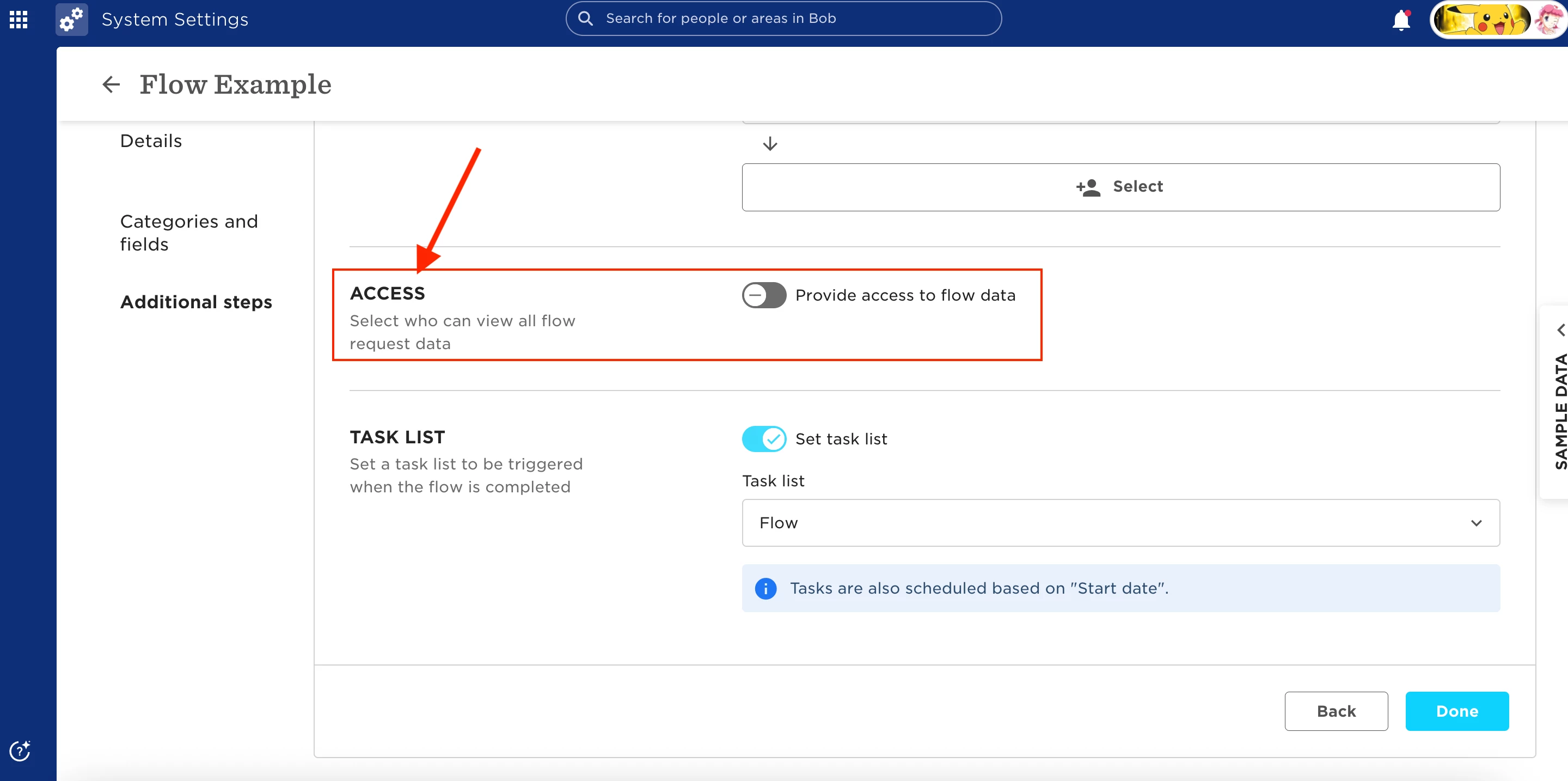
When using a people update flow, you can choose who gets notified from the Access section. This built-in email simply states that a request was submitted and approved—it doesn’t include any details like what was changed, who approved it, or when it happened.
 

To send a detailed, personalized email notification instead, you can use a task list with an email task.


Here’s how to set it up:

  1. Go to Task Lists > Task List Settings and click Create Task List
  2. Set the Trigger to Manual
  3. Add a new Email Task
  4. Choose the sender and recipient
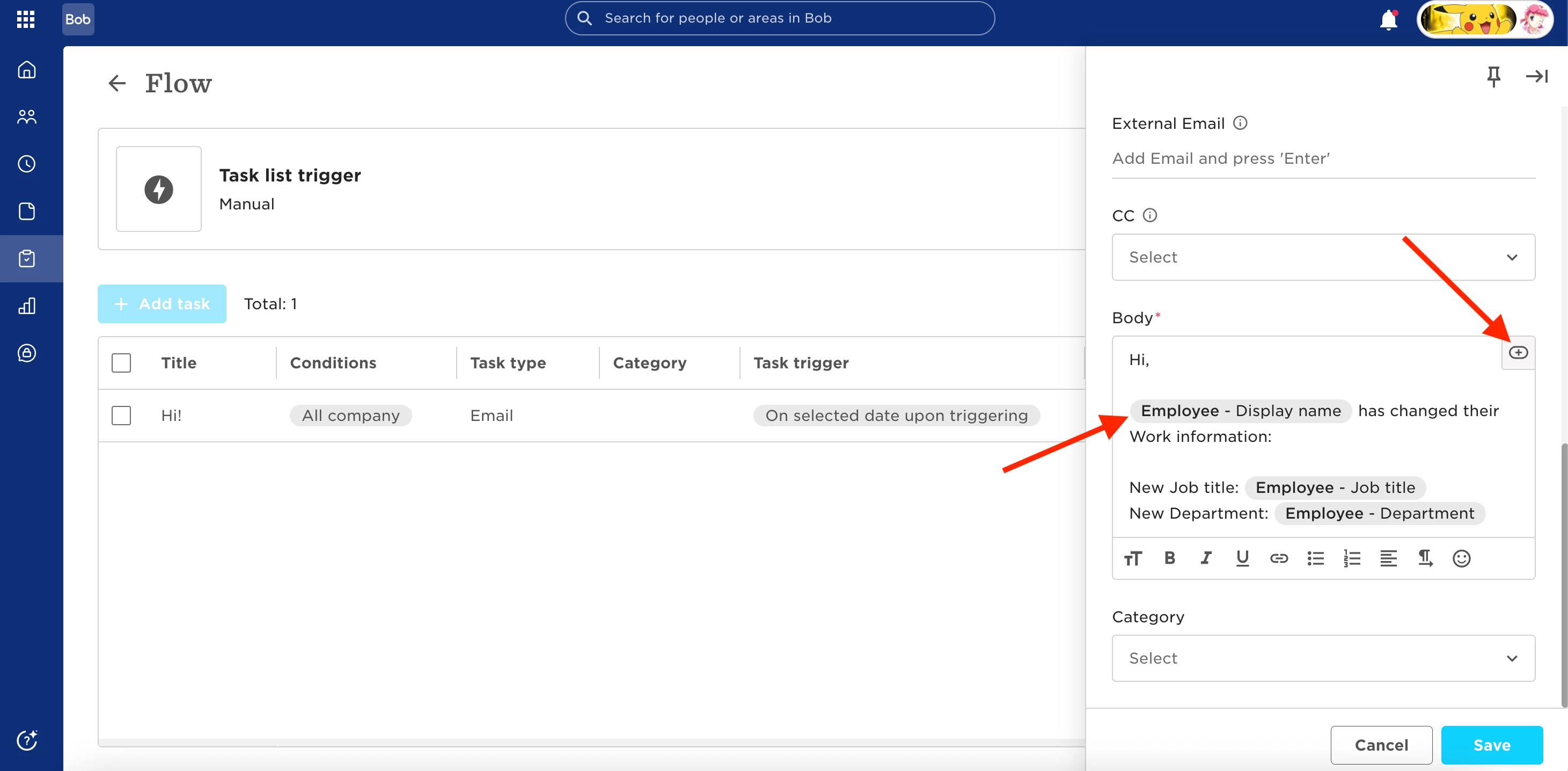
  5. In the email body, use available variables to dynamically pull in the changed data from the flow (e.g., fields that were updated)
 

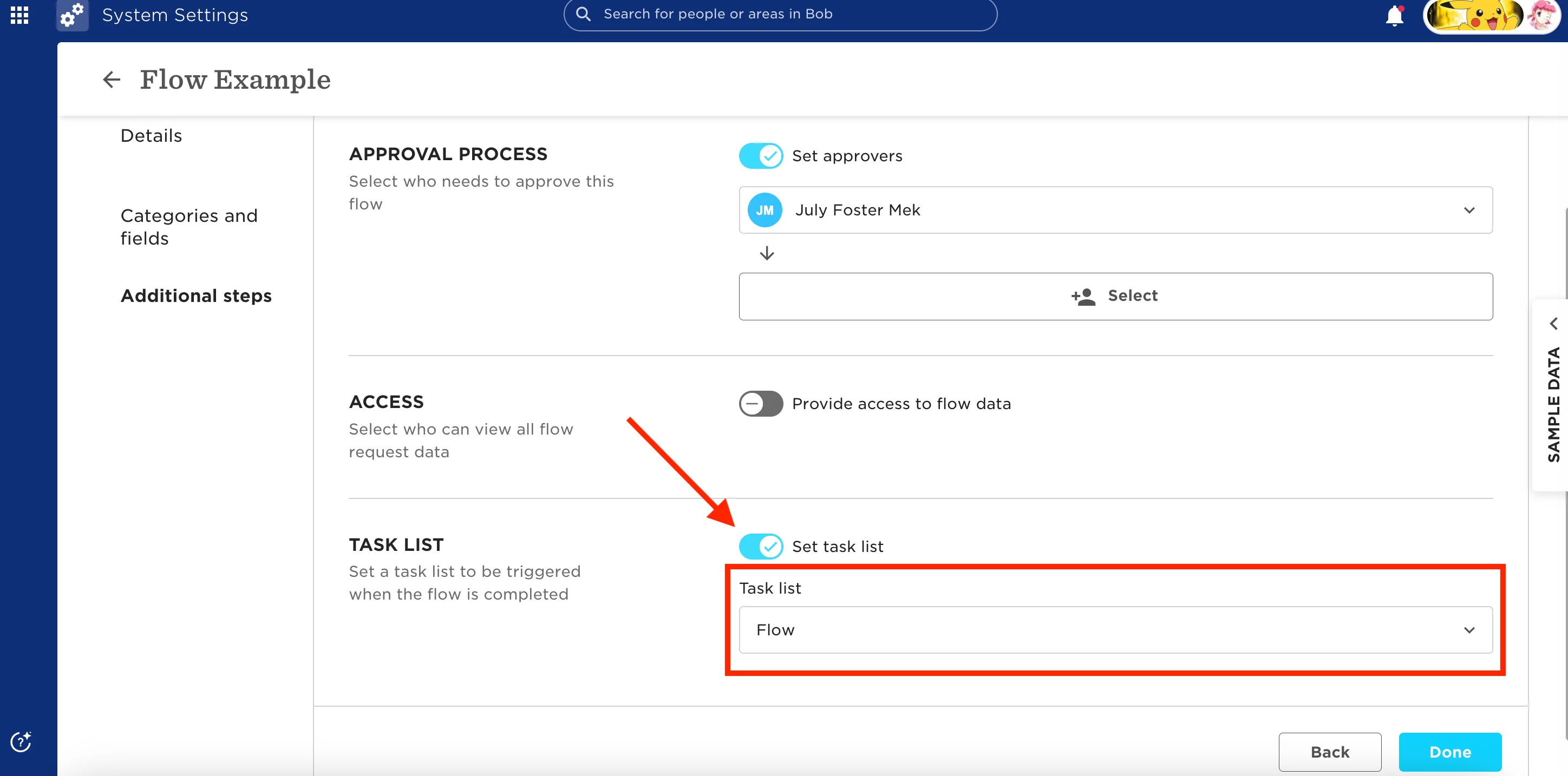
Once done, connect it to your flow:

  1. Go to People Update Flow > Manage Flow
  2. In Additional Steps, enable Set Task List
  3. Add the task list you just created


Once configured, here’s how it works:

  • The employee initiates the people update flow
  • The flow is approved by HR, a manager, or an admin
  • The email task is triggered automatically, sending a personalized email with all relevant changed details


🔒 Important:

  • The person who triggers the flow needs permission to view the relevant categories and permission to initiate the flow
  • The approver needs permission to view the categories and access all flow requests
  • The email recipient needs permission to view the categories where data was changed
 

3 replies

Hi, thank you this is really helpful! Can I ask if there is a way to stop the generic approval email from being sent, so that the task list email is the only email they get to say it has been approved? Thanks!


Andreia Miranda
Bobber

Hi, thank you this is really helpful! Can I ask if there is a way to stop the generic approval email from being sent, so that the task list email is the only email they get to say it has been approved? Thanks!

Hi Alison, glad to hear the article has been useful 😃


When a flow includes an approval chain, both the approvers and the employee will always receive the generic approval email. This behavior is built into the flow and cannot be changed from the flow settings.


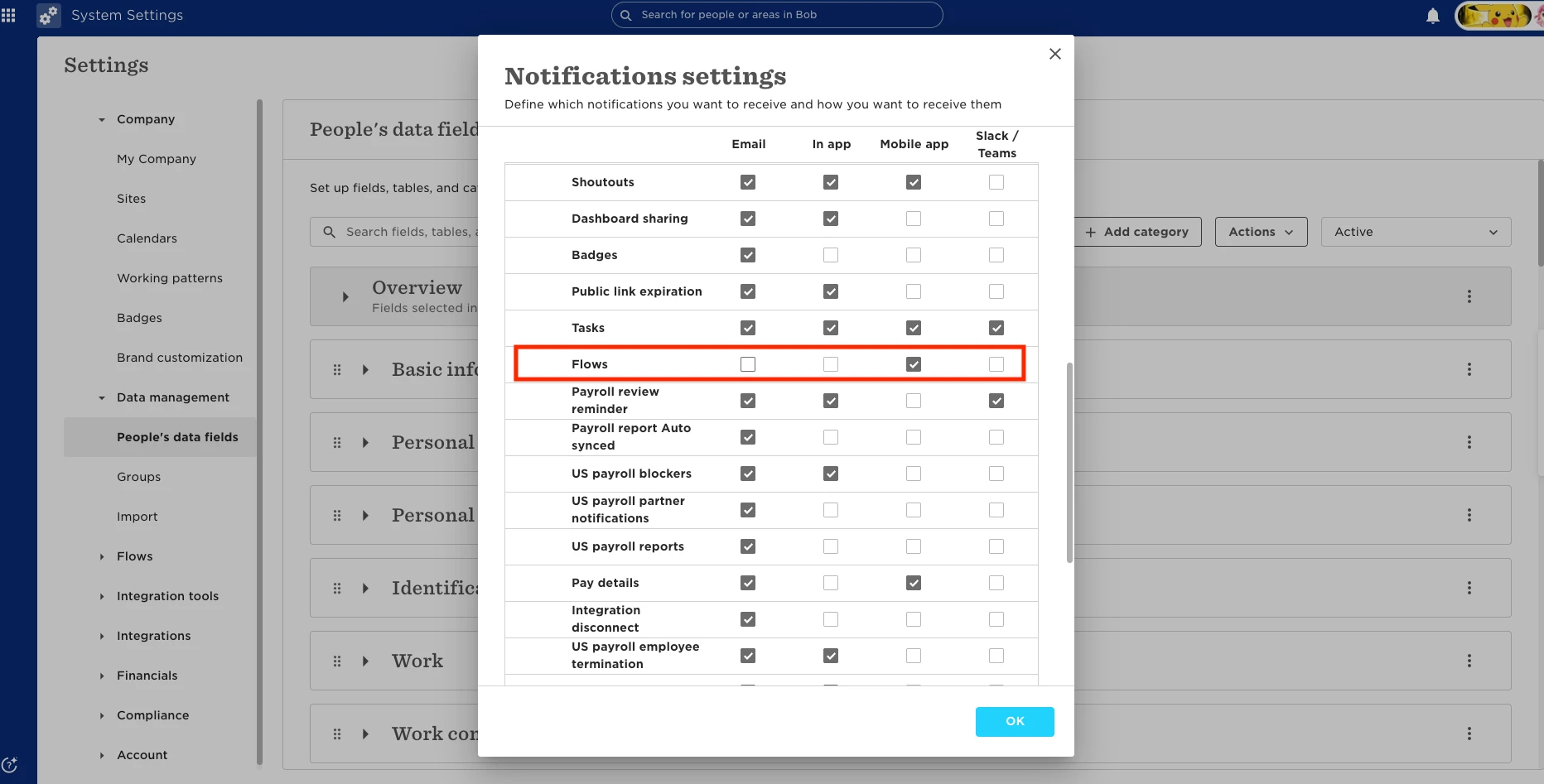
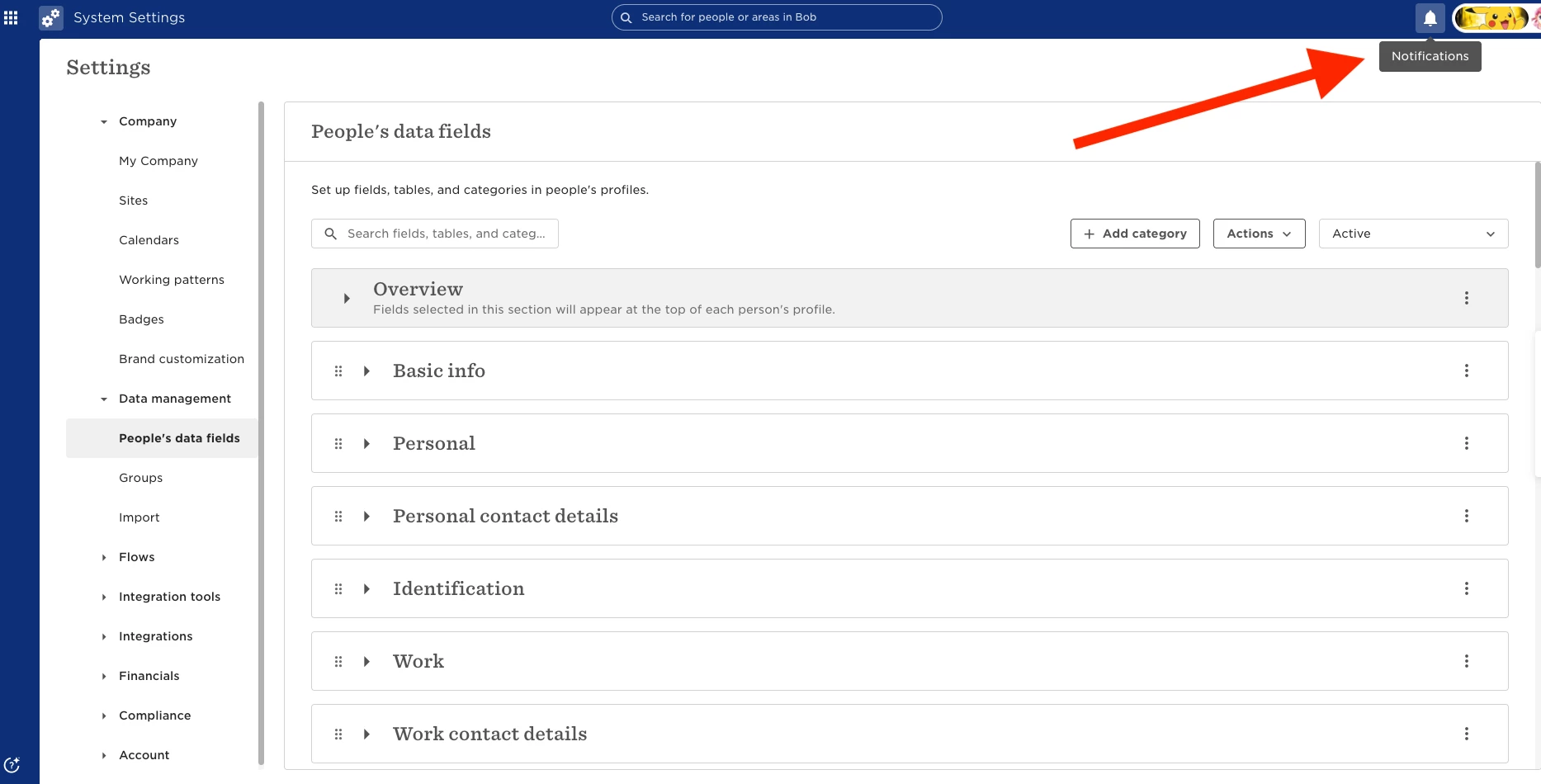
As an alternative, email notifications can be managed directly from each user’s Notification Settings. You can guide them to click the bell icon > gear icon, and adjust their email notifications based on their preferences. As long as the Task email notification remains enabled, once the flow email notification is disabled, the user will only receive the task-related email:


Please note that disabling flow email notifications will apply to all flows the user is involved in, either as a requester or an approver.


Thank you Andreia for the clarity :)