


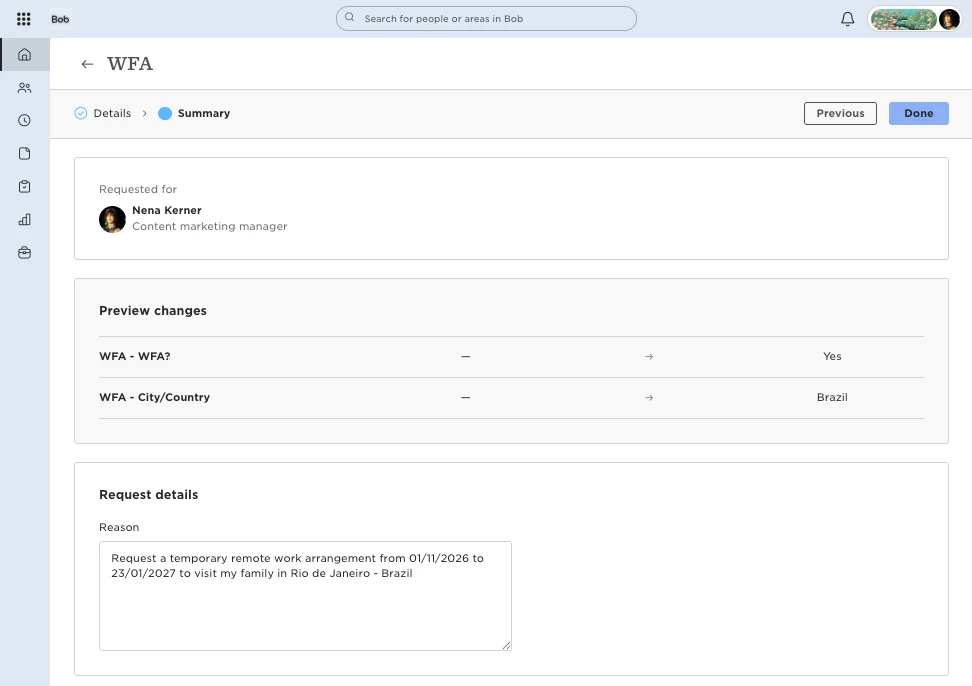
The Reason entered when submitting a flow is available for viewing in the flow request, but it isn't available as a field in All approval flows or Analytics reports:
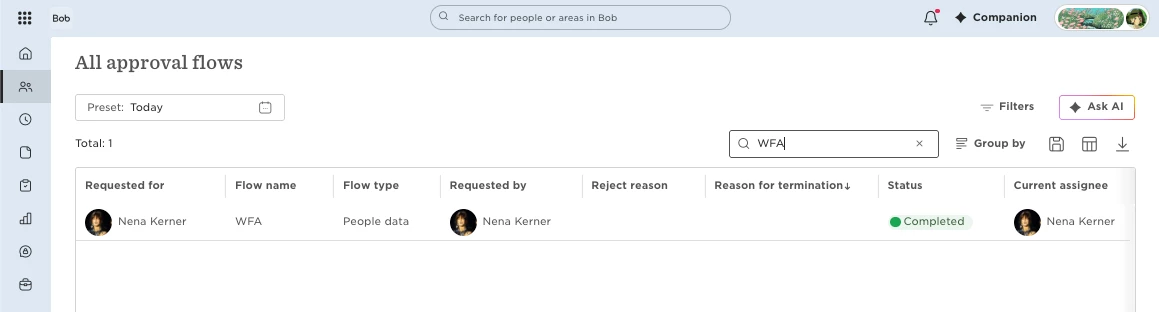
If you need to report on the reason, we suggest to use a custom field instead.
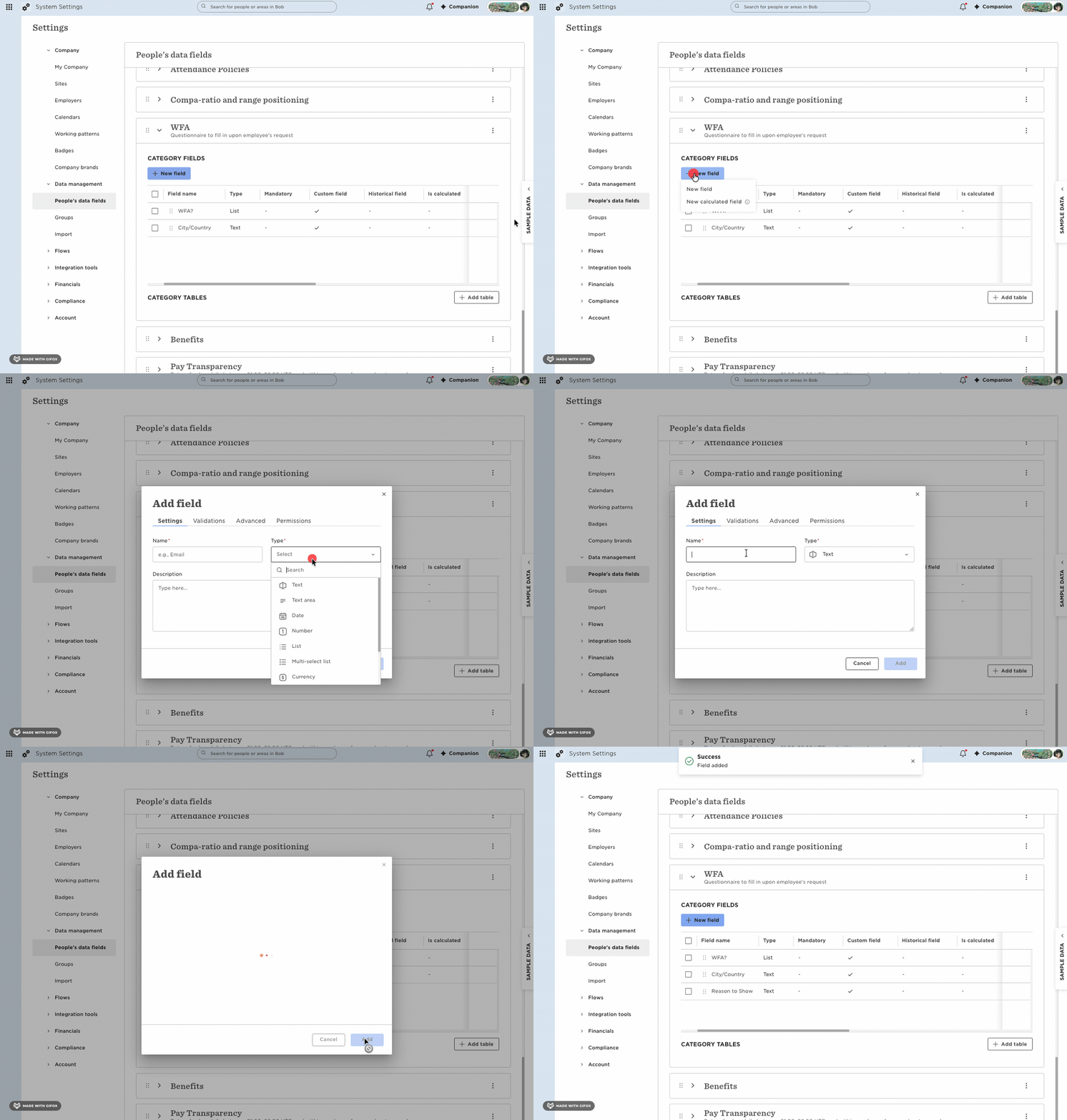
1. Go to System Settings > Data management > People data fields.
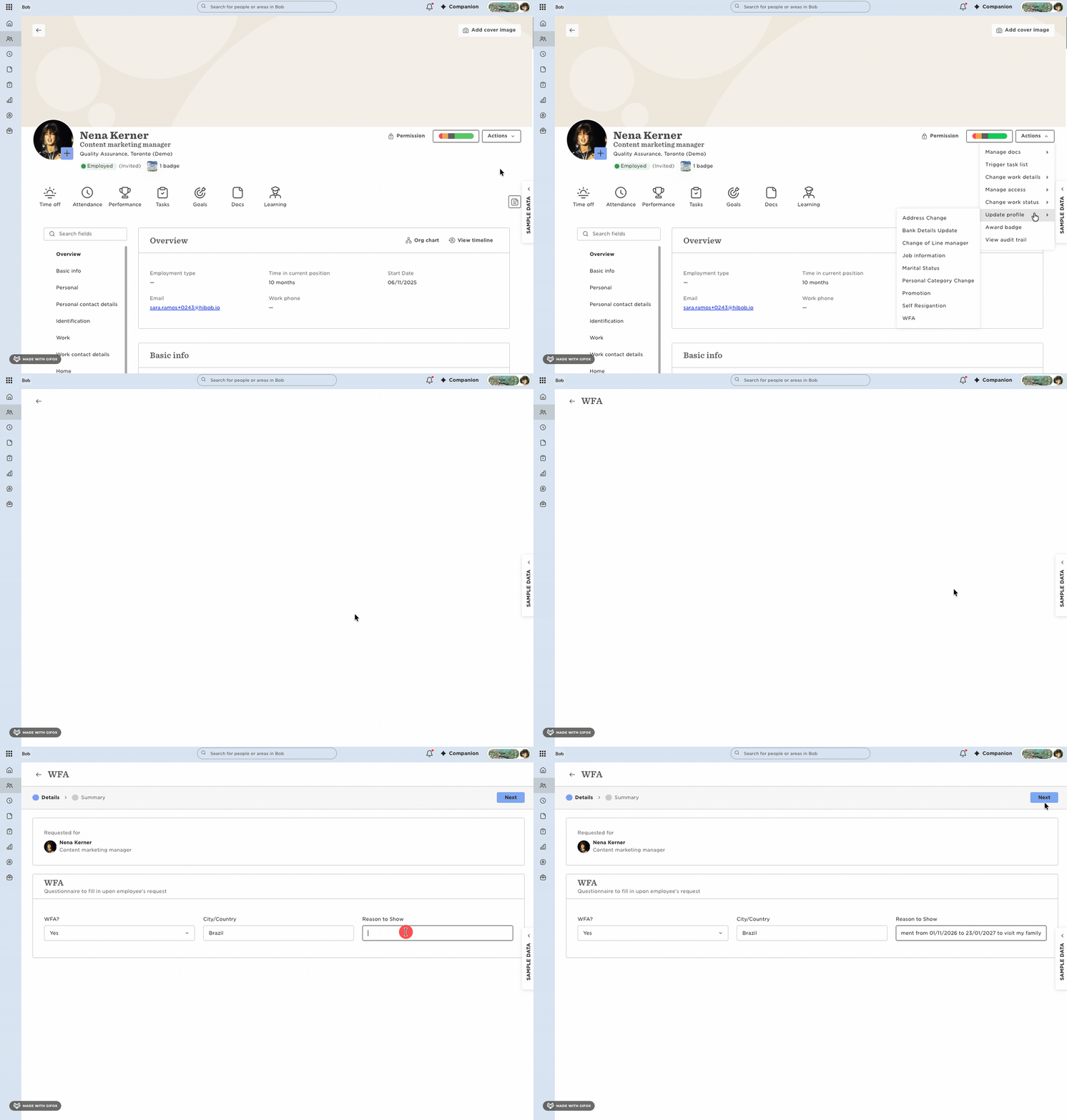
2. In the relevant data category, create a custom Text area field for the reason.
3. Add the custom field to your flow.
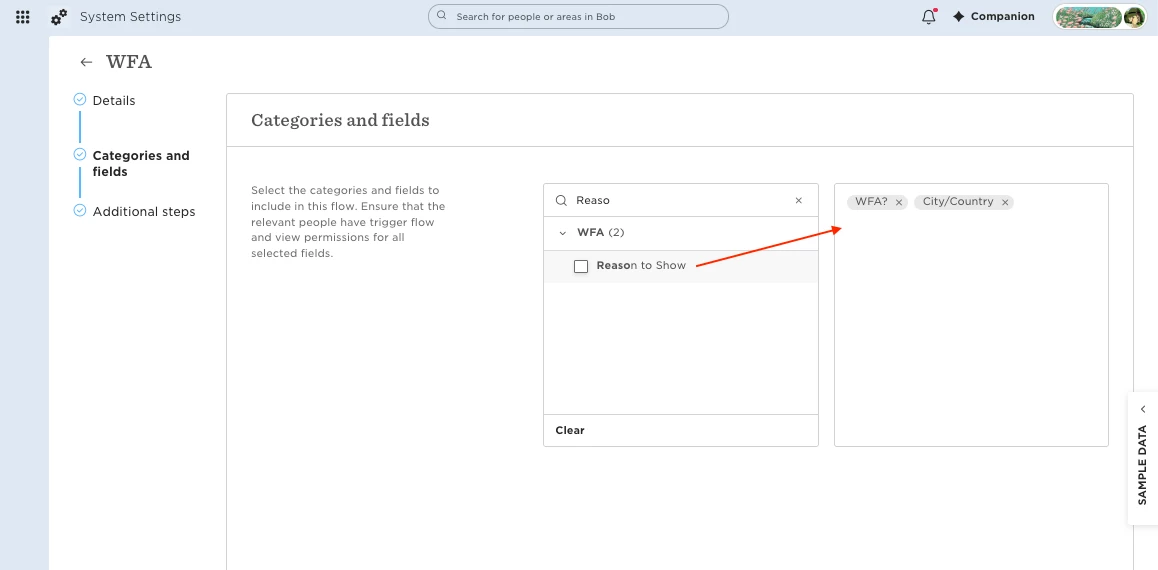
4. Use this field to capture the reason when the flow is submitted.
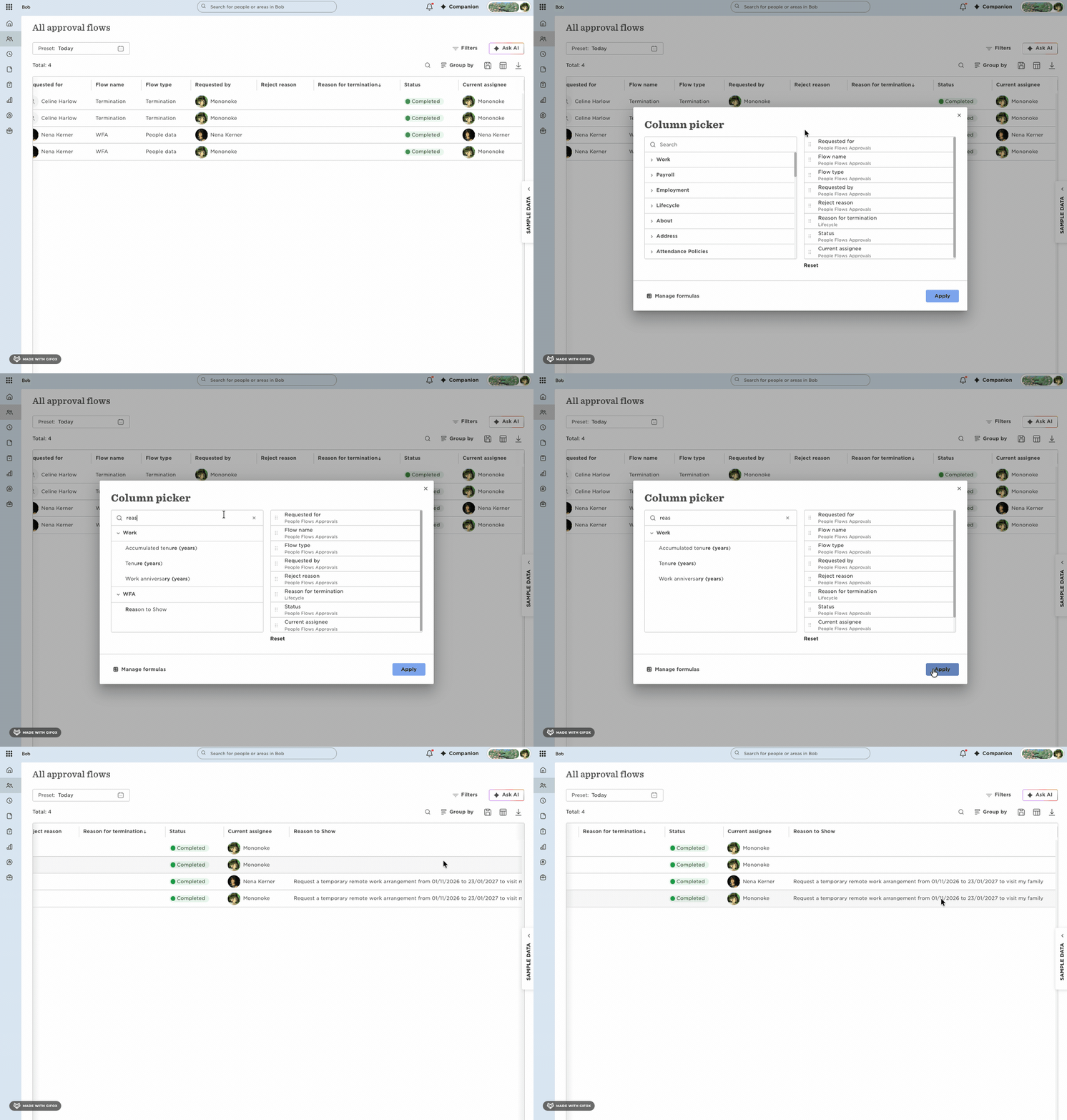
5. Add the custom field to All approval flows to view and report on the responses.
You can keep the standard Reason field in the flow if you still want to use it for visibility. Just remember that at the moment, only the custom field can be used for reporting.