
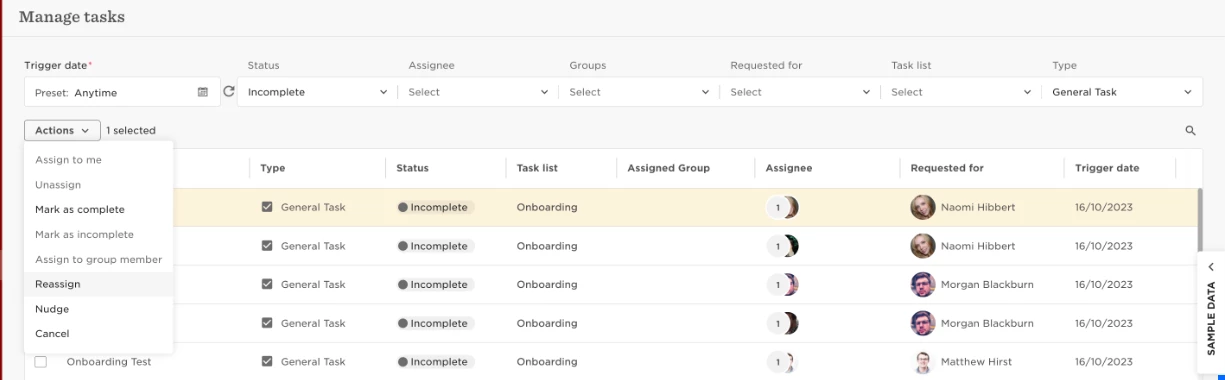
Go to Tasks > Manage tasks > you can bulk mark, or individually select tasks > Actions > Reassign
Note: you can only reassign incomplete General tasks.
Please click here to learn more about managing tasks.

Go to Tasks > Manage tasks > you can bulk mark, or individually select tasks > Actions > Reassign
Note: you can only reassign incomplete General tasks.
Please click here to learn more about managing tasks.
Already have an account? Login
Not a customer yet? Enquire today. Create an account
Enter your E-mail address. We'll send you an e-mail with instructions to reset your password.