


Currently, you can reassign incomplete general tasks from the Manage tasks tab. For scheduled general tasks, you’ll need to update the assignee in the task list configuration before the task is triggered. Once updated, the scheduled tasks will automatically be assigned to the new employee or role.
To update the assignee in a task list:
Go to Task lists settings.
Open the relevant task list.
Edit the task assigned to the employee going on leave.
Update the assignee to the new employee or role.
Save your changes.
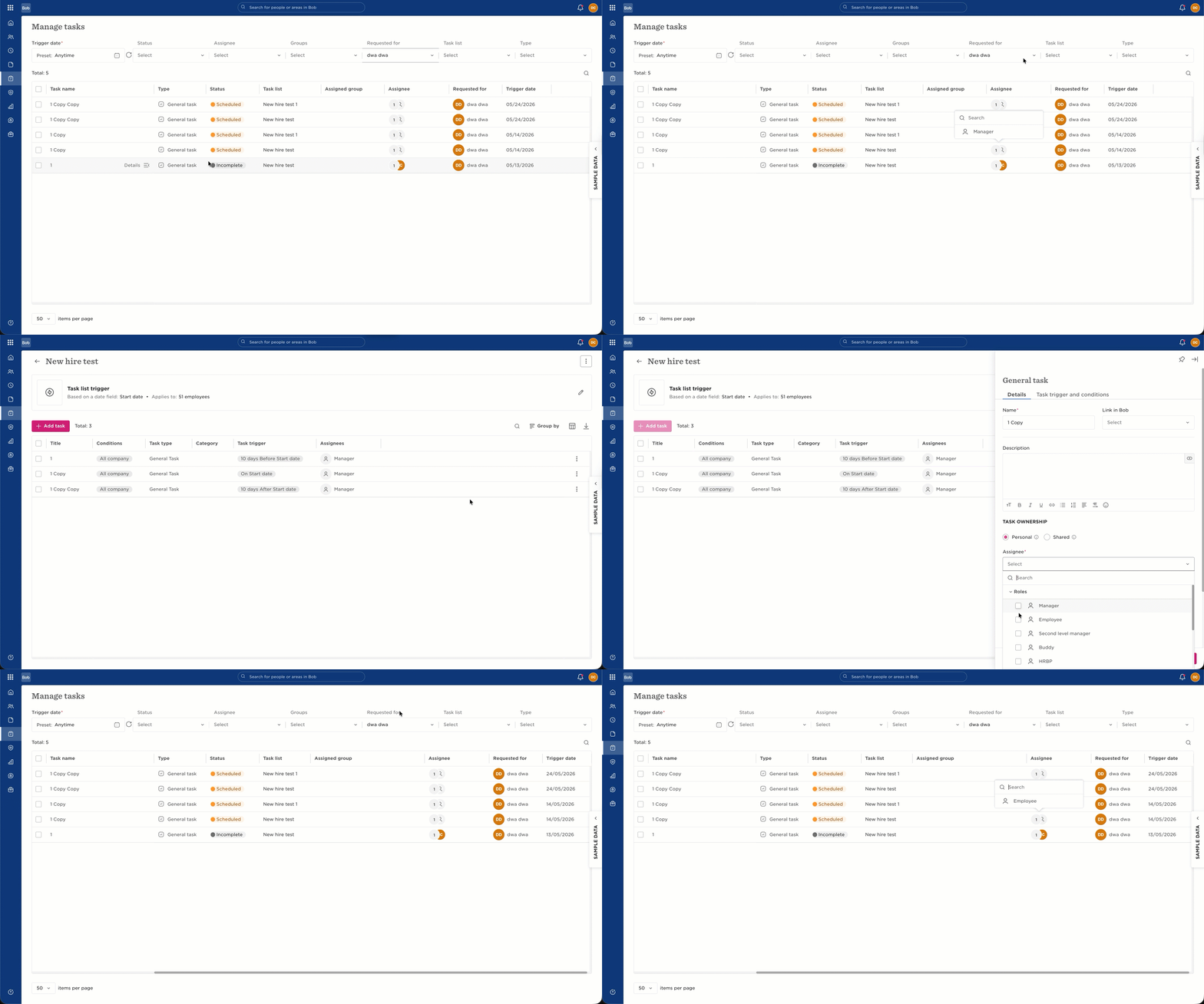
Once updated, all scheduled tasks generated from that task configuration will automatically be assigned to the new employee or role.
Please note:
Scheduled tasks can’t currently be bulk reassigned from the Manage tasks tab.
If the same scheduled task applies to multiple employees, updating the task list configuration will update the assignee for all of them.
The reassignment option in the Manage tasks tab is only available for incomplete general tasks.