

When setting up an Email Task, keep in mind that the CC field supports up to 50 recipients.
If a task is triggered and the number of email addresses in the CC field exceeds this limit, the message won’t be sent to any of them, including the intended employee.
💡 Best practice
Instead of listing many individual addresses, you can either:
- Use a group email address under ‘External email’ (your IT team can help you with setting it up)
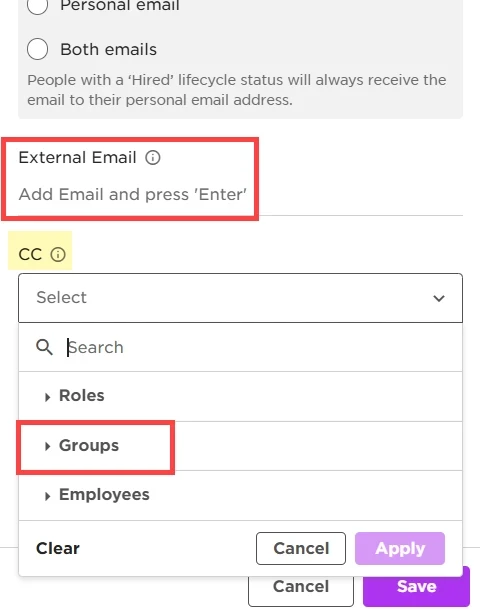
- Use a Group (set under Settings » Data management » Groups)
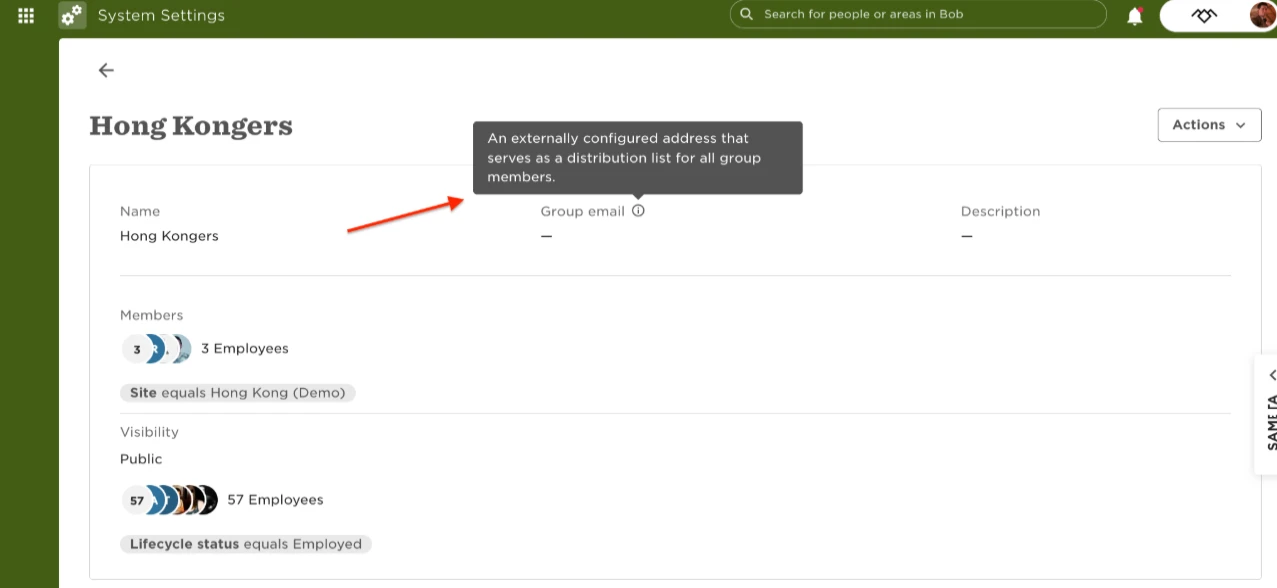
❗Important note: If the group has more than 50 memebers, the limitation will still apply, so you will need to create an external email and add it in the group’s settings
These options help avoid hitting the recipient cap and keeps your flows running smoothly.