


If you see a triangle error with an exclamation mark (!) when syncing the New Hires or Changes/Leavers report through Payroll Hub, it usually means the error is coming from the payroll vendor, not Bob itself.
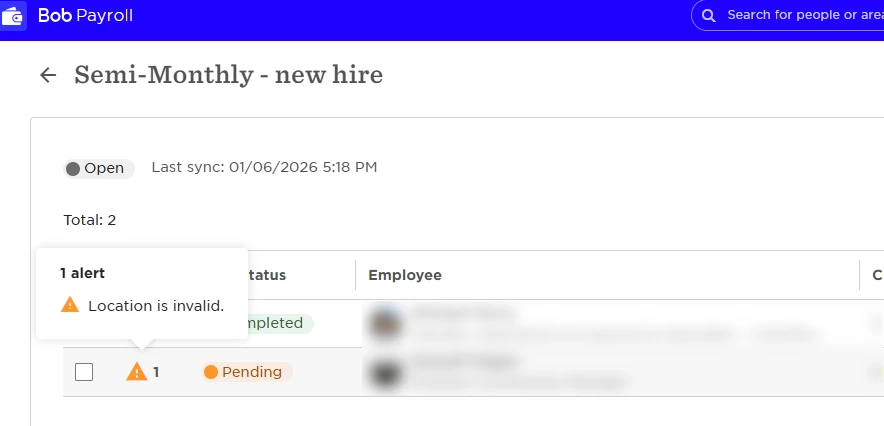
This happens when a value in Bob doesn’t match what the payroll system expects to receive. In most cases, it’s related to how a specific field is configured or mapped in the payroll integration.
When the payroll system can’t find a matching value during the sync, it flags the record as Invalid.
To resolve this, start by identifying exactly what’s failing:
1. Check which field is triggering the error and which employees are affected
2. In Bob, go to System Settings > Integrations, open your payroll integration, and access Field Mapping
3. Locate the mapping that applies to the affected field
4. If the field uses Value Mapping, review the values configured there
5. Compare those mapped values with the data on the affected employees’ profiles
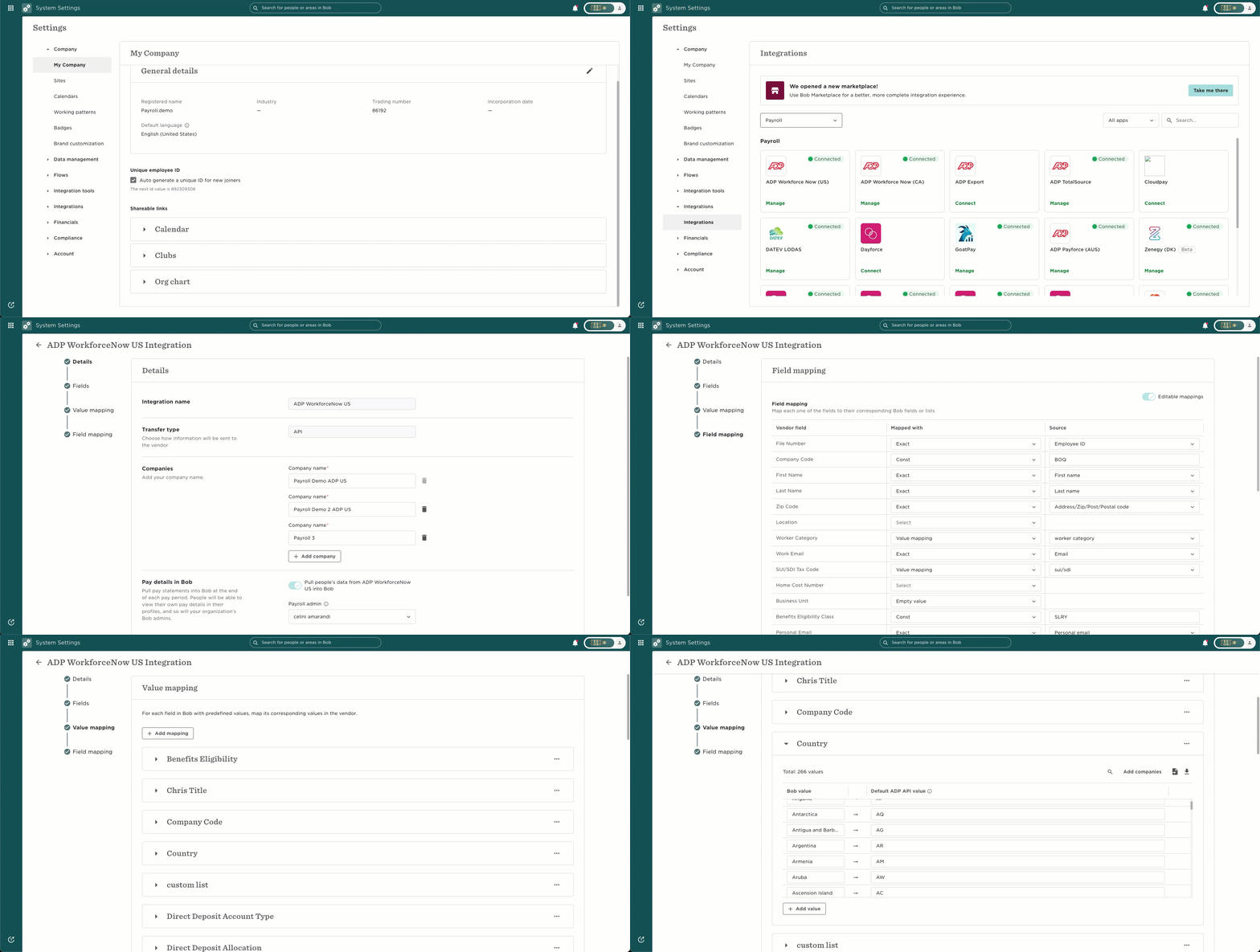
If the employee data doesn’t match the values defined in the mapping, the payroll system won’t recognize it. This is what causes the sync to fail. Once the values are aligned, the sync should go through successfully.
You can consult with your Payroll vendor the exact mapping and values required, as they will be able to help you as well.