If Bob prevents you from replacing an approver in a flow, resetting the approver configuration can allow you to add the new approver successfully.
For example, you may encounter this when updating the approver in a Termination or Work change flow.
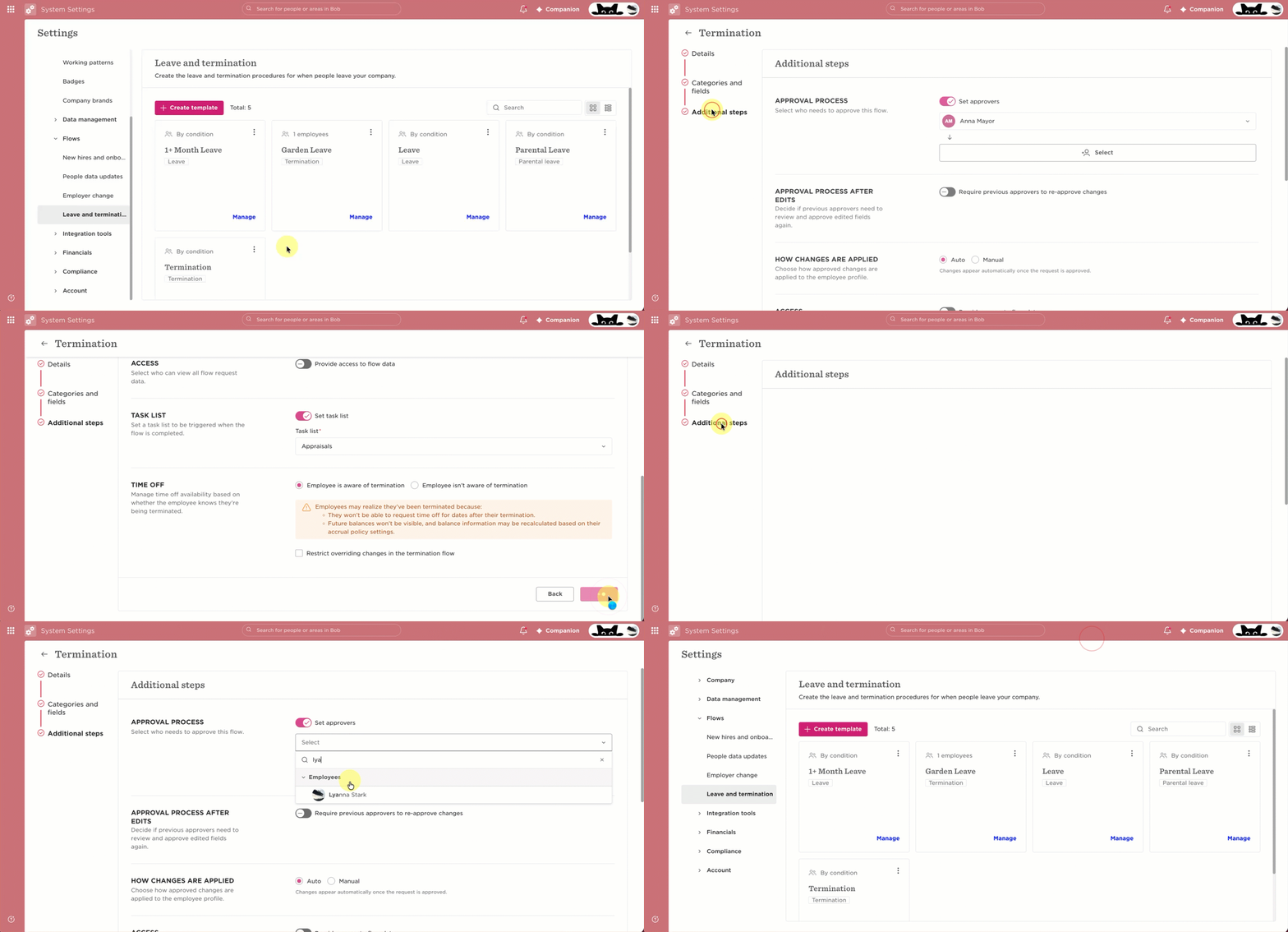
To reset the approver configuration:
- Open the relevant flow and go to Additional steps.
- Disable the Approvers toggle.
- Click Save, then Done.
- Leave the flow.
- Open the flow again and return to Additional steps.
- Enable Approvers.
- Add the new approver.
- Click Save, then Done.