


If you encounter an error when updating a flow, it may be because an employee included in approvals or notifications is no longer employed.
Employees who are no longer employed can’t receive notifications, which can cause the flow to fail validation when saving changes.
This can prevent the flow from saving successfully.
To resolve this:
Go to the relevant flow (for example, Work from abroad)
Navigate to Additional steps
Turn off Approvers
Turn off Access
Save the flow
Reopen the flow
Turn Approvers back on
Reassign the correct approver
Turn Access back on
Grant notifications only to employed users
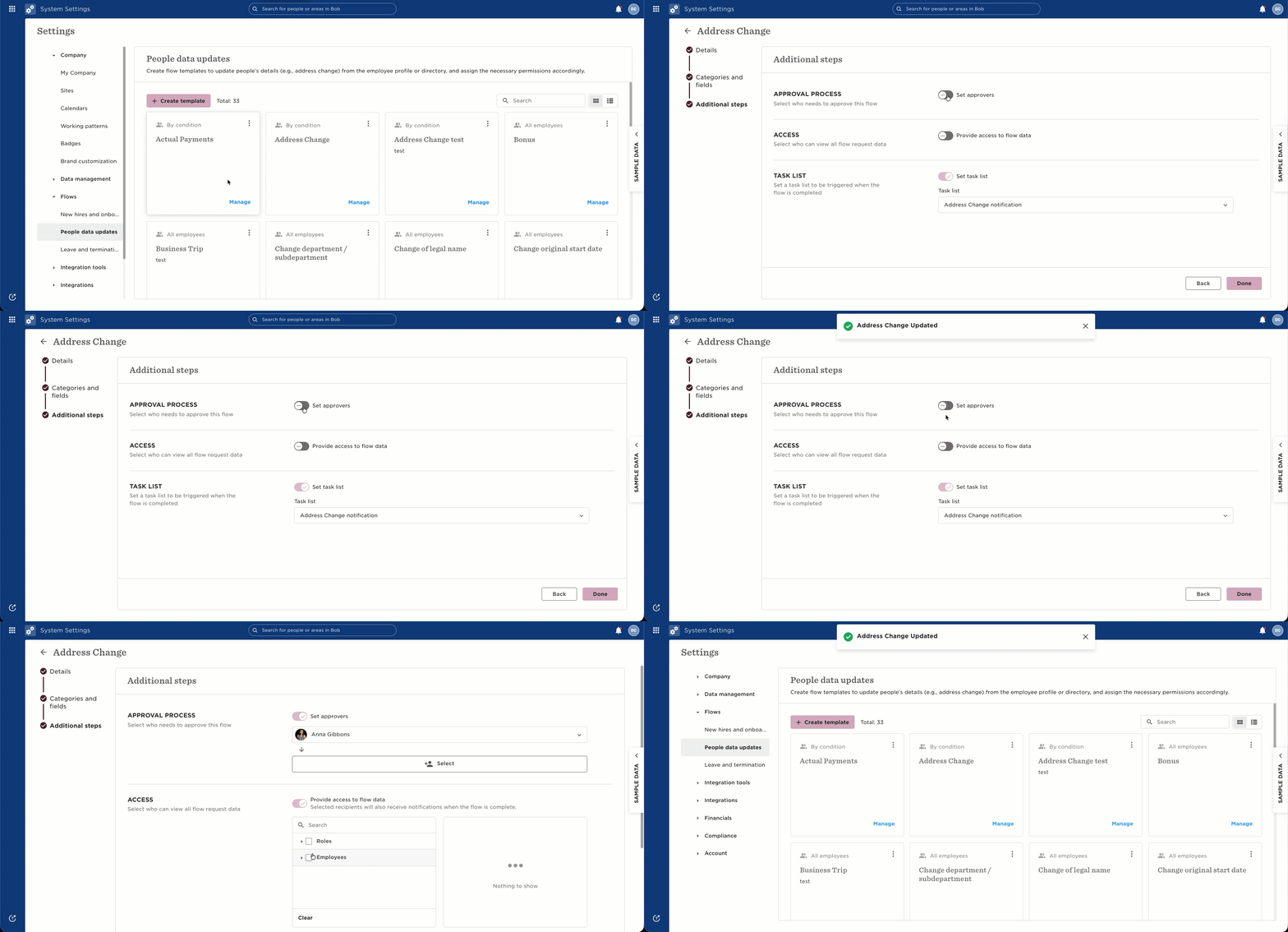
This refreshes the flow setup and removes any users who are no longer employed, who may be causing the issue.
If the error continues, review all users included in approvals and notifications to ensure they are currently employed, saving changes.