

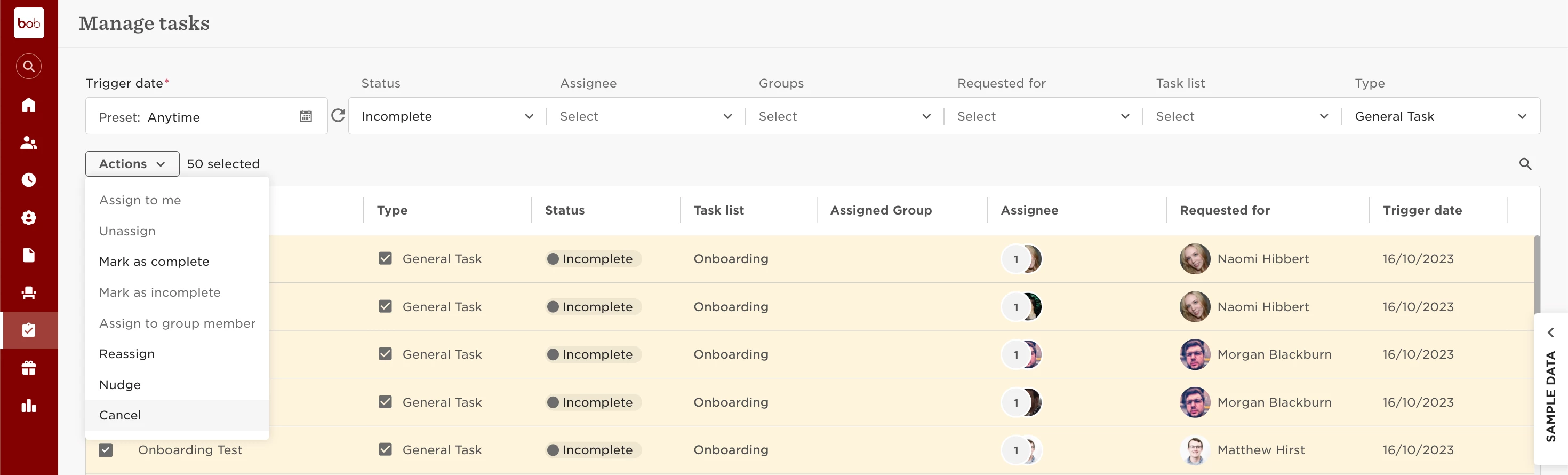
To cancel a task, just follow these steps:
- Head over to Tasks > Manage tasks.
- You can either bulk mark or individually select the tasks you want.
- Then go to Actions > Cancel.
Keep in mind:
- Only incomplete General tasks can be cancelled. If you need to cancel completed tasks, mark them as incomplete first, then cancel.
- You can also cancel other task types that are scheduled or haven't been triggered yet.
Please click here to learn more about managing tasks.