How to Cancel a Task

  • August 4, 2023
  • 26 replies
  • 547 views

To cancel a task, just follow these steps:

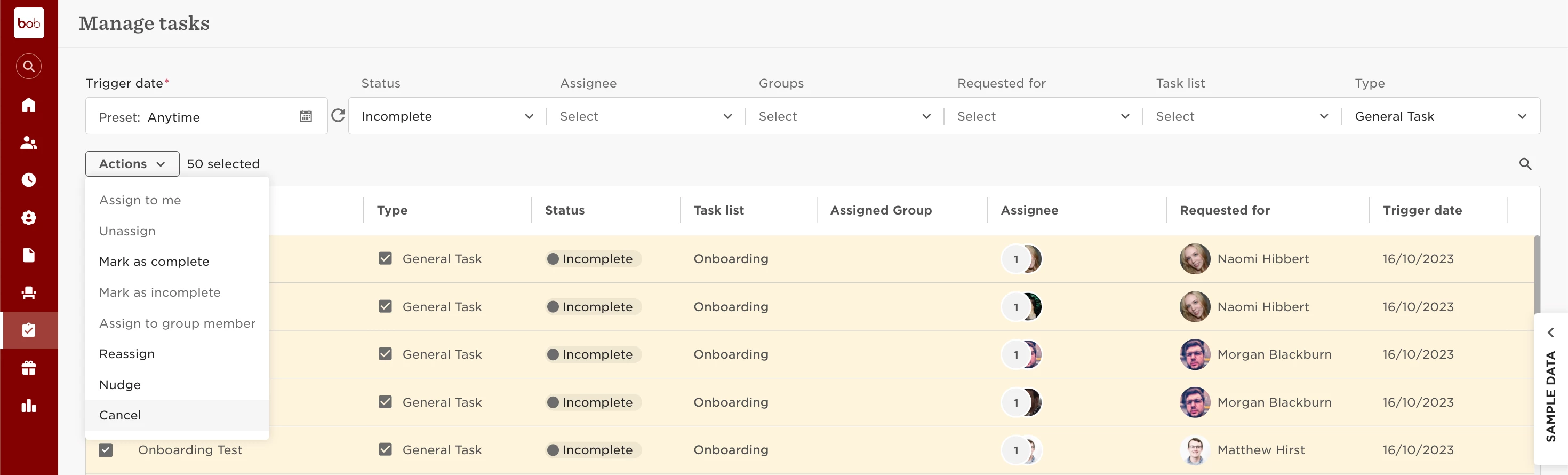
  1. Head over to Tasks > Manage tasks.
  2. You can either bulk mark or individually select the tasks you want.
  3. Then go to Actions > Cancel.


Keep in mind:

  • Only incomplete General tasks can be cancelled. If you need to cancel completed tasks, mark them as incomplete first, then cancel.
  • You can also cancel other task types that are scheduled or haven't been triggered yet.

Please click here to learn more about managing tasks.

26 replies

@Customer Experience Team If I reassign or cancel a task from somebody’s task list, would it notify them that it’s been cancelled or reassigned? 


Lindsay Sinenberg
Bobber

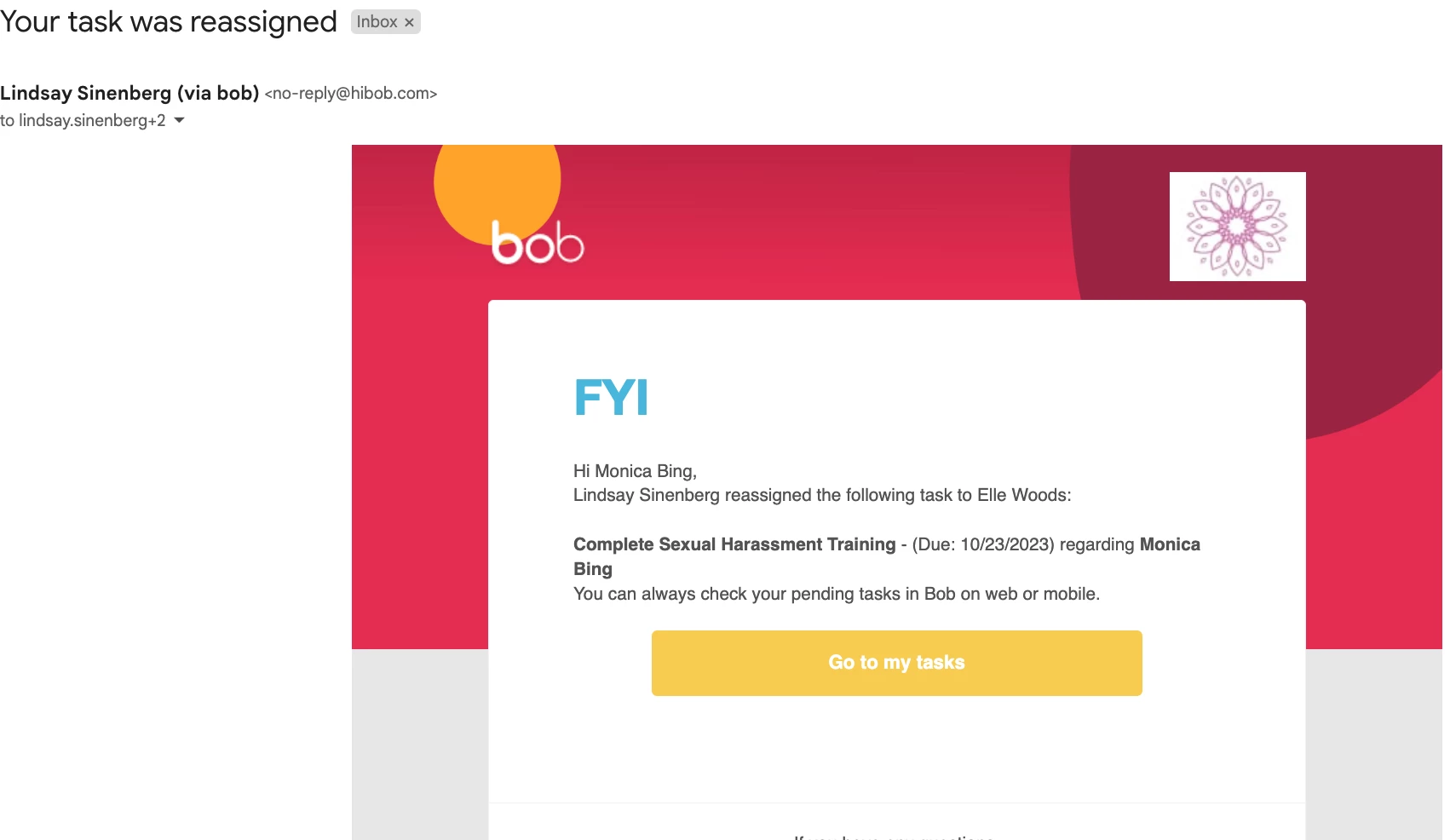
Hi @Louise Connolly! The original assignee will receive an email notification when the task is reassigned (example below). No notification will be sent if a task is cancelled.


  • December 18, 2023

Hi, 

Why there is no possibility to edit or cancel a scheduled task? 


Karen Stewart Longest

Hi Nea, 

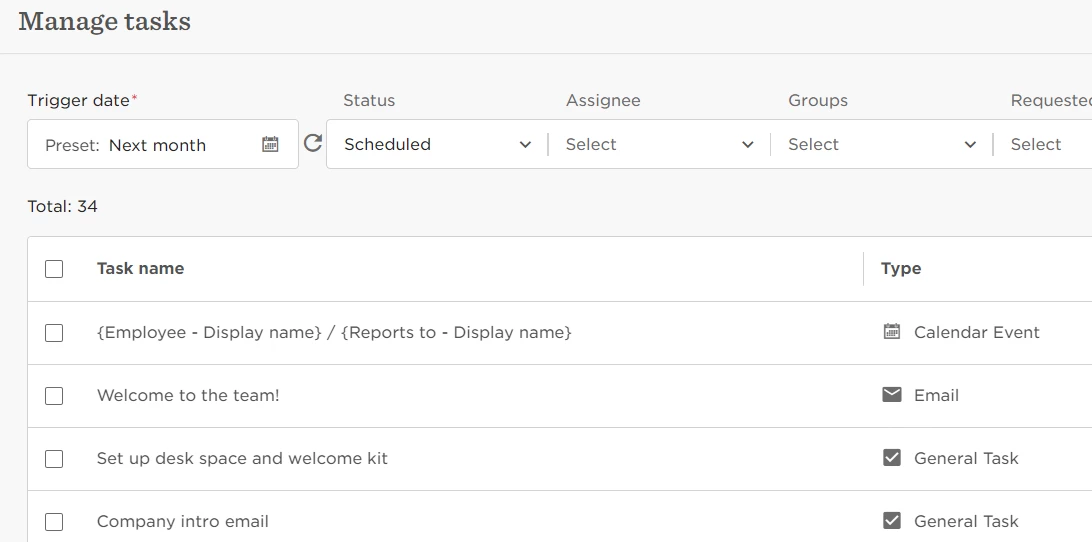
There is a way to cancel a scheduled task. If you go to the Manage Tasks page and change the status to Scheduled, you can see which items are upcoming. 


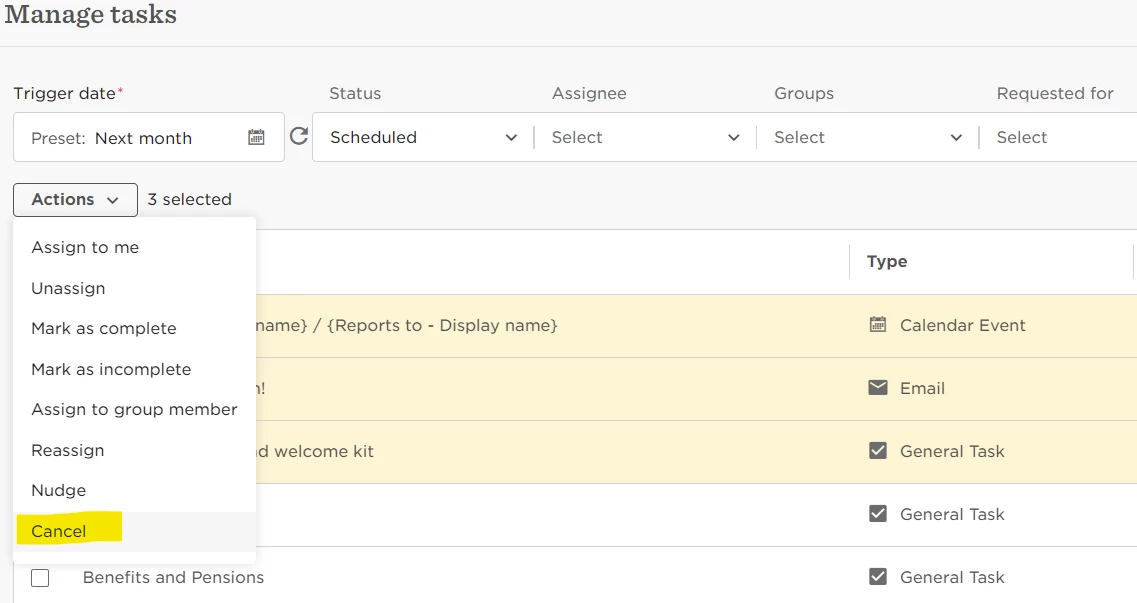
Then you select what you would like to cancel and under actions, click “Cancel”

There isn’t a way to edit them currently but you should be able to cancel. 

Best, 

Karen


I’ve cancelled a task and received a notification ‘FYI Name has cancelled the following task’


Is this due to the employee the task is cancelled for being an admin? - if so how can I remove notifications for cancelled tasks specifically?


Netta Brodsky
Bobber

Hi ​@Sarah.Hardy - Thanks for the follow-up 🙏🏻

When a task is canceled, a notification pops-up to inform you about the cancellation.

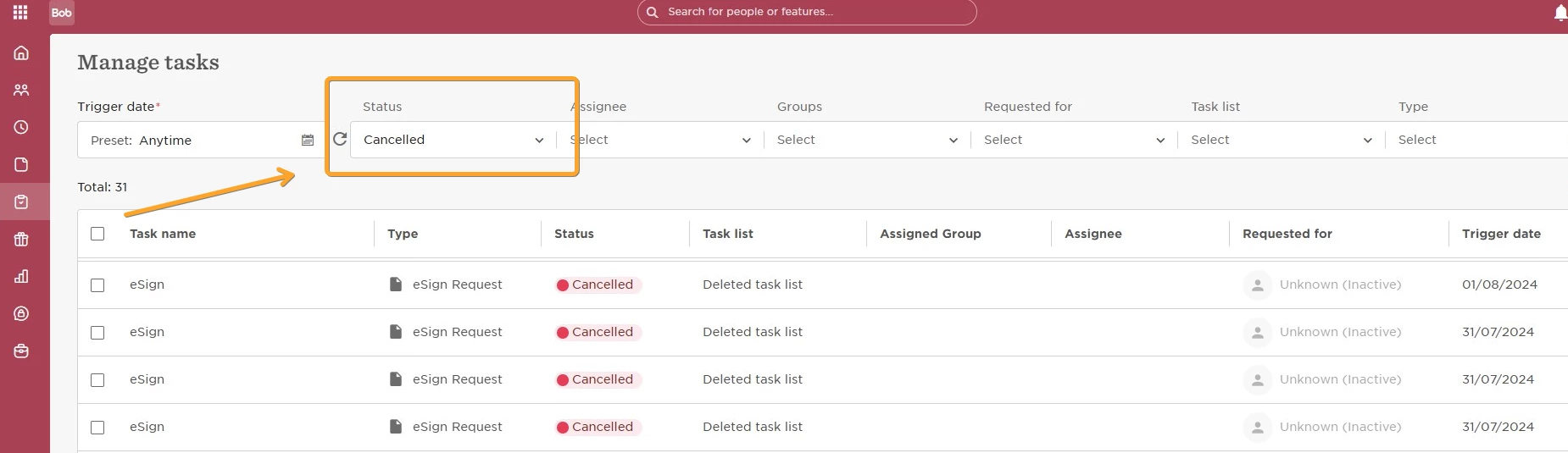
If you want to review all canceled tasks, you can easily do so by using the filter at the top of the page.


Further up, Lindsay said no notification is sent for a cancelled task?


Netta Brodsky
Bobber

Hi ​@Sarah.Hardy - thanks for the follow up 🙂

Yes, as Lindsay mentioned, when a task is canceled, no notification is sent.


That was my comment - I cancelled a notification and received a notification that it had been cancelled - I don’t know if it’s because I’m an admin but I definitely got a notification


Kiare Tavarez
Bobber

Hi ​@Sarah.Hardy just to confirm, was this notification via email or a notification bar that appeared when the task was canceled on the Bob platform? 


Hi, it was via email.


Jessica Lane
Bobber

Hi ​@Sarah.Hardy 

What was the task type that was cancelled? for example, email task, calendar event, etc 


It was an esign.


Lindsay Sinenberg
Bobber

Hi Sarah! eSign tasks have different settings in place, feel free to refer to the community post below about that: 

Since they’re connected to the document section on the platform, the notifications will behave differently.


how do you cancel a task that is triggered but incomplete it is learning ??? when I click cancel it just says can’t as it’s not a general task 


Maital Terdiman
Bobber

Hi ​@Sophie Hawes 

Can you add some details and let us know what type of task has been triggered that you are trying to cancel?


🤓


so in this exact instance, a learning task has been triggered and I realised I hadn't set up a certain condition so it shouldn't have gone to some people but when I tried to cancel it it said it cant be cancelled as it’s not a general task. But regularly when a task list is set off sometimes we think that a certain task might not be needed for an individual and want to cancel it but either the option is greyed out in the actions list, or if i can choose it it says can’t as not a general task. 


Netta Brodsky
Bobber

Hi ​@Sophie Hawes ,

Tasks can only be canceled if they are scheduled to trigger in the future and are in the Scheduled status.

Once a task has already been triggered, it can no longer be canceled.

Hope this helps! 😊


Hi Netta,

Following up on the above - I have certain tasks that I cannot do anything about (all options are greyed out in the dropdown), but the person originally intended to complete the task has left the company.

Is there no way to remove that from the overview?


Kiare Tavarez
Bobber

@Christian Grann Luk is it possible that you can assign the task to someone who has not been terminated? In order to complete on their behalf?


@Christian Grann Luk is it possible that you can assign the task to someone who has not been terminated? In order to complete on their behalf?

No, all options are greyed out.


Lindsay Sinenberg
Bobber

Hi ​@Christian Grann Luk!
Just to confirm expected behavior: only incomplete General tasks can be cancelled. If you need to cancel completed tasks, mark them as incomplete first, then cancel.
You also can only cancel other task types that are scheduled or haven't been triggered yet.


Hi - can your reassign a task that was cancelled? The option to reassign is greyed out...


Maital Terdiman
Bobber

Hi ​@Sarah Shearer 

Once a task is cancelled, it cannot be reassigned. The option to reassign a cancelled task is greyed out because the task is no longer active or incomplete, which are the conditions required for reassignment. Only incomplete General tasks can be reassigned to another person in your organization, and once a task is cancelled, it is no longer considered incomplete or active, hence the reassignment option is not available.


Ah that’s a shame, would be good to be able to ‘activate’ it again as sometimes cancelled in error.