

Time off-related "Event" Variables (e.g., Start date, End date) are only available when your Task list trigger is set to an "Events" - not "Event date" or "Time off policy type".
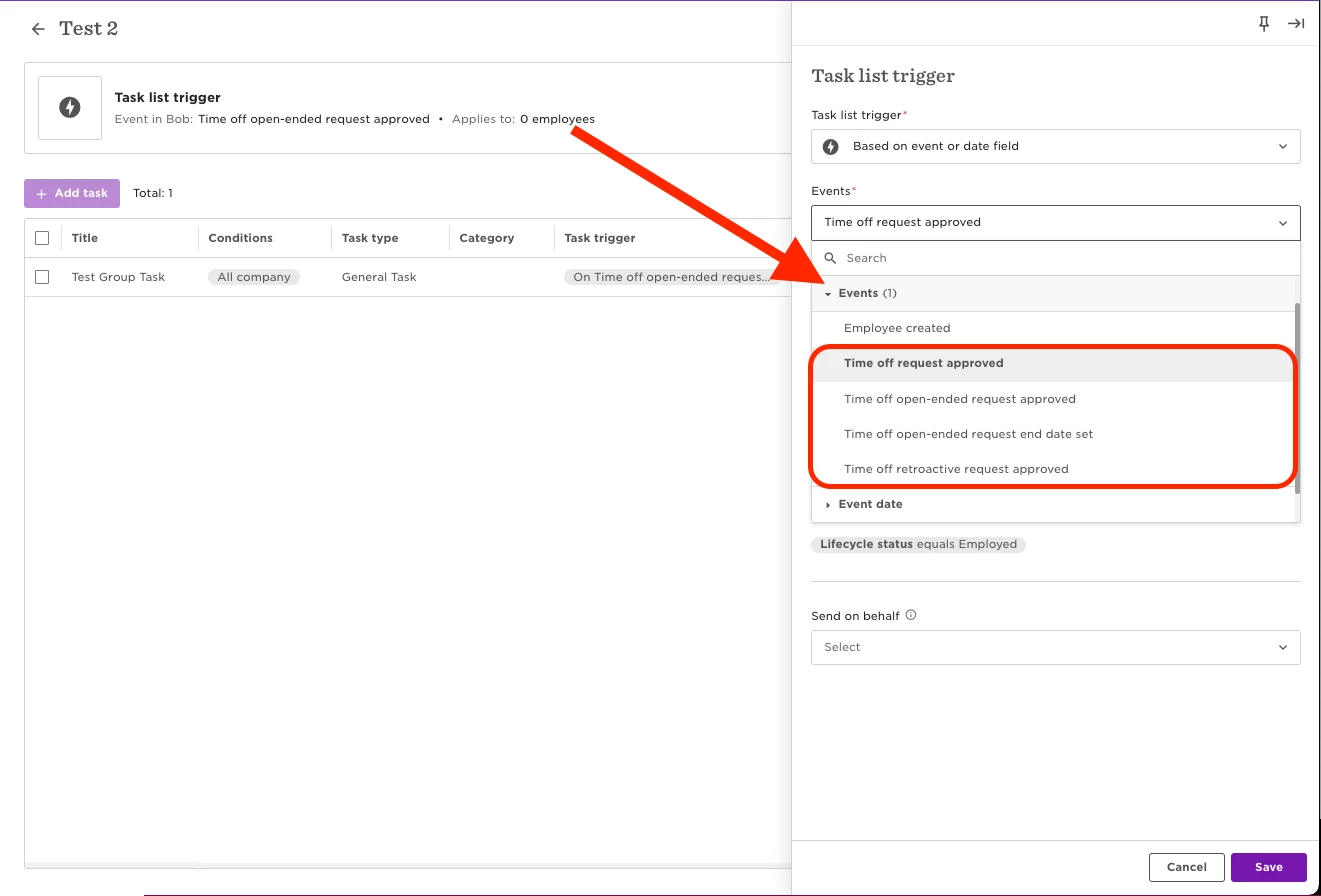
Here's a list of the "Events" triggers that can use "Event" Variables:
- Time off request approved
- Time off open-ended request approved
- Time off open-ended request end date set
- Time off retroactive request approved
Here's a list of the available "Event" Variables:
- Policy type display name
- Requested on
- Approved on
- Start date
- Duration unit
- Gross duration in days
- End date
Not all of these Variables are available for all the Time-off related "Event" triggers. For example, if you use the "Time off open-ended request approved" trigger, the "Gross duration in days" and "End date" Variables will not appear as an option. This is because that data does not exist for those type of requests.
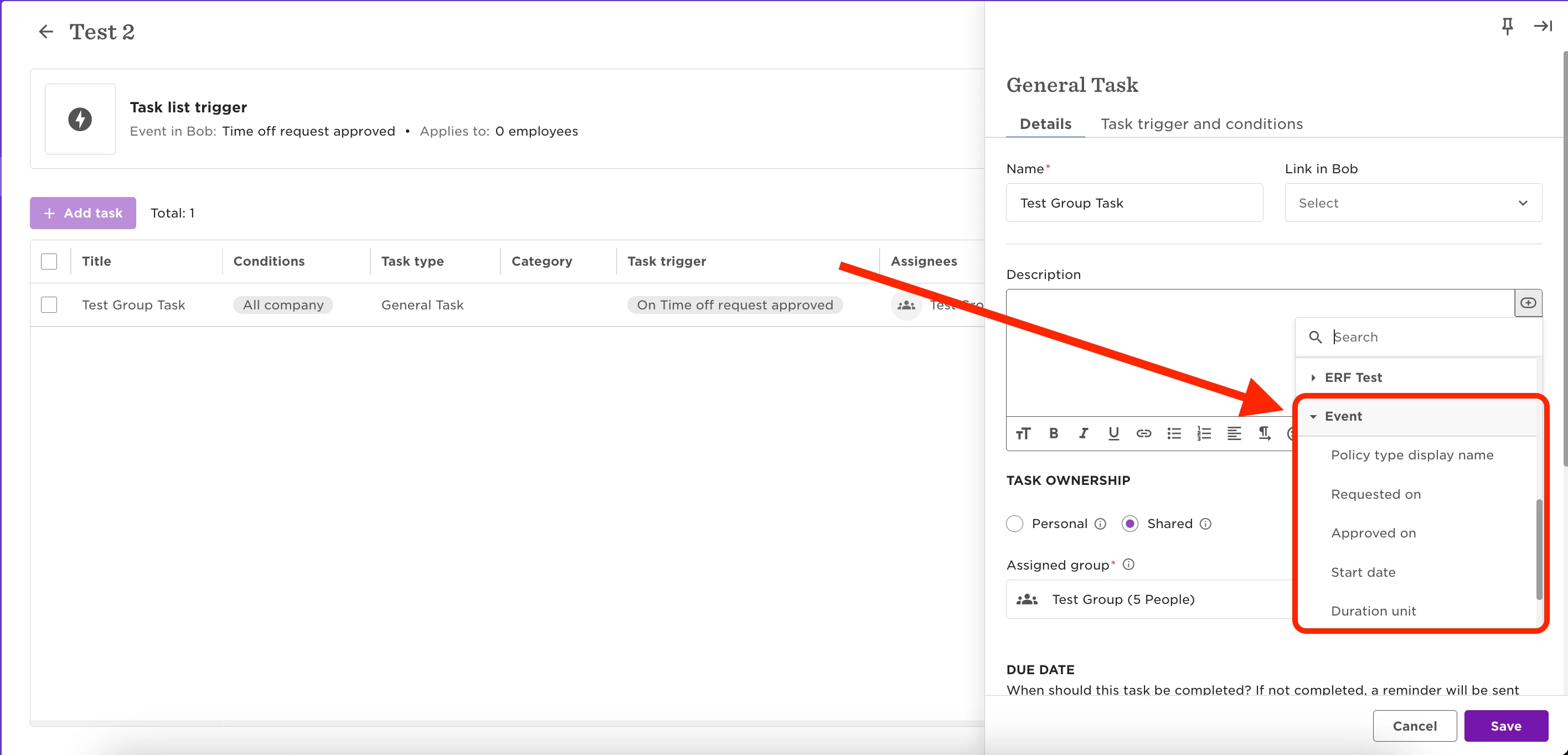
You can use these Variables in a General Task "Description" or Email Task "Subject" and "Body", to automatically pull data from the Time off request that triggered the Task list.
If "Event" does not appear in the Variables dropdown menu, check the Task list trigger, and make sure you have selected the correct "Events" option.