


This usually happens when the user creating the new hire does NOT have permission to view or edit the personal email field.
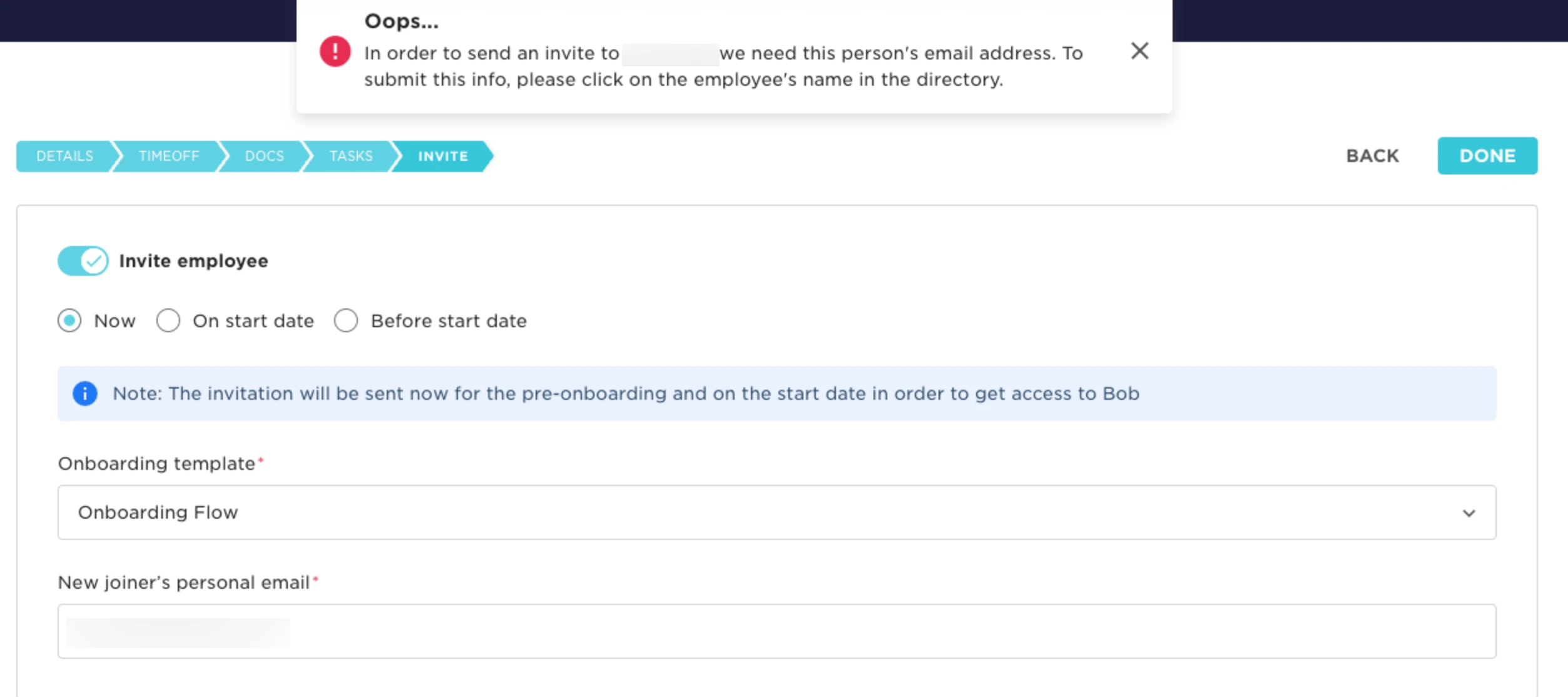
To resolve this:
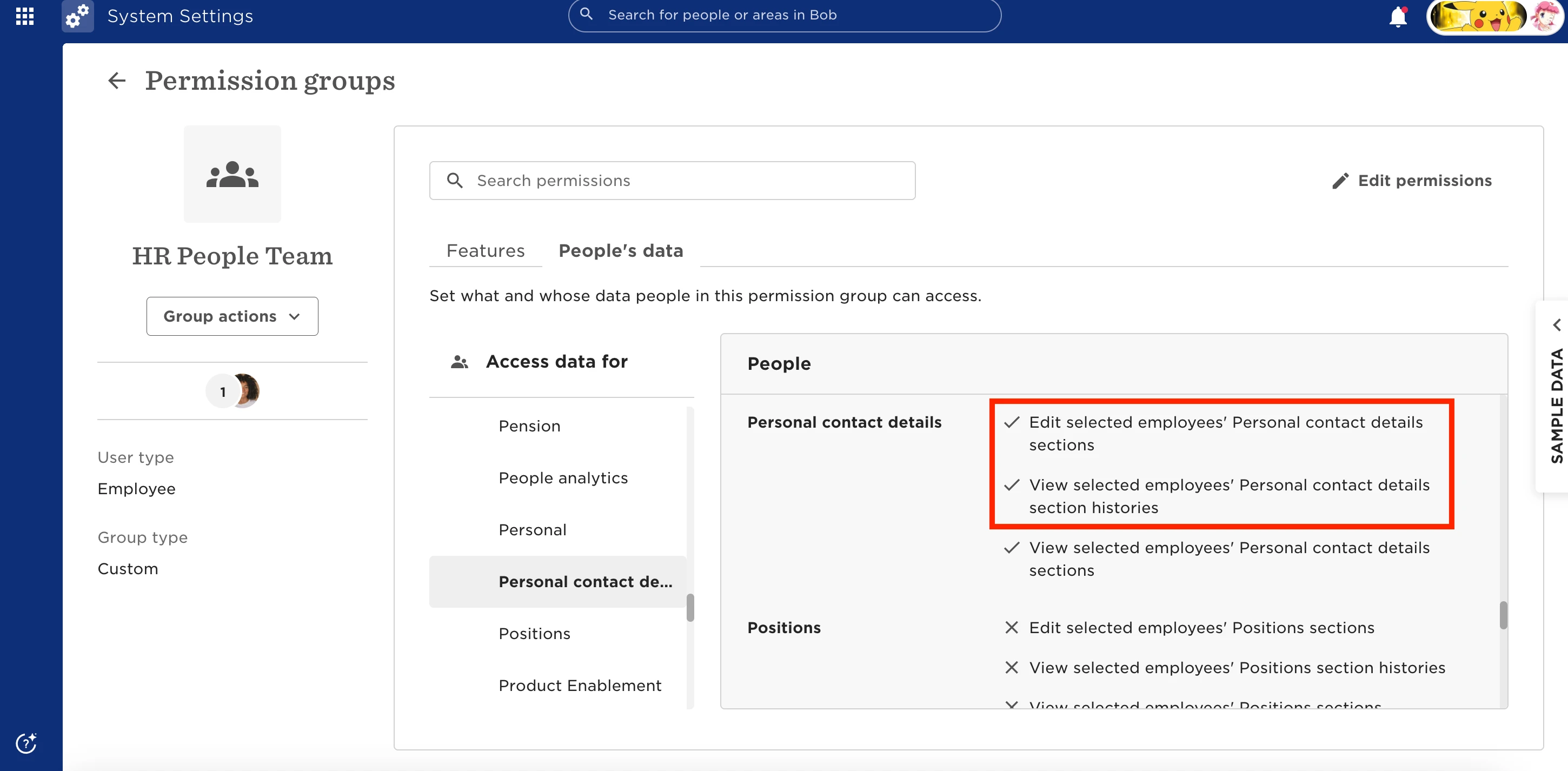
- Go to Settings > Permissions groups
- Find the relevant permissions group for the user creating the new hire
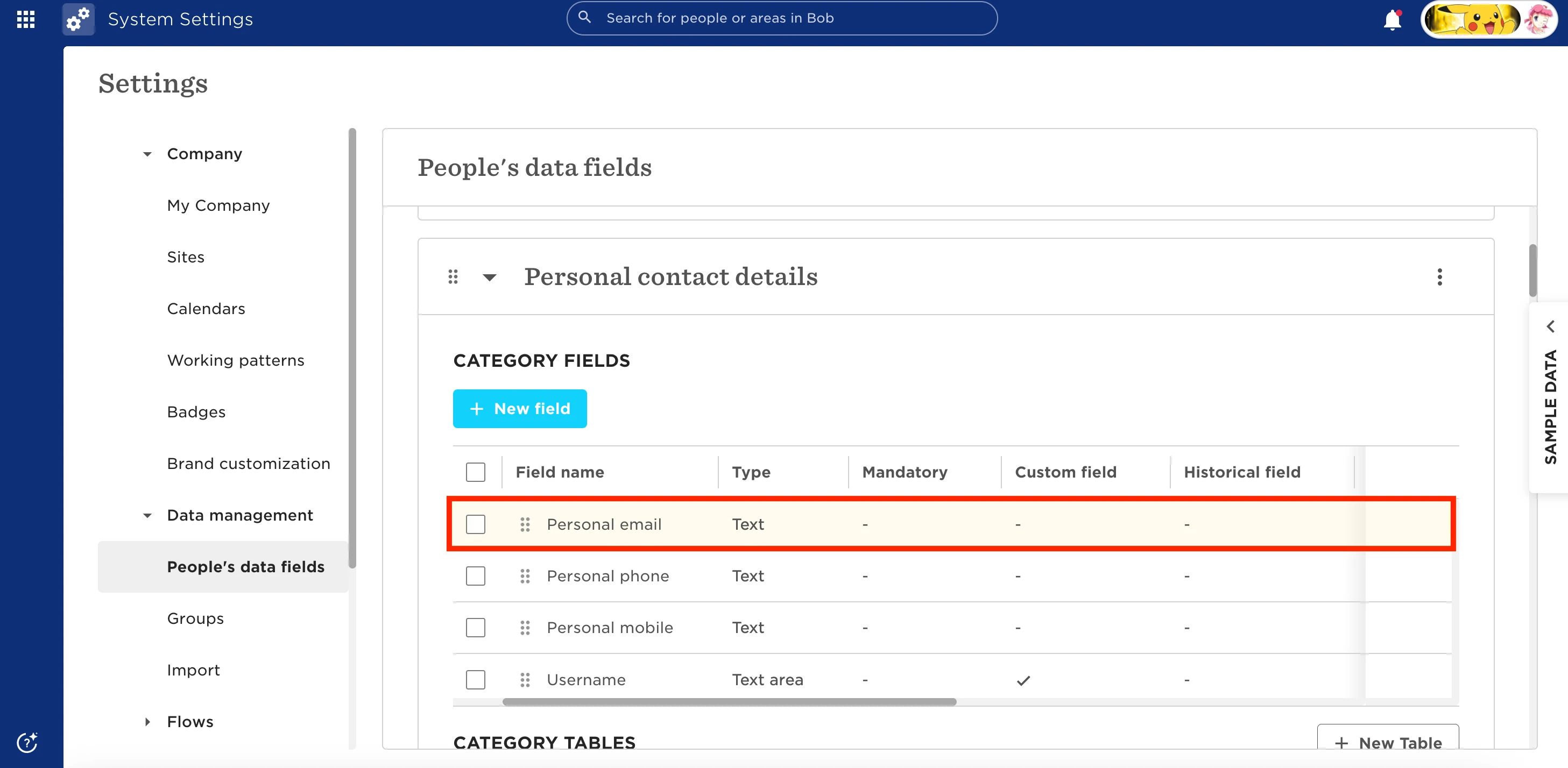
- Under People's data > People, locate Personal contact details (or the section where the Personal Email field sits)
- Enable both View and Edit permissions
Once access is granted, the invite can be sent successfully.