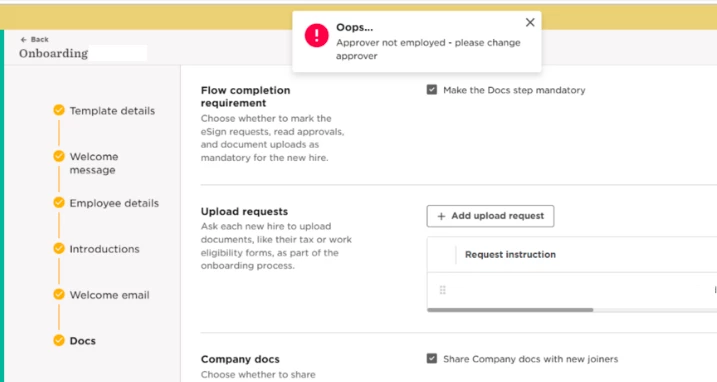
Across the Flows section (new hire, onboarding, updates, leave), you may encounter the error “Approver not Employed”, even in cases where they are, or even if there are no approvers selected.
This can easily be solved, without the need to create a new flow.
1. Enter the flow(s) experiencing the issue.
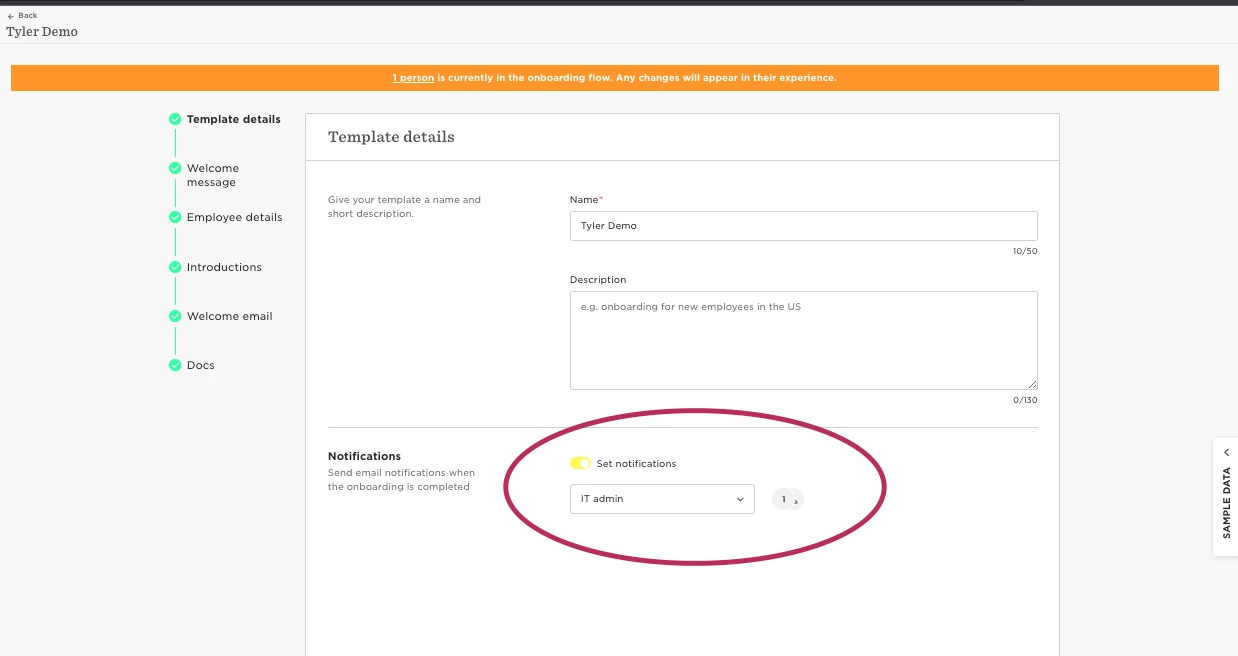
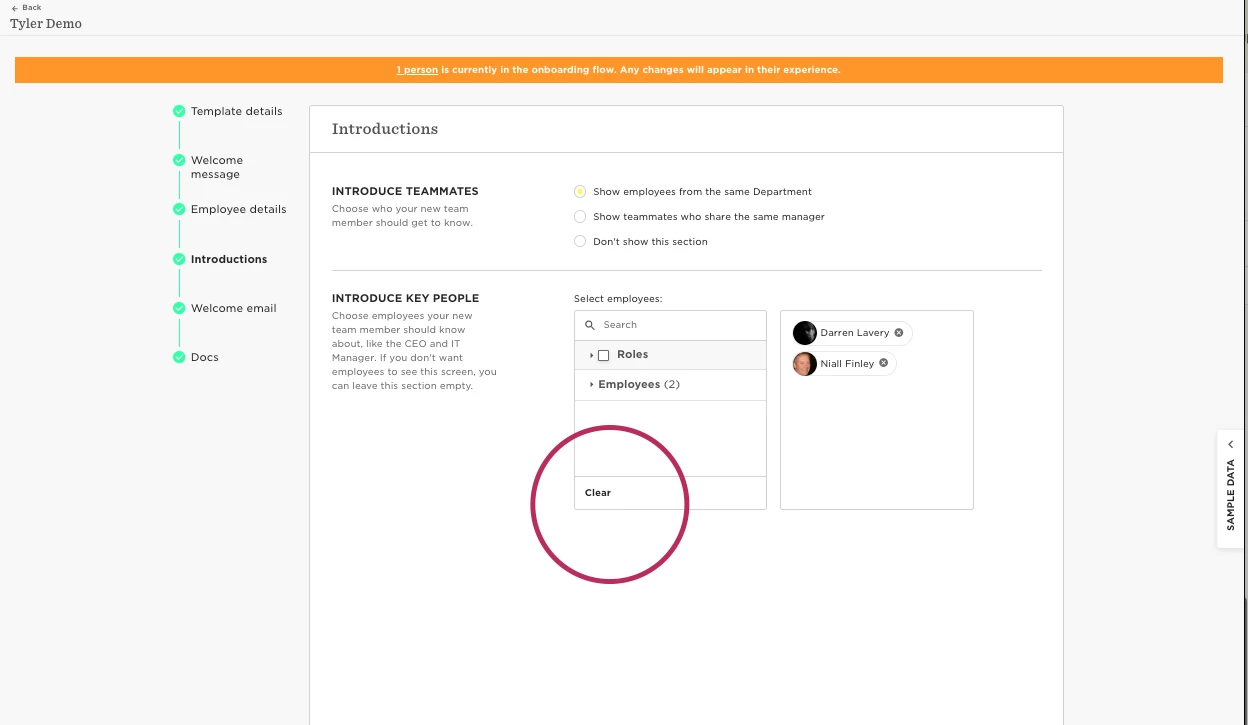
2. Remove any trace where an employee is mentioned
This could be in Notifications, Approvers or 'Introduce Key People’ - essentially anywhere an employee, or an employee reference field can be selected.
It does not have to be an approver section
3. Click through the flow and save.
4. If correct, the flow should save and you should be able to exit.
5. Re-enter the flow and re-add the people in the necessary sections - you can attempt to add exactly the same settings as you had previous.
6. Click through until you can save and exit, and it should be all saved as expected
After this, the error should not appear again.
Alternatively, should you not have any employees as approvers or those to be notified, add someone to the flow, save and exit, re-enter the flow and remove them.
If there are continued issues,please reach support@hibob.com, specifying the name of the flow you’re having issues with, our dedicated team are more than happy to help.