


If you can’t select Employee is aware while processing a termination, check the termination flow settings in System Settings.
The Employee is aware option may be unavailable when Restrict overriding changes in the termination flow is enabled.
To allow the awareness selection to be changed:
- Go to System Settings > Flows > Leave and termination.
- Select Termination and click Manage.
- Go to Additional steps > Time off.
- Find Restrict overriding changes in the termination flow.
- Disable the restriction.
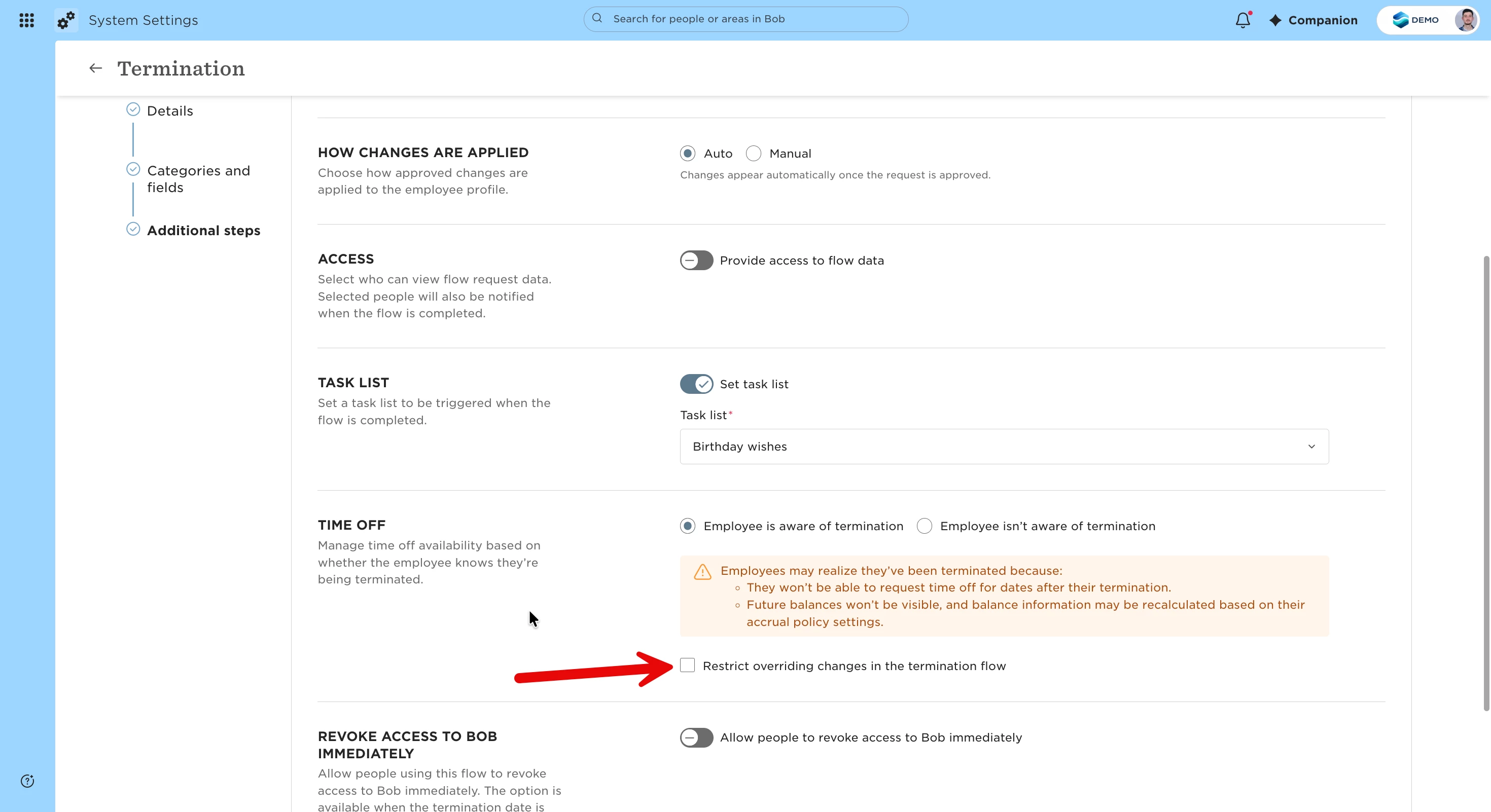
Once the restriction is disabled, you should be able to select Employee is aware when processing a termination.