

If an employee is inactive in Bob, their name may appear as Unknown user – inactive to someone who needs to review or complete a Flow.
Admins may still be able to see the inactive employee’s name, while other users may not have the same visibility. You can temporarily return the employee to an active status so the Flow can be completed.
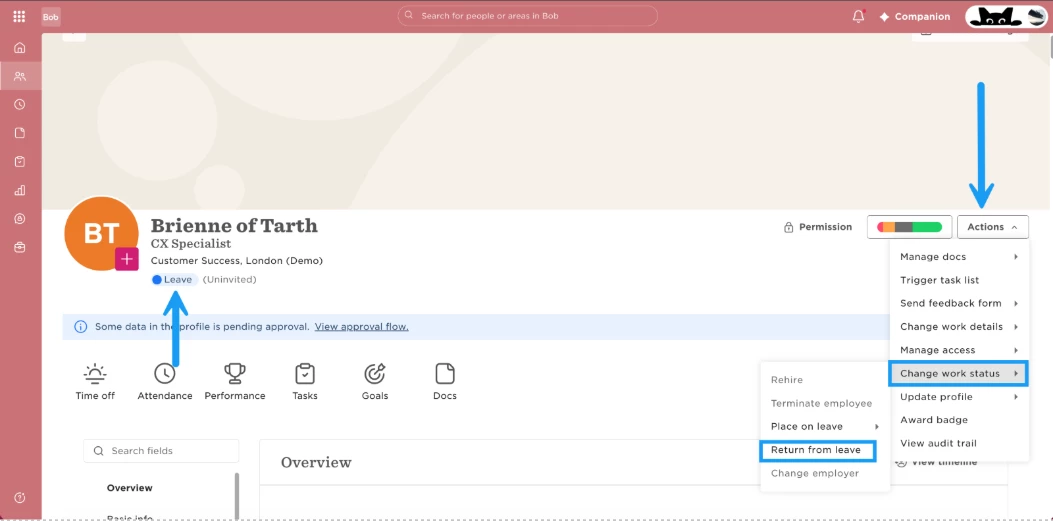
Step 1: Return the Employee to Work
Use Return to Work for the employee. This temporarily changes their lifecycle status from Leave to Employed.
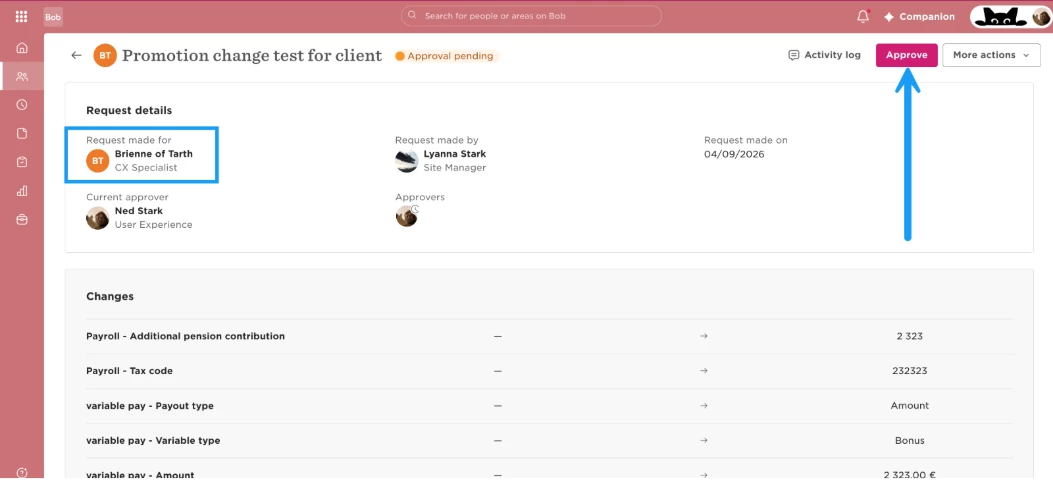
Step 2: Complete the Flow
Once the employee is active again, ask the relevant user to open the Flow. They should now be able to see the employee and complete the required action.
Step 3: Open the Employee’s Lifecycle
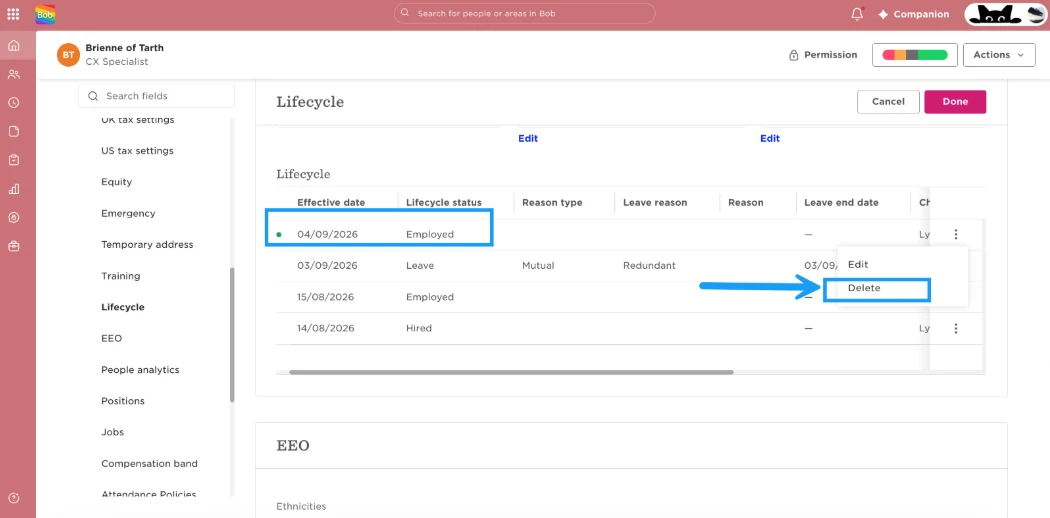
After the Flow has been completed, go to the employee’s profile > Lifecycle.
You’ll see the new Employed lifecycle entry created when you returned the employee to work.
Step 4: Remove the Temporary Employed Entry
Delete the latest Employed lifecycle entry.
Step 5: Confirm the Employee Is Back on Leave
Once the temporary Employed entry is removed, the previous Leave entry becomes the employee’s latest lifecycle entry again. Their profile will automatically reflect the Leave status.
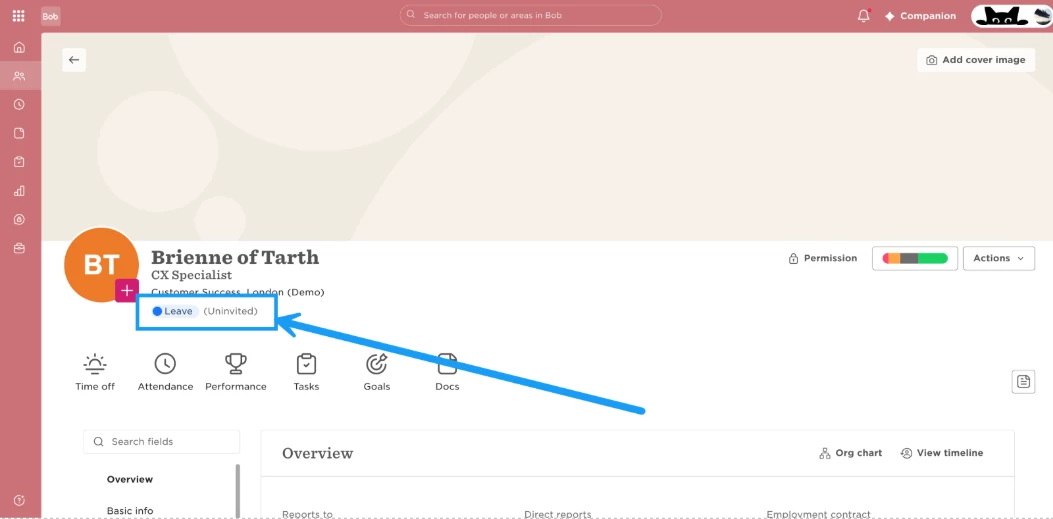
This allows the user to complete the Flow while keeping the employee’s intended Leave status afterward.