

With the introduction of Task List Folders, the Task List Settings page now features a column-based view, including an “Owner” column.
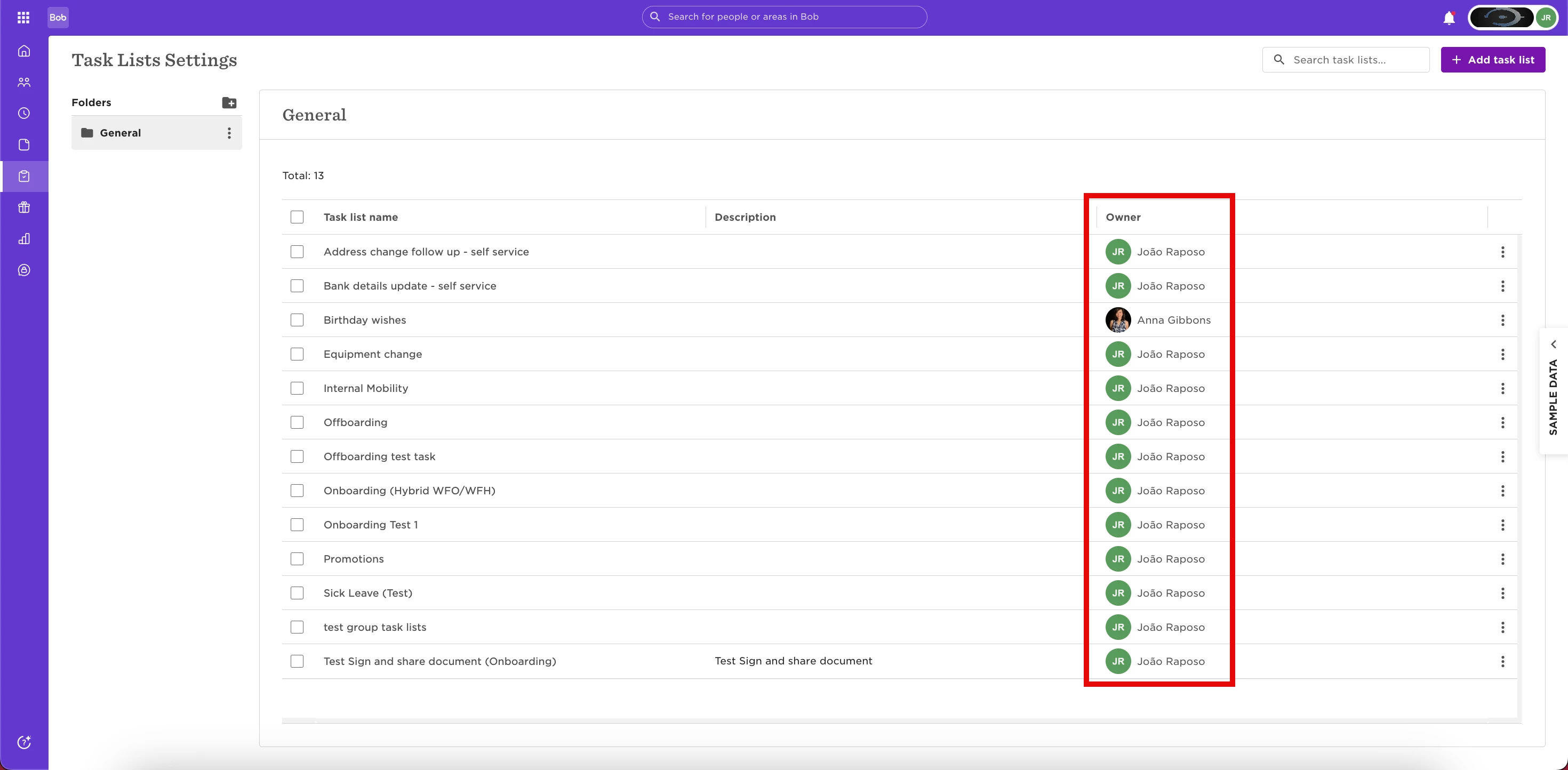
💡 Please note: The Task List Owner is an important setting for auto-scheduled task lists, as the tasks are sent on the owner’s behalf and rely on their permissions. In addition, only the Task List Owner and Admins can manage the scheduling settings.
For this reason, we usually recommend selecting one of the Admins as the owner to ensure full permissions are in place to trigger tasks of all types.
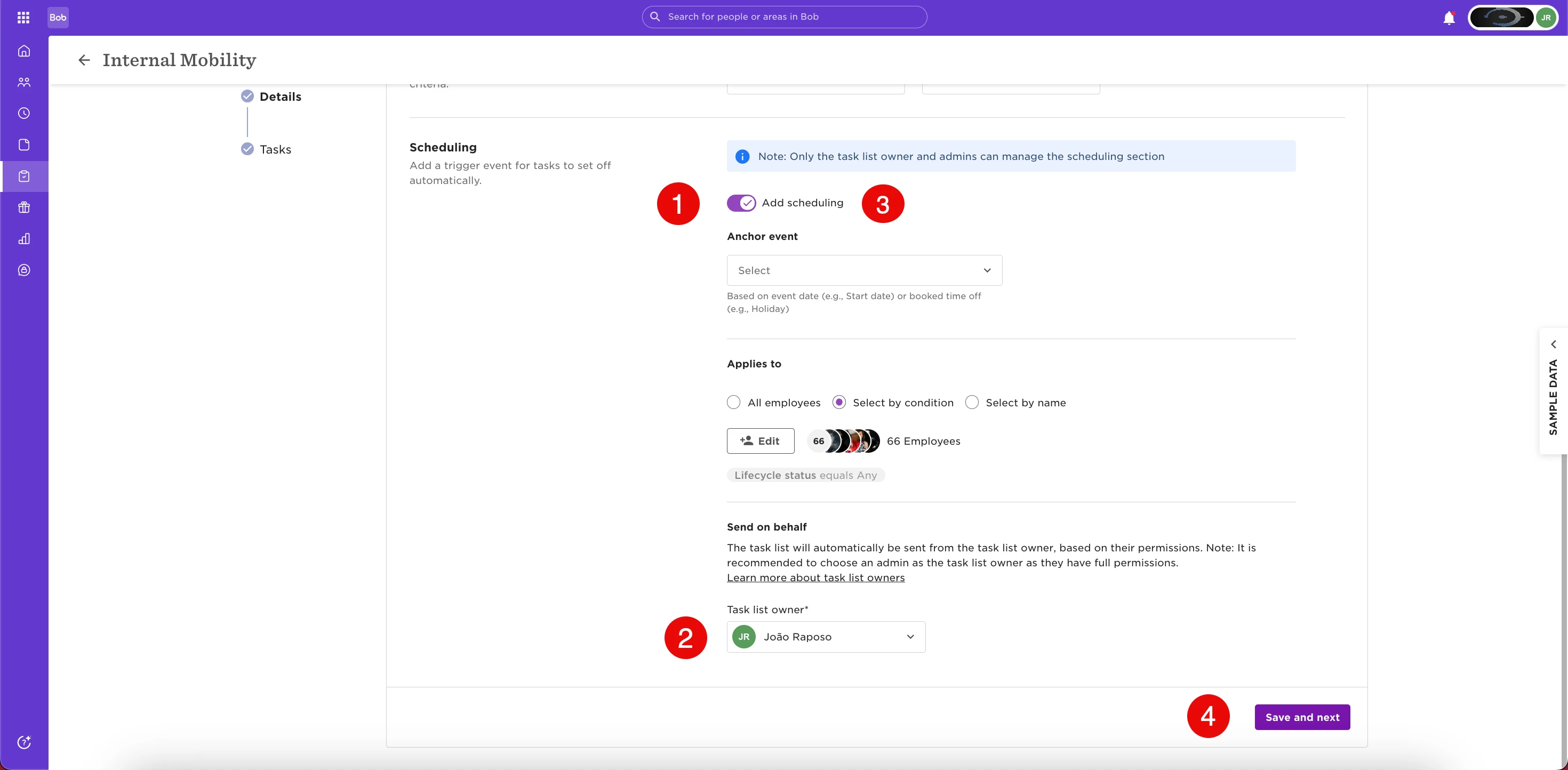
If the "Owner" column in the settings page displays no one, and you’d like it populated for a task list that is not set to trigger automatically, here’s how to do it:
1. Enable “Add Scheduling”
2. Assign/ Change the "Task List Owner"
3. Disable “Add Scheduling” again
4. Save the Task List
❗ Keep in mind - if a Task List is triggered manually, the user who triggers it becomes its Owner.