

It is common to duplicate an existing task list and use the copy as the base for a new list, with slight changes to the tasks, the scheduling, or the conditions settings.
To avoid the task list triggering twice during this process, follow these steps:
- Disable the scheduling for the original task list to prevent it (and the copy) from being automatically triggered.
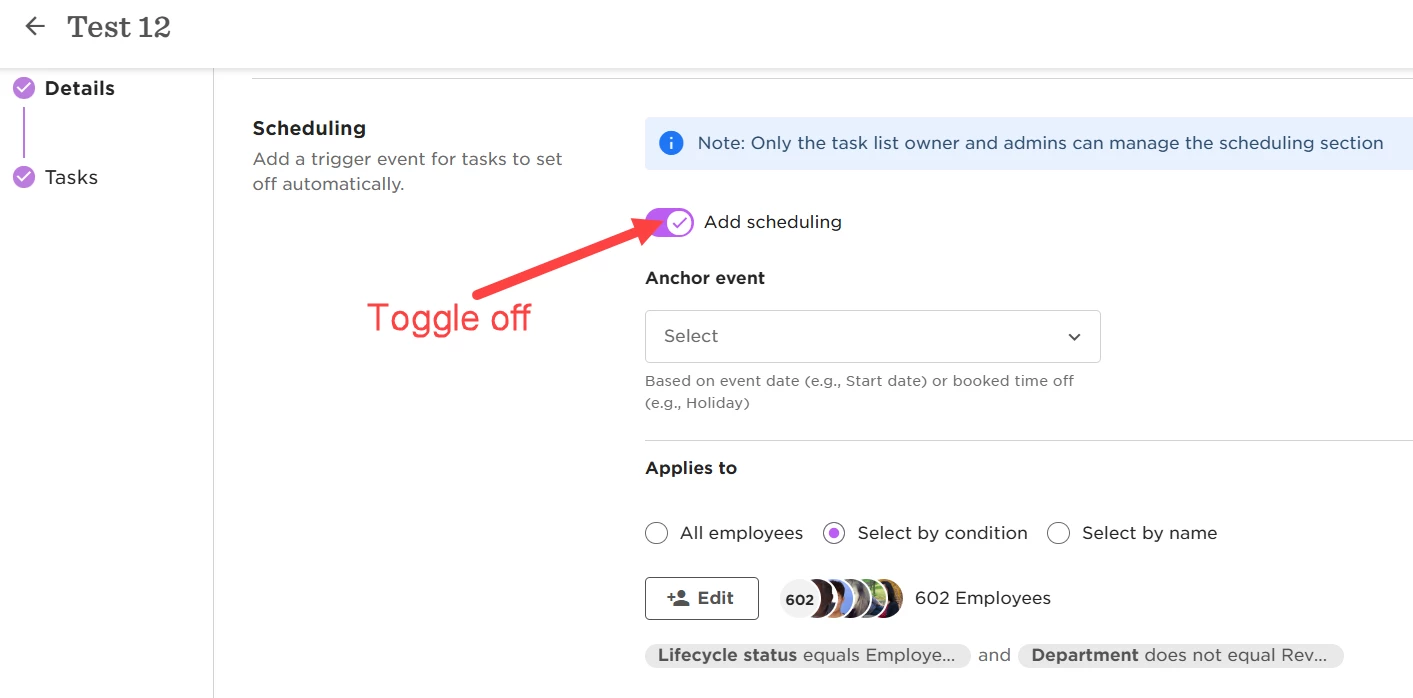
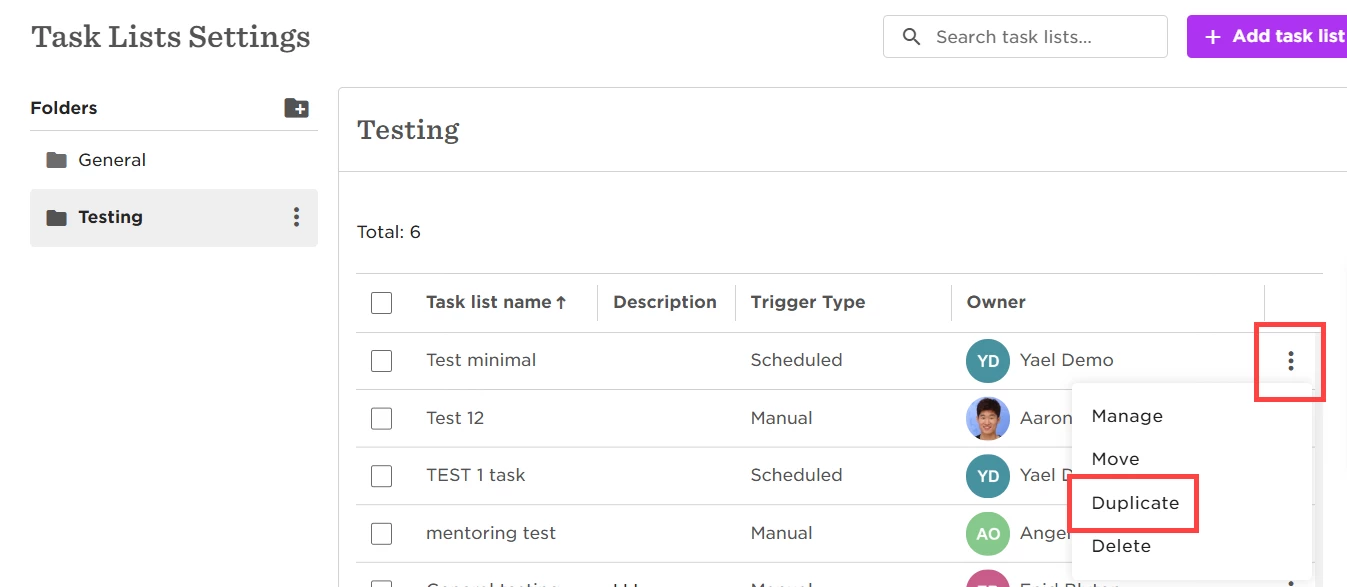
- Duplicate the task list.
- After duplication, re-enable the scheduling for the original task list, and add scheduling to the copy, if needed.
This will ensure that the lists are not automatically triggered during the duplication.