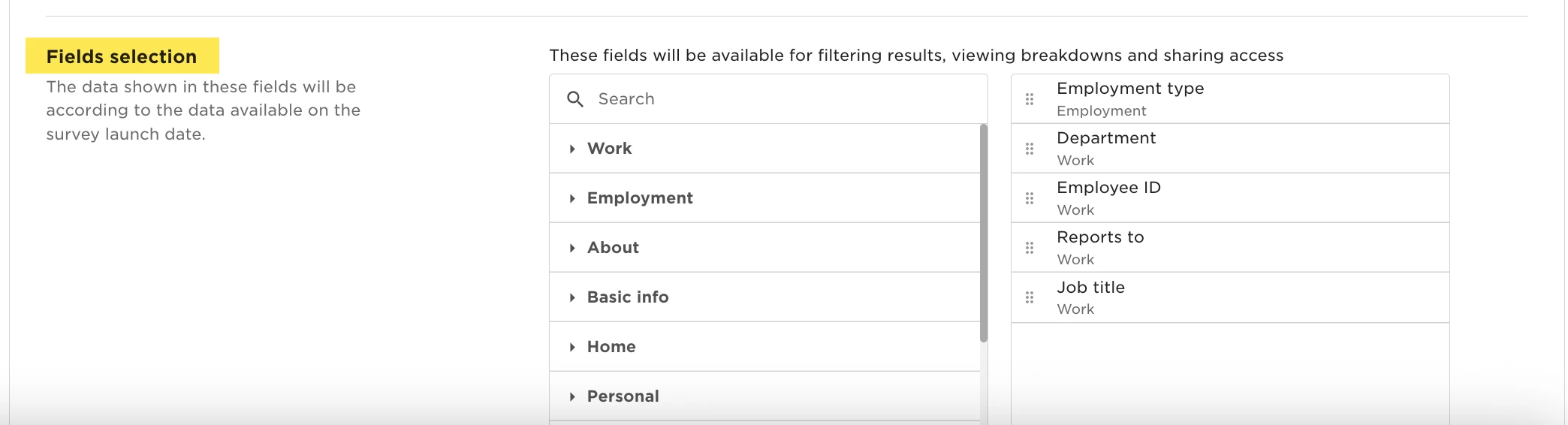
If you’re setting up a survey and can’t find a field like specific field when selecting fields for analysis, this is usually related to the category the field belongs to.
Survey field availability depends on the employee field category being active and supported. Even if a field exists, it won’t appear in surveys if its category is archived or unsupported.
To make the field available, you’ll need to move it into a supported category.
Go to System Settings and open Employee fields. Locate the field and check which category it currently belongs to.
Survey-supported categories include:
*Work
*Employment
*About
*Basic info
*Home
*Personal
Once the field is moved, return to your survey setup.
The field should now appear as an option when configuring the survey and when analyzing results.