
There are three ways to request feedback using the Employee Lifecycle Feedback feature, once you have activated the form.
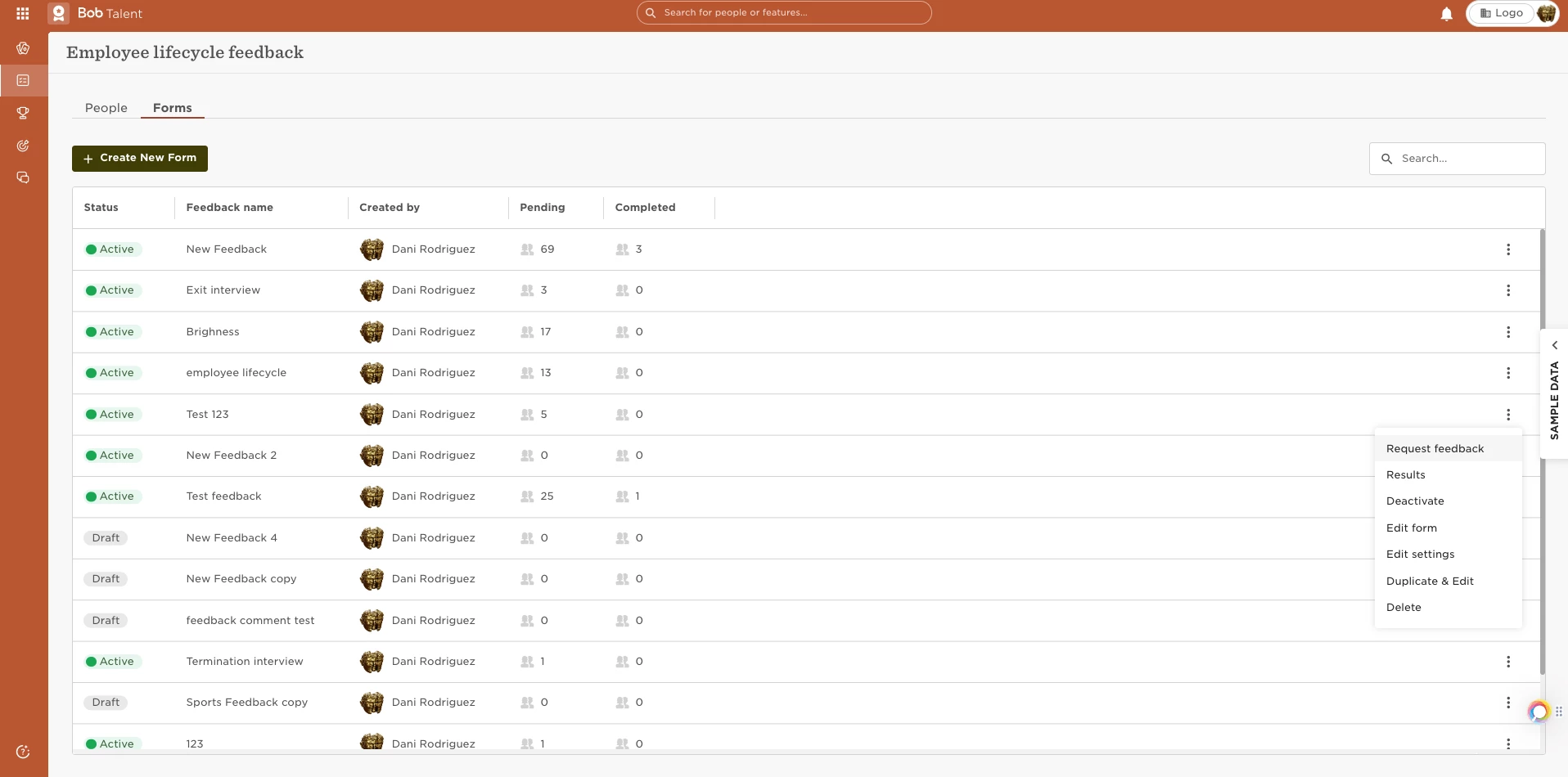
You can request feedbackby going to:
- Surveys
- Employee Lifecycle Feedback
- click on "forms" then use the three dots to "request feedback":
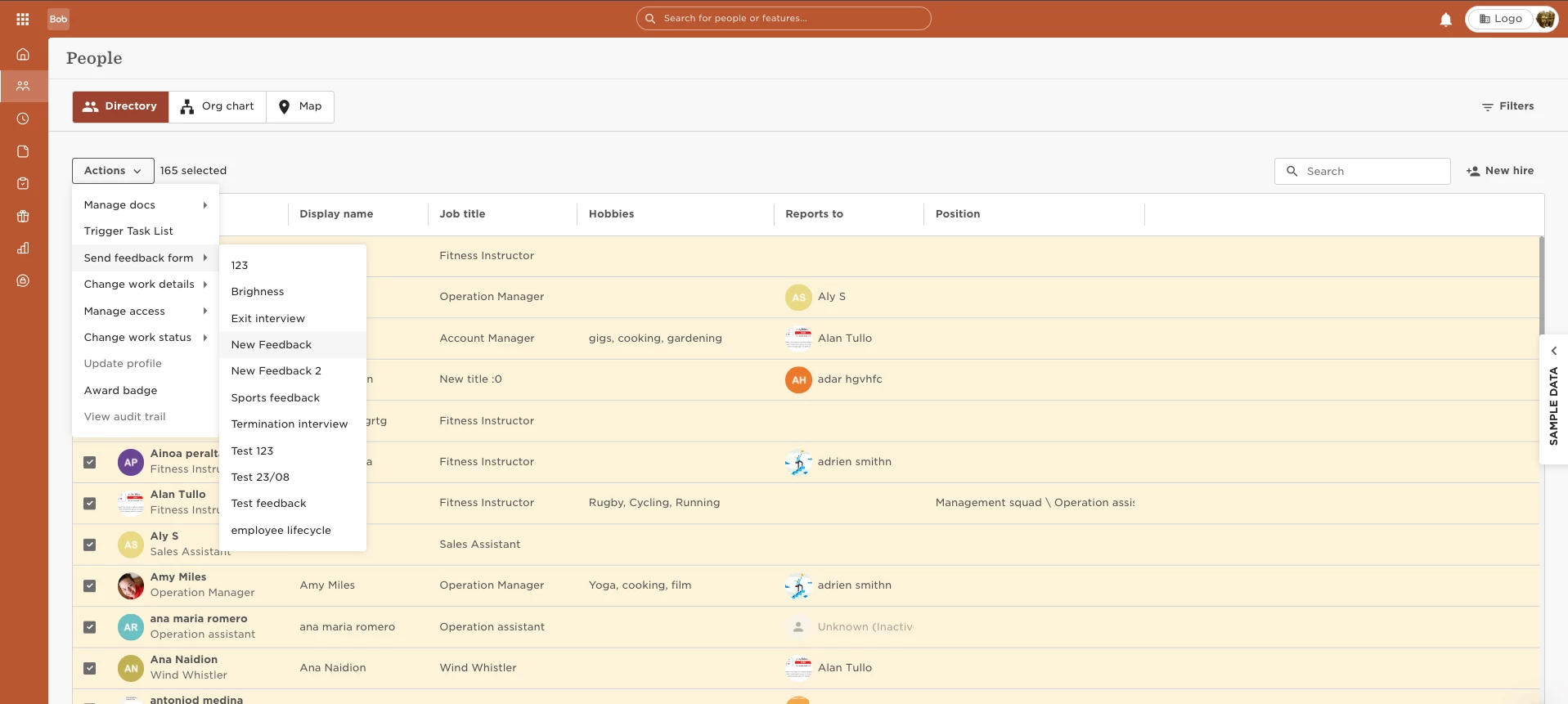
You can also request feedback from the people's directory, using the "actions" option:
As a part of a task list by adding the form as a task
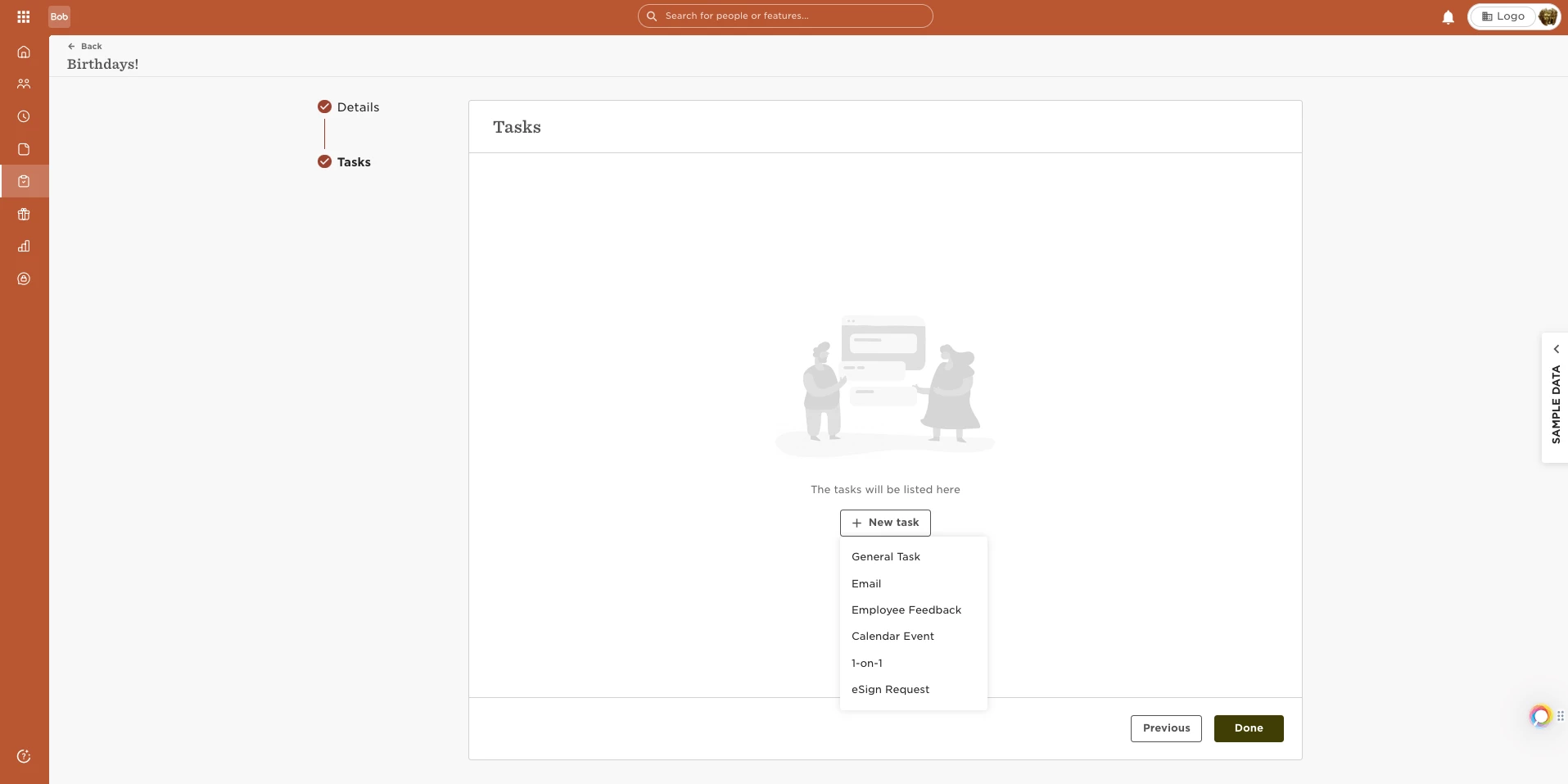
Please note: We don't need to add the user to the employee feedback form before creating the task. The system automatically adds the user to the form to request feedback via the task. Go to Settings > Tasks Lists and create a feedback task to request feedback from employees.
