
How to create a scale question from 1 to 10

  • September 12, 2023
  • 6 replies
  • 207 views

Fernando Silva
Bobber

When creating a custom scale question on a survey, you can add up to 10 options for employees to select.

Here are the steps to do this:

  • From the top left Menu
  • Select Talent 
  • Choose the option Surveys
  • You will find in the left menu the option Surveys 
  • Select Company surveys
  • Click on the already created survey or create a new one on + New survey
  • Go to the section Questionnaire 
  • On the top right corner, select Edit form from the Actions dropdown menu 
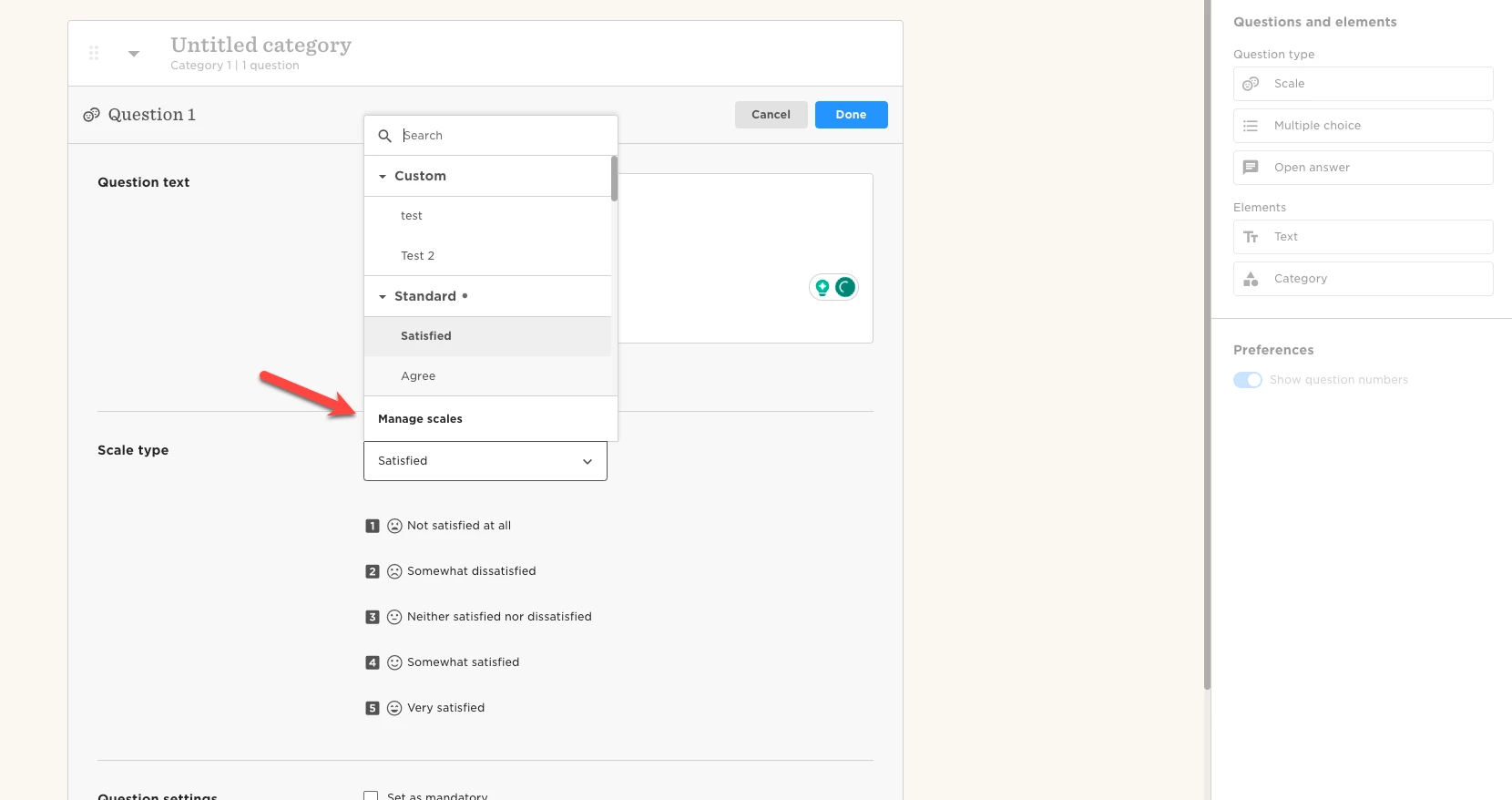
  • Drag and drop a scale question from the left panel to the form and, in Scale type, scroll down to select Manage scales 
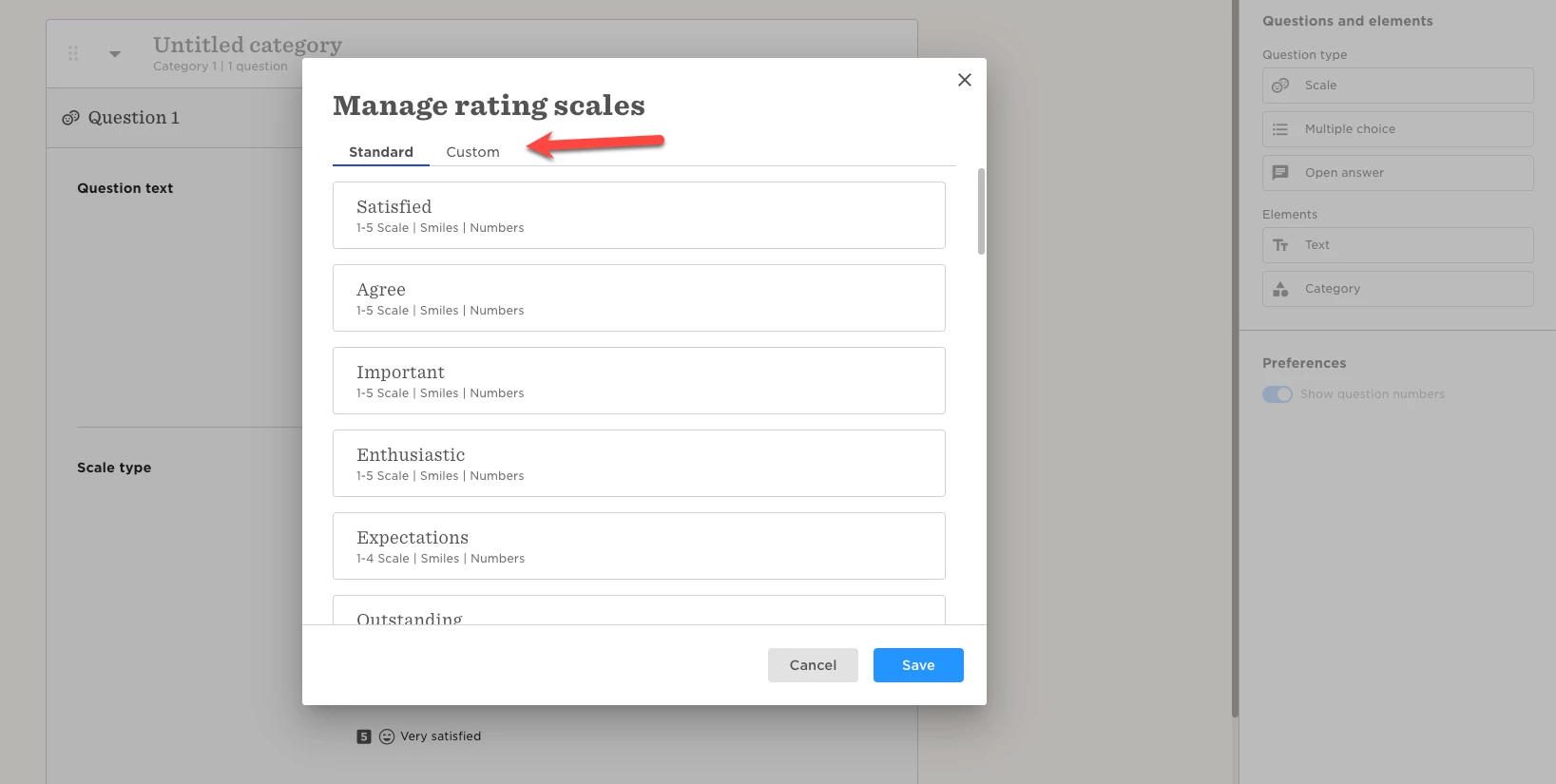
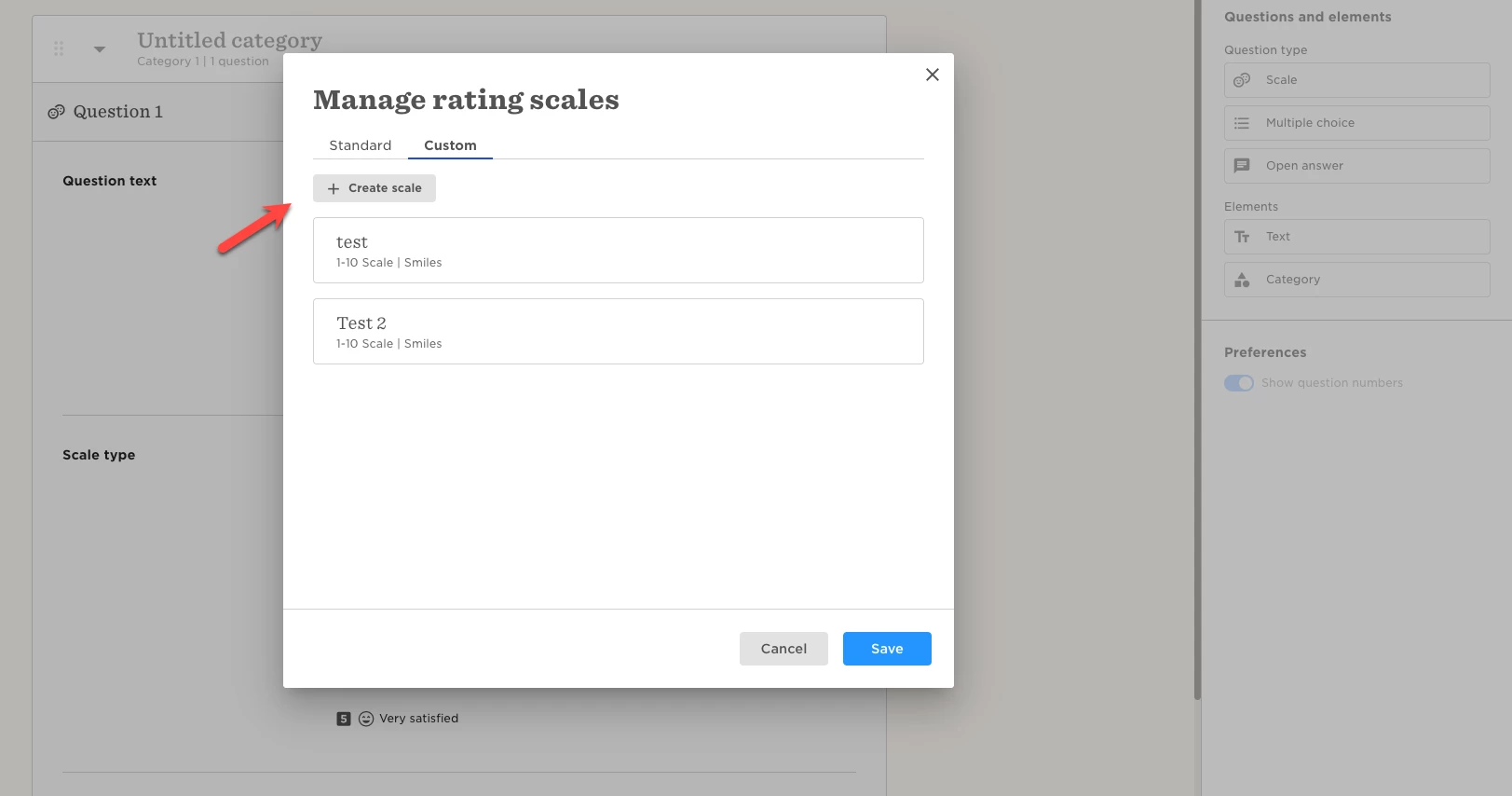
  • There, select the Custom tab, and then the button + Create scale
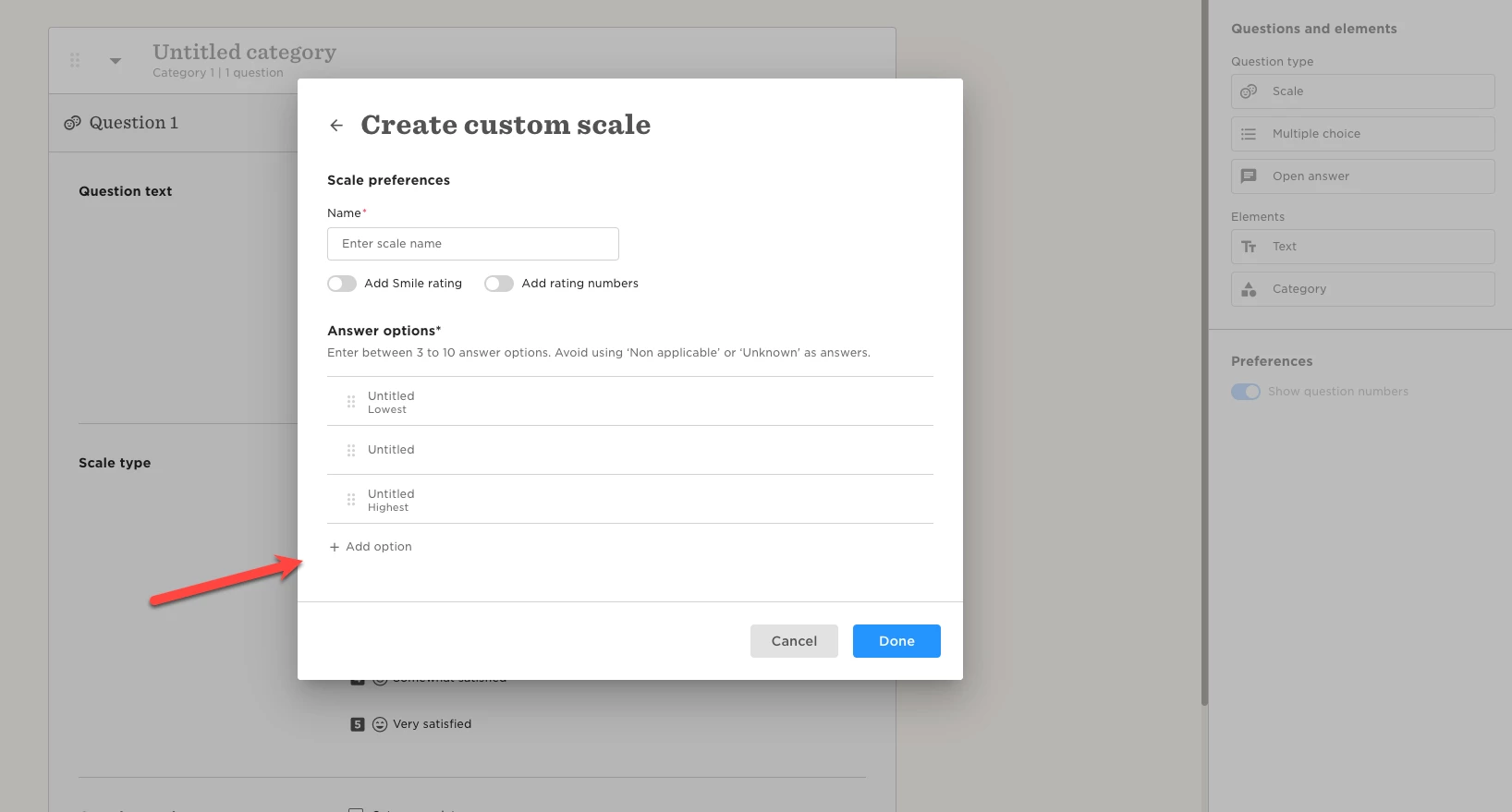
  • You’ll see a warning message saying “Enter between 3 to 10 answer options. Avoid using ‘Non applicable’ or ‘Unknown' as answers.”
  • At the bottom of the options, you can + Add option (from 3 to 10), and on each option you can add a description for each one
  • You can also drag and drop the options to reorder them
  • When all is finally set, click Done.

We remind it’s not currently possible to delete scales, so please make sure that all is correct and as needed before saving.



Last edited on June 20th, 2024

6 replies

  • April 13, 2026

Hello, I followed these instructions to create a custom scale with 10 options, but after clicking ‘Done’ and then ‘Save’, I can no longer see it. Why is that?

Thanks!

Lidia


This is happening to myself to ​@Lidia have you received a response?  I am trying to create an eNPS style question for an employee life cycle questionnaire 


  • April 14, 2026

Hi , ​@Michelle MacIntyre not yet. In the end, I’ve decided to use the eNPS option available in the survey settings.
Unfortunately, using that option doesn’t allow you to customise the related question.
In my case, the question was supposed to be in Italian, but it appeared in English on the system.
I’ve noticed that if you change the language, the question gets translated and remains in Italian even after the survey goes live, even if you switch the system language back to English.

So I decided to follow this path.
I hope you find it useful

Lidia


In the manage scales section, there’s no possibility to delete or edit the scale answers of a custom created scale. How would we delete an existing custom scale?


  • May 7, 2026

I am also experiencing the issue of being unable to delete custom scales and custom scales not saving. Is there a limit on the number of custom scales that can be created and then it doesn’t save after that? 


@Luis Garcia de la Cruz - I’m experiencing this same issue. Have you learned how to delete one yet?