

Learn how to review, fix, and re-submit pension errors when using integrated pension providers in UK Payroll.
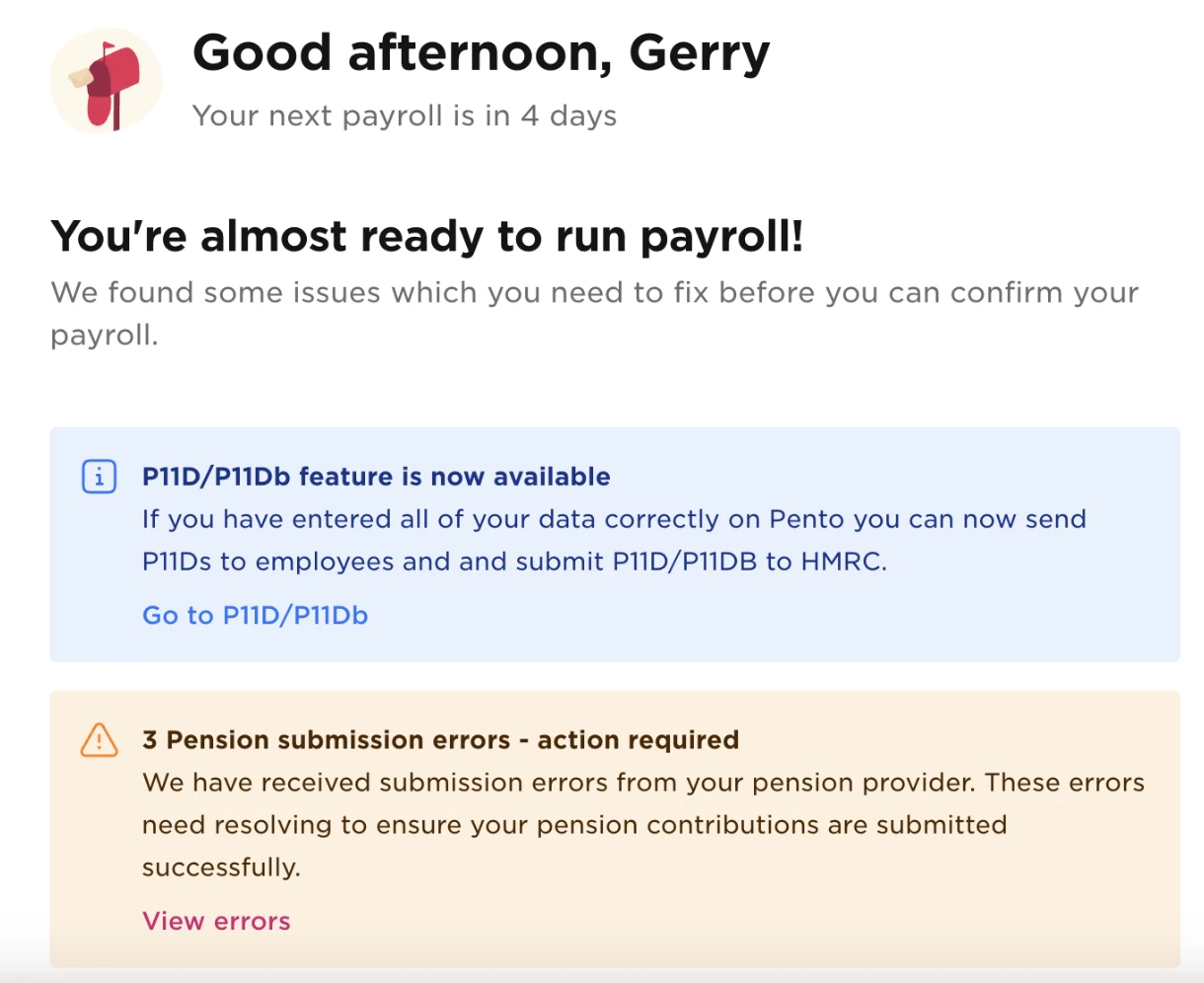
UK Payroll automatically submits pension information to your pension provider on payday. If any submissions fail, you’ll see a notification on the Overview page so you can review and fix issues before payment is due.
⚠️ This process applies only to integrated pension providers: NEST, SMART, The People’s Pension, and Penfold.
View pension submission errors
If a pension submission fails, a notification appears on the Overview page.
-
Click View errors in the pension submission error notification to see a list of failures.
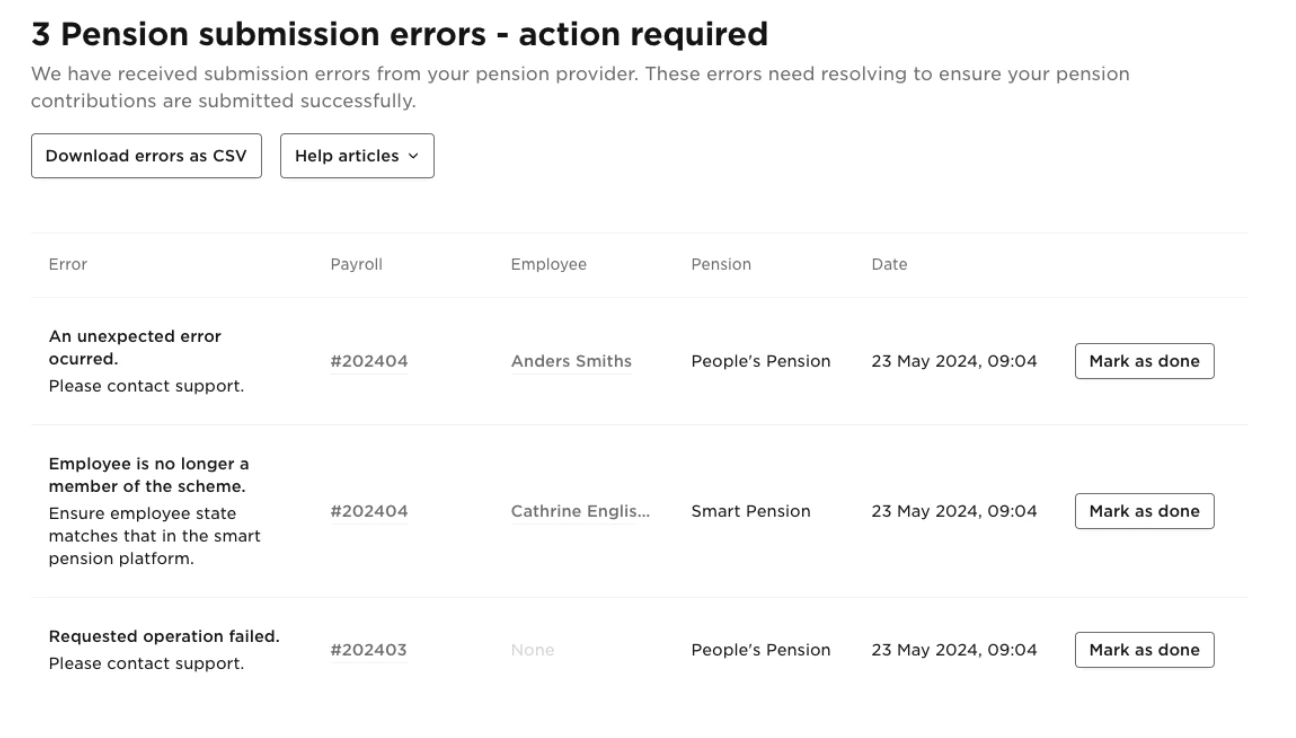
To download the error details, click Download errors as CSV.
The CSV report helps you identify which employees or data fields are affected.
Fix pension submission errors
Each error must be resolved before your pension provider’s payment deadline.
-
Review each error in the list.
-
Follow the guidance in your pension provider’s help centre.
Depending on the issue, you may need to update details in:
-
UK Payroll
-
Your pension provider’s platform
-
Or both
Once you’ve fixed the issue, click Mark as done next to the error.
e-submit the pension file
After resolving all relevant errors:
-
Go to Payroll.
-
Open the relevant payroll cycle.
-
Click Re-submit pension in the top-right corner.

When the submission is successful, any resolved errors are automatically removed from the list.
All pension submission errors must be corrected before the date your pension provider collects payment. Unresolved errors may cause reporting or payment issues with your provider.
This workflow helps ensure pension data is submitted accurately and on time when using integrated pension providers with UK Payroll.