

You may have received an email with the subject line "[IMPORTANT] Your sandbox will deactivate in 15 days."
Sandbox automatically deactivates after 60 days if it is not extended. This is a system-wide policy in place for GDPR compliance and cannot be changed.
The email indicates that your Sandbox environment is scheduled to deactivate in 15 days.
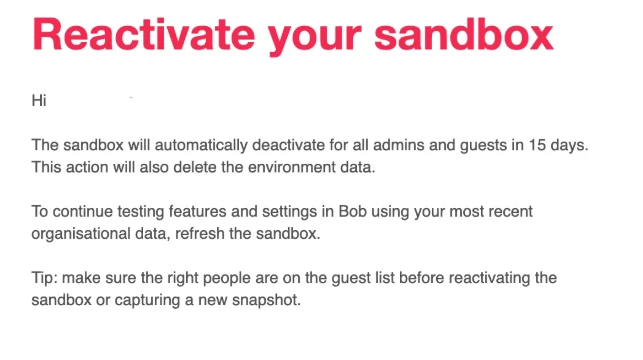
To keep it active, you have two options:
1) Refresh the Sandbox
Follow these steps to refresh your Sandbox:
- Log into your production environment
- Click the waffle icon
- Select System Settings
- Open the Account section
- Click Sandbox
- Open the Actions menu
- Choose Refresh Sandbox
- Confirm the refresh
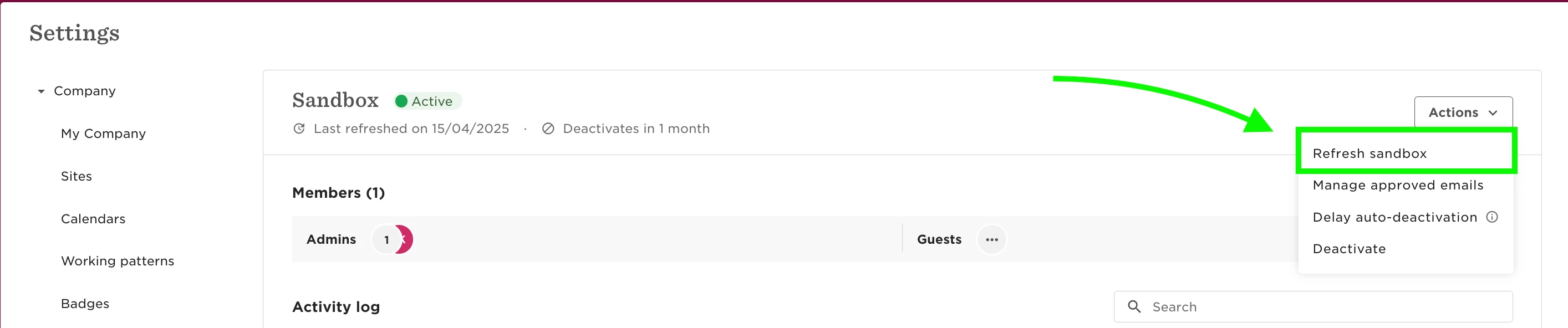
Please note: Refreshing your sandbox will reset it to match your current live environment. This means any sandbox-specific settings and test data will be removed during the refresh.
2) Delay the Auto-Deactivation
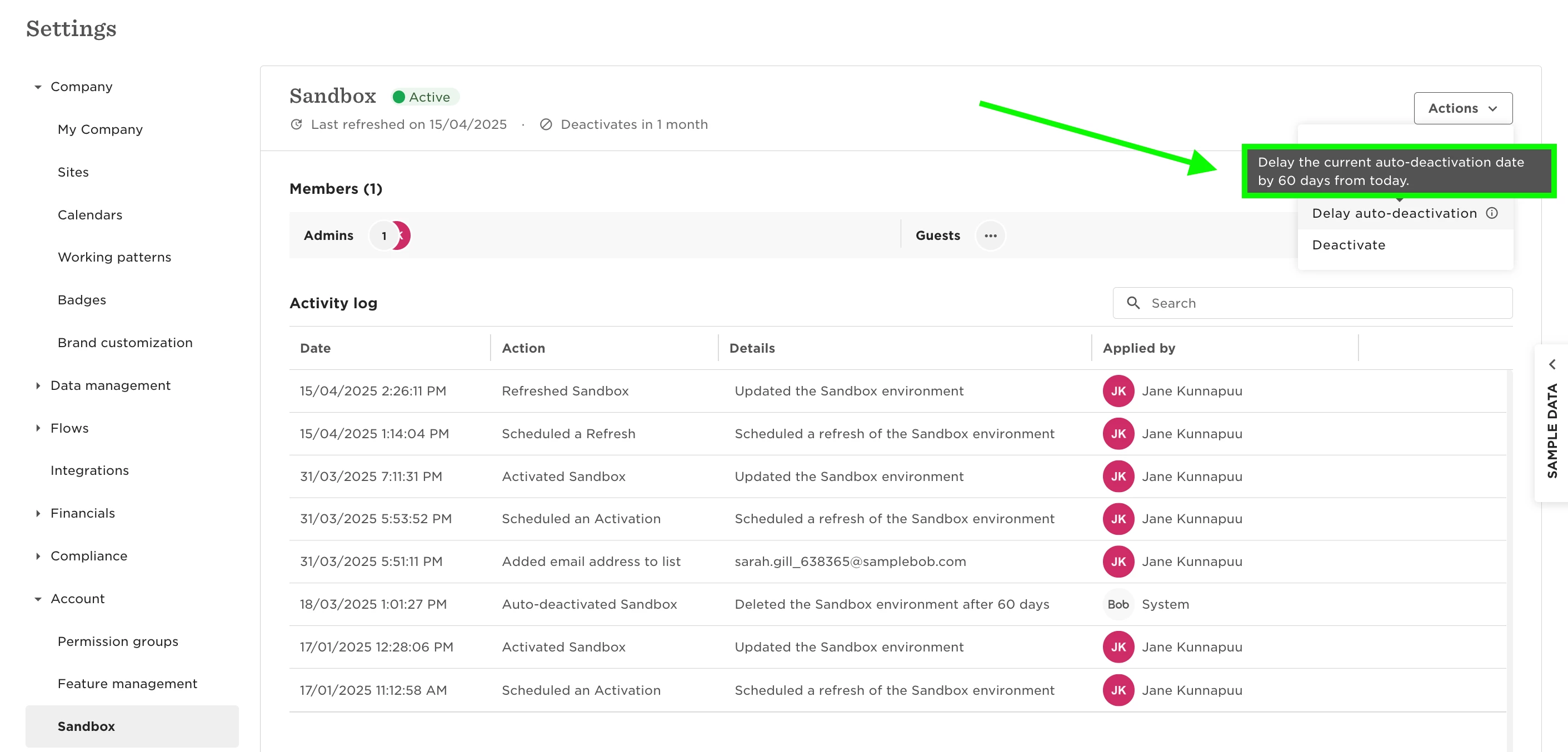
From the same dropdown menu, you can choose to delay the deactivation date. This option is best if you want to keep your current Sandbox configuration. Selecting it will extend the deactivation date by 60 days.
With these options, you can easily ensure your Sandbox stays active and available.