Viewing all Birthdays of a specific Month

  • Sep 24, 2024 2:56 PM UTC
  • 2 replies
  • 455 views
  • Translate All

You can generate a general report to view employee birthday information. Here's how:

Navigate to Analytics > Reports

Click Add Report

Select General Report

Use the Column Picker to include the "Birthday" field and exclude any fields you don't need

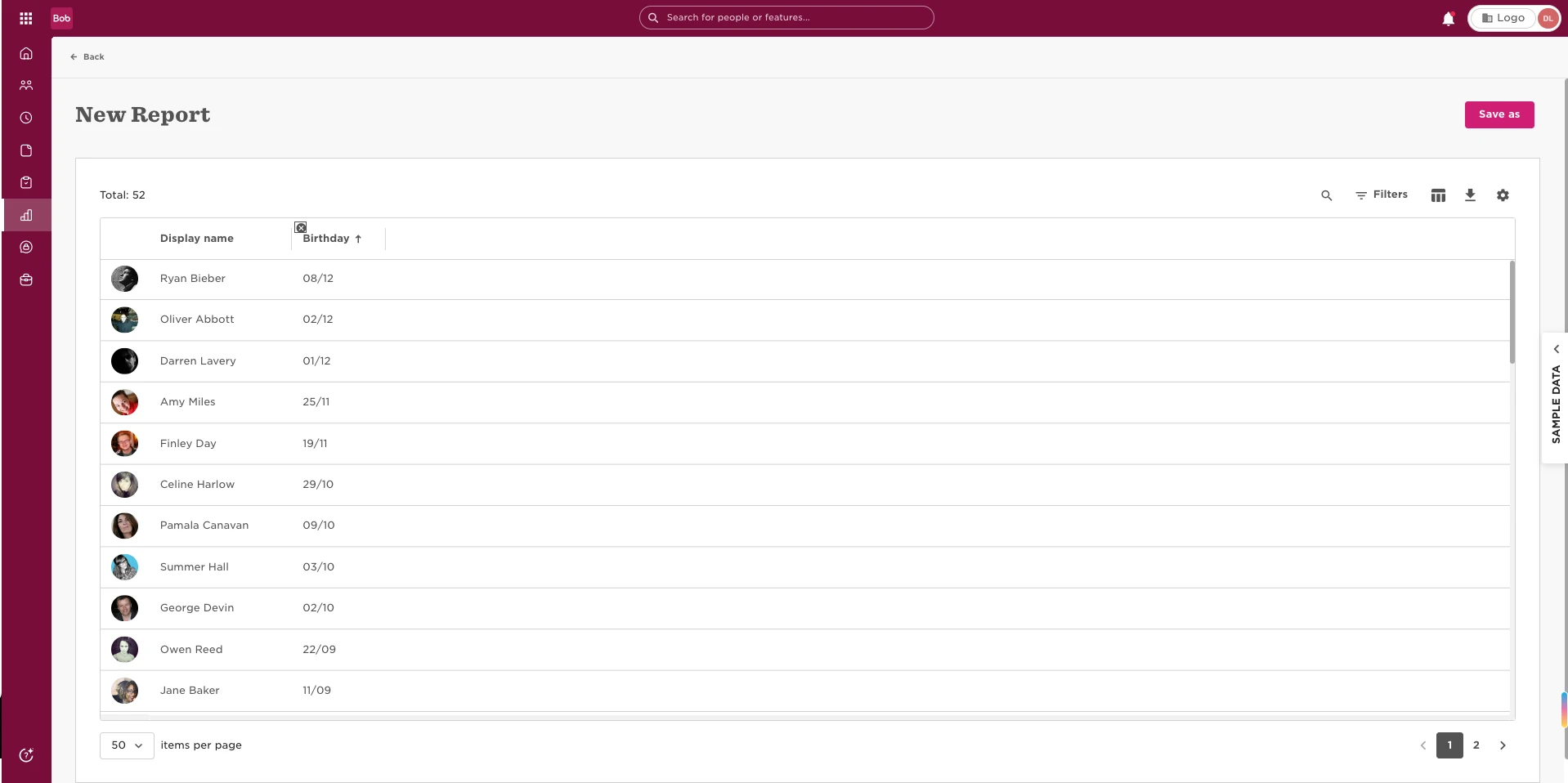
This will give you a report with the relevant birthday information as shown below.
 

2 replies

Hi

Is there a way a report can be set up so that you get a monthly reminder of birthdays coming up in the next month. So for example on the 31st January receiving a report for all birthdays in February and so on?

Translate

Maital Terdiman
Bobber

Hi ​@romneek.kunvarji 

  1. You will want to generate a new ‘General report’
  2. Next you will need to select all the columns you wish to include in the report.
    For example: display name, email, date of birth and birthday.
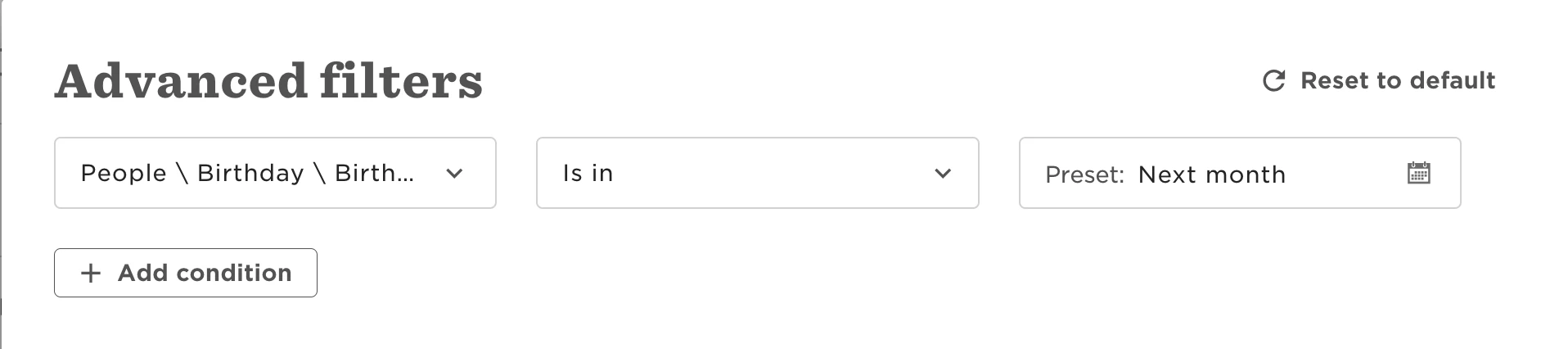
  3. Navigate to Filters, and Advanced filters to include:
  4. Save
  5. More → Schedule → Set up your preferences 

🤓

Translate