F.A.Q.

Salary changes report for specific timeframe/all history

  • October 14, 2024
  • 5 replies
  • 312 views

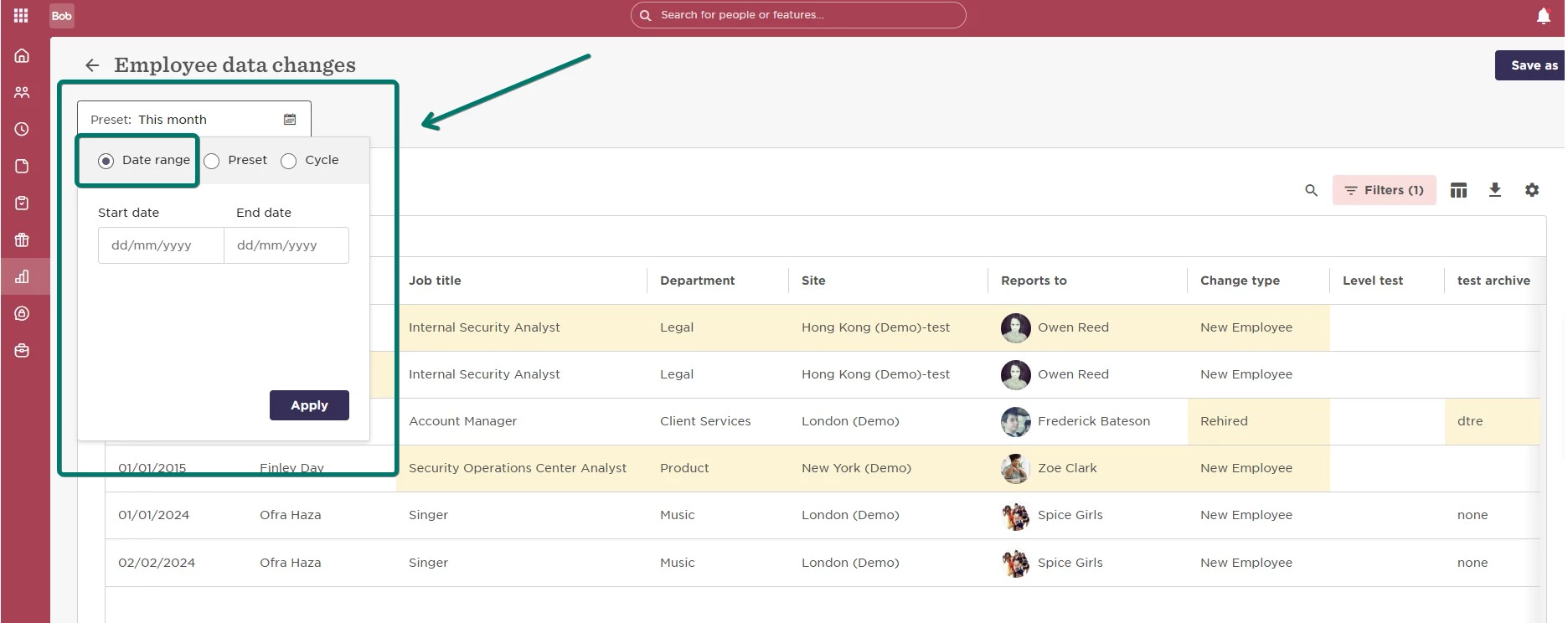
To run all Salary changes for a specific period, we recommend using the 'employee data changes' report and set the Date range for the needed dates:
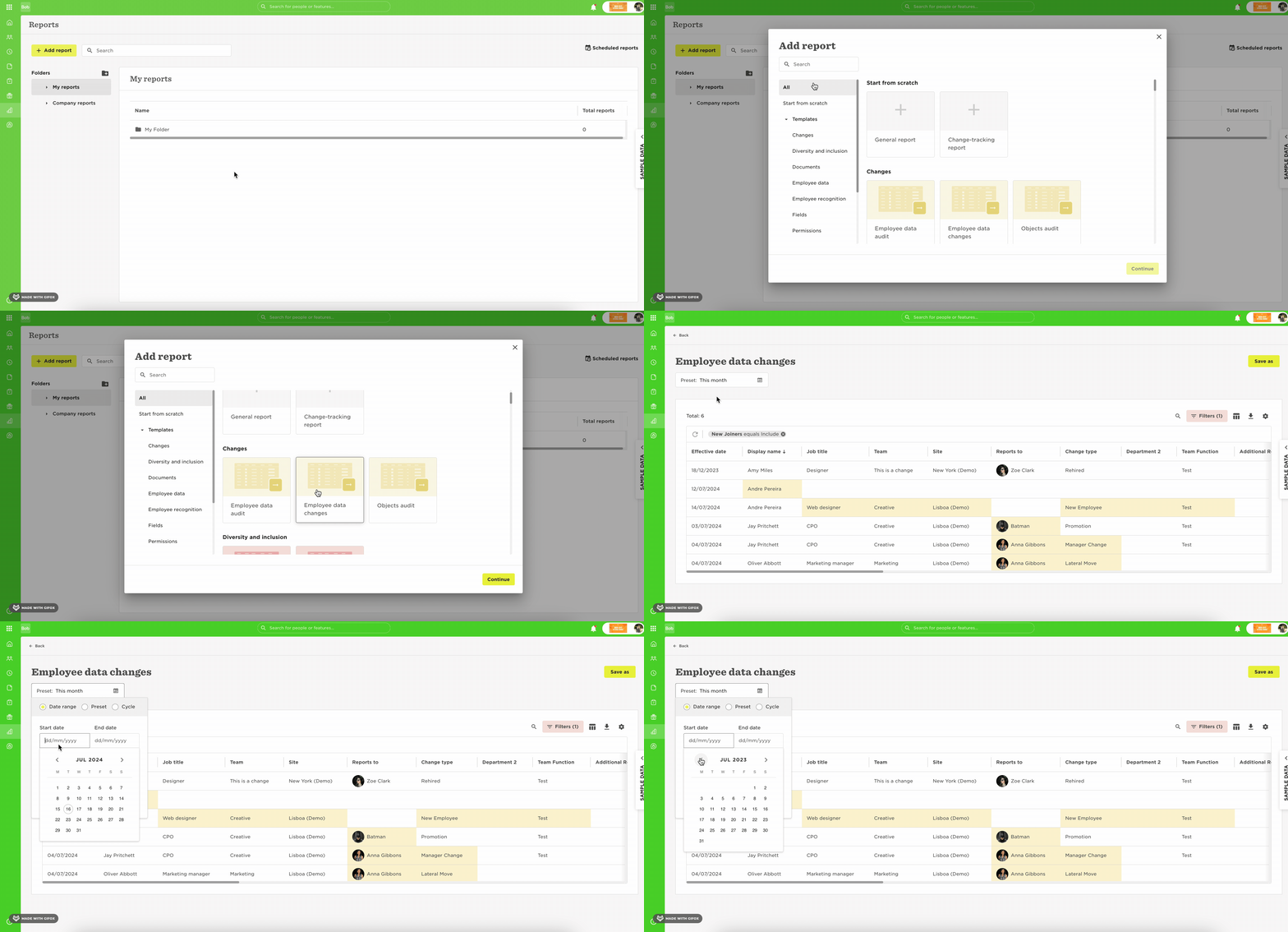
Then, we need to choose all the salary fields in the Column Picker and also ensure the filters are set to run the necessary data:
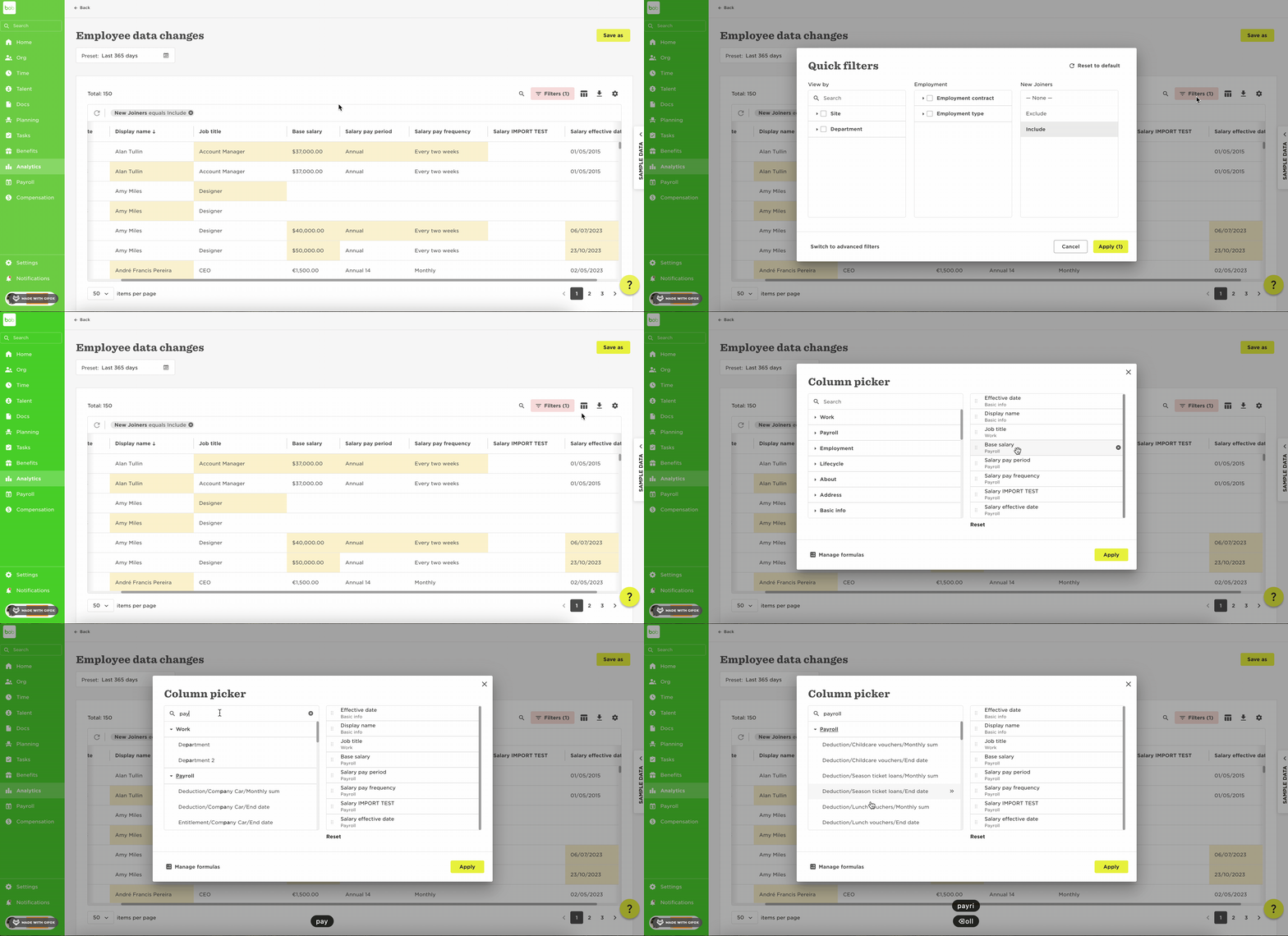
Note: the changes report is based on Effective dates for all changes by employee. This means that all changes for the time selected time will appear for the employees, with an individual row for each change.

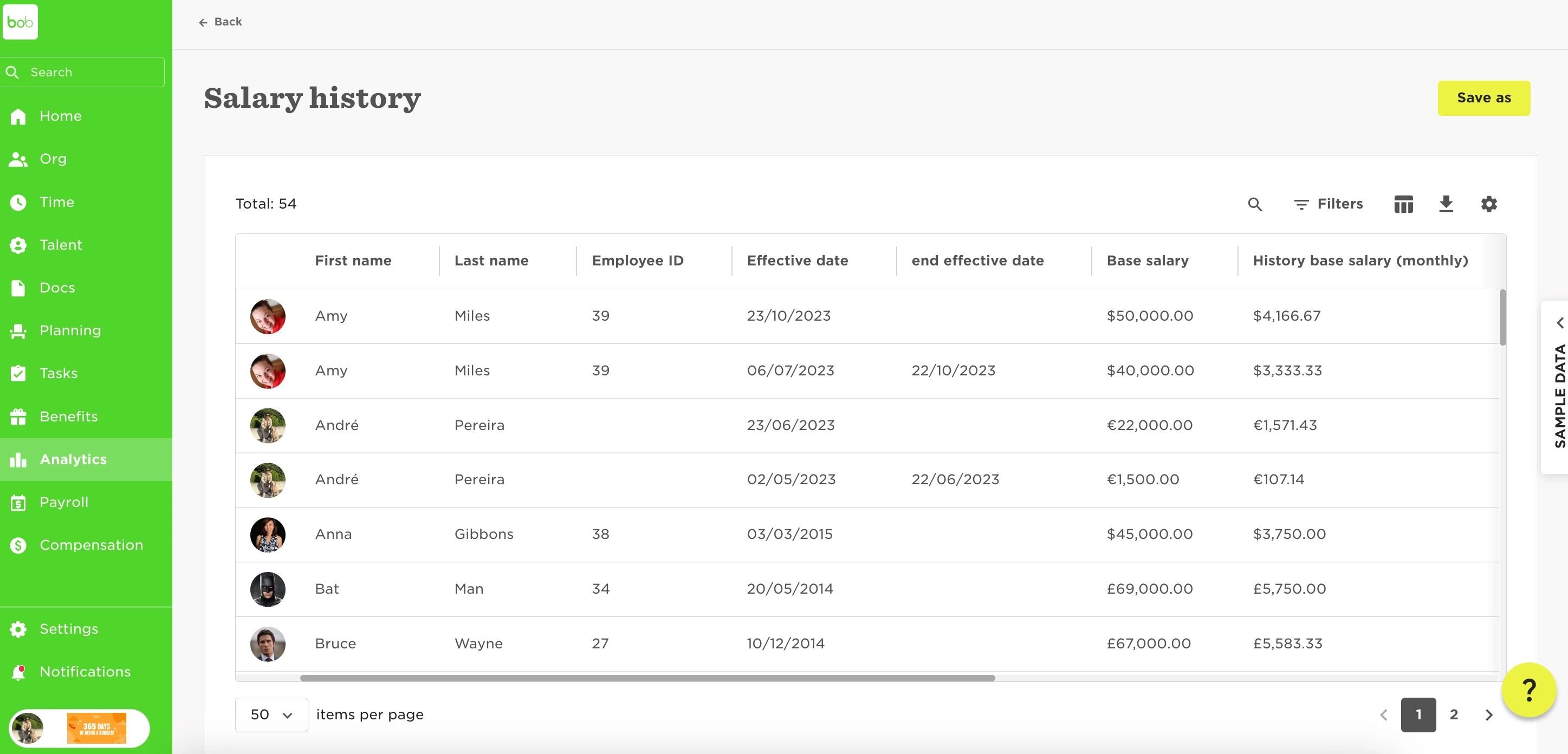
Now, in case we need to track only salary changes, we recommend using the Salary history report, which will show all the history details for the salary, and give you an entire view of the salary history for all employees.

However, this will show all historical changes, and it doesn't allow you to set a specific timeframe:

 

5 replies

  • November 18, 2024

Hi there, 

is there no option to show the salary history report for a specific timeframe only? E.g. to show all changes in 2024.

best regards

Anna


Netta Brodsky
Bobber

Hi ​@Anna Weber - Thank you for your question! 🙏🏻

You can definitely choose the time frame that suits you. Right below the report's name, you'll find the option to select the date range.


  • February 25, 2025

Hi there! 

Is there a possibility to show salary history as of a certain date? Say, salaries as of 01.01.2024 would show the starting salaries on that date plus all changes after that? 

Thanks in advance! 


Netta Brodsky
Bobber

Hi ​@Palm Niina - Thank you for following up! 🙏🏻

Yes, absolutely – we have a Point in Time report that allows you to view details as of a specific date, including salaries on that date.

You can find more details in this post: What is a Point In Time Report?


Hi, 

a quick update to those possibly looking for a solution here. I wanted a report that would show all salary changes between 01.01.2024 and 31.03.2025, so I used advanced filter and chose “end effective date” is not in “[start of the company] - 31.12.2023.” That seemed to do the trick.