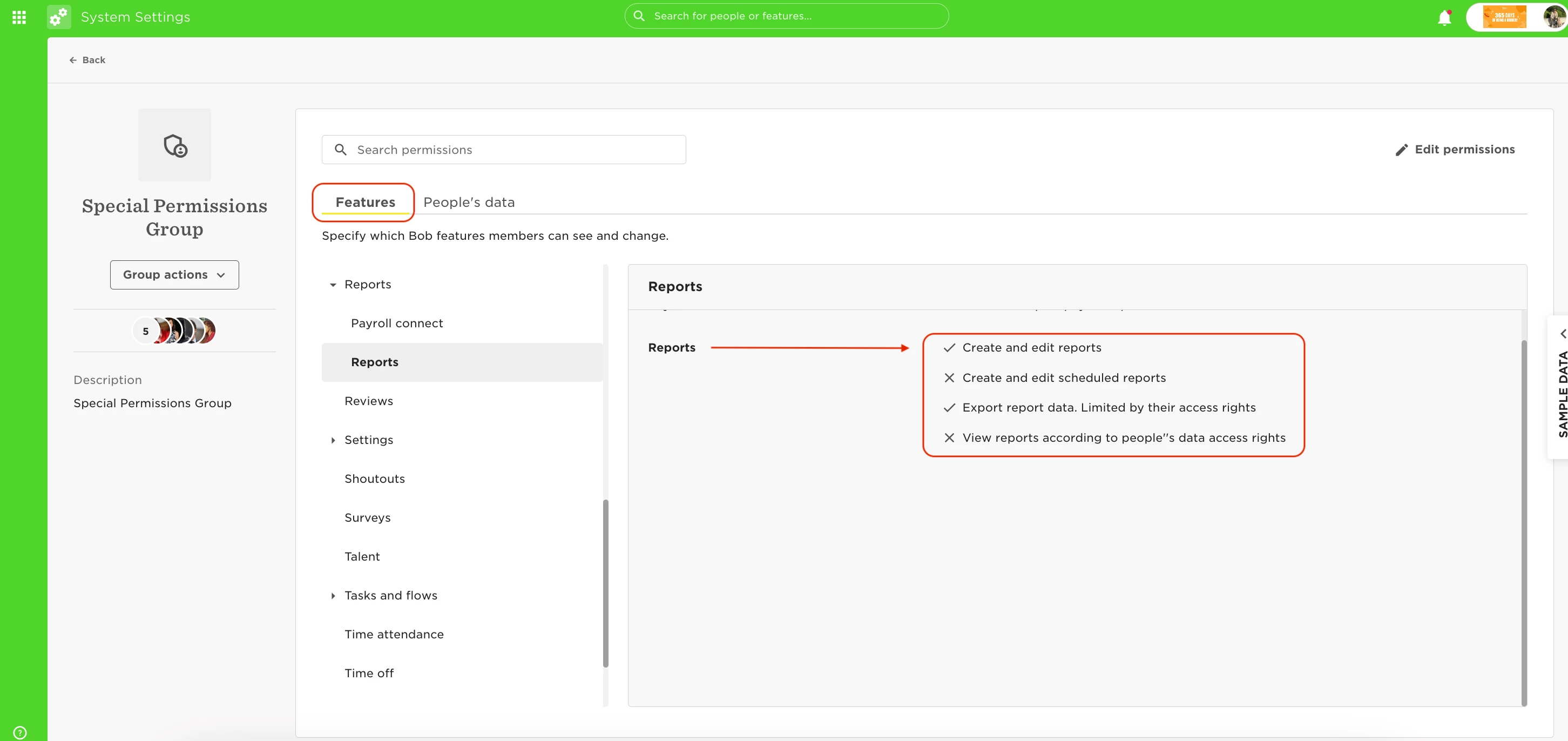
An employee needs permission to “create and edit schedule reports” and “view reports according to people’s data access rights” to be able to save existing reports:
This permission is possible to grant by going to the relevant permission Group:
- Features tab
- Reports
- Edit permissions on the top right side of the page
- enable ‘Create and edit reports’ and ‘view reports according to people’s data access rights’: